

Guides · Guide
How to turn listing photos into a video, and when a slideshow is not enough
The quickest way to turn listing photos into a video is a photo-to-video tool: AutoReel gives each photo a 3-second clip for a video of up to 60 seconds, iMovie is free and adds motion and music to a set of photos in a few taps, and Canva and CapCut do the same inside their editors. Every one of these produces a slideshow, a sequence of stills with movement added, so it cannot show how one room leads into the next; for that you need a filmed walkthrough; October's walkthrough is a third kind, AI-generated camera motion between the finished photos of your own guided walk, not filmed footage.
By Emil Thomsen, Founder of October · Updated
Reading on Google? Add October to your Preferred Sources to see our guides more often.
Two different things get called a listing video
A photo-to-video tool takes the photos you already have and animates them: a slow zoom or pan on each (the Ken Burns effect), a transition, music and captions. The output is a video file, but every frame is still one of your photos. A walkthrough is a camera moving through the property, so a buyer sees the hallway open into the kitchen and the kitchen look back at the dining room. Portals and MLSs accept both as video; buyers get different things from them.
Photos matter most either way. In NAR's 2025 Home Buyers and Sellers Generational Trends report, 83% of buyers who searched online rated photos "very useful," against 41% for virtual tours and 29% for videos, from 5,390 responses. Buyers' agents told NAR's 2025 Profile of Home Staging, as reported by HousingWire, that photos were more or much more important to their clients (73%) than videos (48%). So the photos come first, and the video's job is the thing photos cannot do: layout and flow. That is the honest test for any tool on this page.
Photo-to-video tools, from their own pages
Compared from each tool's homepage or App Store listing on October 22, 2026. We did not make a video with any of them, so there are no quality scores. Several pages render their prices in a script we could not read; where that happened we say so rather than guess.
| Tool | What it does with your photos | Price (as of Oct 2026) | Limits and claims from its page | Best for |
|---|---|---|---|---|
| AutoReel | Upload photos (or import from Realtor.com), pick a look, AI edits a portrait or landscape video; add logo, text, captions, music, AI voiceover | Free plan: 2 videos a month with an AutoReel watermark, no card. Paid plans with a 7-day trial; prices are on a pricing page that did not render for us | Each photo becomes a 3-second clip, videos "up to 60 seconds long based on your plan"; 15 to 20 photos a video by plan; photos 10 MB (25 MB on Growth and Pro); "typically ready within 10-15 minutes"; claims "250,000+ Videos created" | A branded reel from a finished photo set in minutes |
| iMovie (Apple) | Magic Movie builds a video from your photos and clips with titles, transitions and music; photos get a zoom and pan you can switch off | Free | iOS or iPadOS 17.6 or later; 20 Storyboards; 11 animated title styles; "more than 130 soundtracks that automatically adjust to the length of your movie"; export "up to 4K at 60 frames per second"; 4.4 from 318K ratings | A free, unbranded slideshow for the MLS virtual-tour field |
| CapCut | Video editor with templates, auto captions and background removal; a photo sequence is edited like any clip | Free with in-app purchases; subscriptions listed from $9.99 a month (Standard Monthly) and $89.99 a year | "Auto captions: automate speech recognition and subtitles"; 4.6 from 1.1M ratings; the App Store listing does not describe a photo-to-video feature by name | Vertical social cuts with captions |
| Canva | Design editor with a video editor and slideshow templates; your photos drop into a listing template | Free with in-app purchases; Canva Pro at $14.99 a month or $119.99 a year among the listed prices | "Craft engaging videos with our intuitive video editor"; "Build captivating presentations and slideshows using professional templates"; 4.9 from 3.6M ratings | A slideshow styled to match flyers and posts you already make in Canva |
| PropertyVideos.ai | Its headline: "Transform Listing Photos into AI Real Estate Videos" | Its pricing page returned only a heading to us | No other claims loaded for us | Unknown until its pages load |
| Shhots | Real Estate Studio: a 15-second narrated clip with an on-camera presenter, built from 3–4 photos | Pro $49 a month (6,000 credits) or Scale $99 (12,000); 55 credits an image, about $0.45 | "Nobody reviews it"; credits reset monthly; no free plan | A short social clip with a presenter, from a staging subscription |
| Collov AI | AI virtual tour from up to 20 images on its Premium plan | Premium $79 a month billed yearly (263 credits) | Staging, editing and tours on one subscription | A tour-style video from staged photos |
| Exposio Motion | A video generated from the best photos of each shoot, inside the Exposio camera app | Free app, free to shoot with a watermark; first listing free on its site | Also sells HDR capture, staging and sky edits from one account | Photographers already shooting with Exposio |
| Styldod | Edits video you shoot, or makes a single property video | Single property video from $30; video editing from $60 | Human editors; 24–48 hours on staging, no time stated for video | A person editing a walkthrough you filmed |
| ReelTorz | Not a tool: reeltors.com redirects to ReelTorz Media, a production service with a "Book a Shoot" page for listings, social content and events | Not published on the page we saw | No prices, lengths or turnaround on its homepage | A videographer booked for the listing |
The pattern is clear enough. Everything in the first five rows animates stills; AutoReel's own page sets the ceiling at 20 photos and 60 seconds. Shhots and Collov add narration or a tour feel on top of photos, and Styldod and ReelTorz are people. None of them starts from the property itself.
Where the video goes decides the format
| Destination | Length | Rules from the platform |
|---|---|---|
| Zillow Showcase listing | Up to 120 seconds | "only one video may be shown per listing for now"; it must be uploaded by your content provider through Zillow's Aryeo platform and created by the same photographer who provided the other media; it "cannot include persistent agent or brokerage logos, watermarks or advertising"; it autoplays on mute as the second item in the carousel |
| MLS virtual tour field | Set by your MLS | Usually unbranded. MLS Now, for example, bans agent names, company names, links and branding, including in the YouTube description |
| Instagram Reels | Up to 3 minutes | The limit went up from 90 seconds in January 2025; vertical |
| YouTube Shorts | Up to 3 minutes | Square or vertical; a 16:9 video is treated as long-form |
Two of those rules bite photo-to-video tools in particular. A free plan's watermark (AutoReel's, for example) is a persistent logo, which Zillow Showcase does not allow and many MLSs treat as branding; and Showcase requires the video to come from the photographer who shot the listing, through Aryeo, so a reel you make yourself from the photos is for your own channels, not that slot. The slideshow's natural homes are the MLS virtual-tour field (unbranded cut), your website and social.
The honesty line: a slideshow is not a walkthrough
Call it what it is. A video made from photos is a slideshow, and a listing that describes it as a "video walkthrough" or "virtual tour" promises movement through the home that the file does not contain. NAR's Code of Ethics asks REALTORS® to present a true picture in their advertising; a label such as "photo slideshow" costs nothing and keeps the promise honest. The same applies to AI tools that add fake camera moves, a presenter or a tour feel on top of stills.
Disclosure rules for the photos carry over to the video. If a photo in the sequence is virtually staged or digitally tidied, the slideshow is showing an altered image too; California's AB 723 is written about images, and labeling the video is the cautious reading. See our AB 723 guide and the walkthrough video guide, which covers filming the real thing with an iPhone.
An AI walkthrough from one walk: how October does it
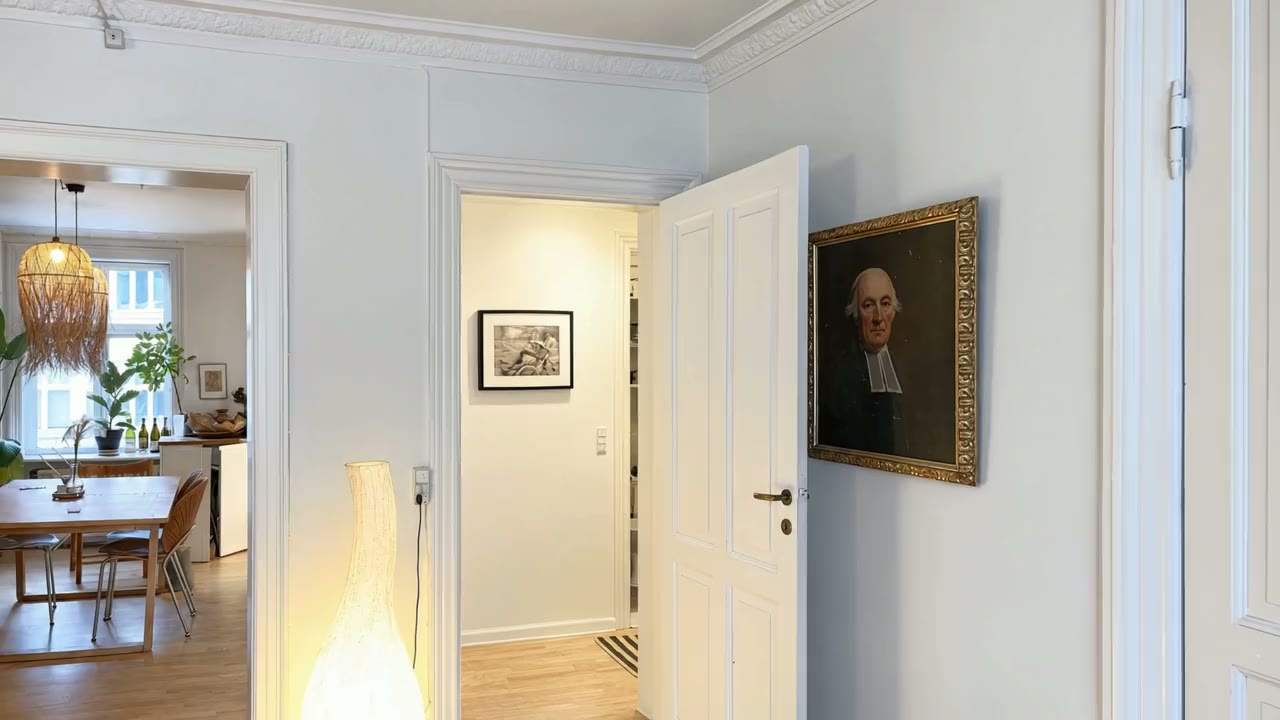
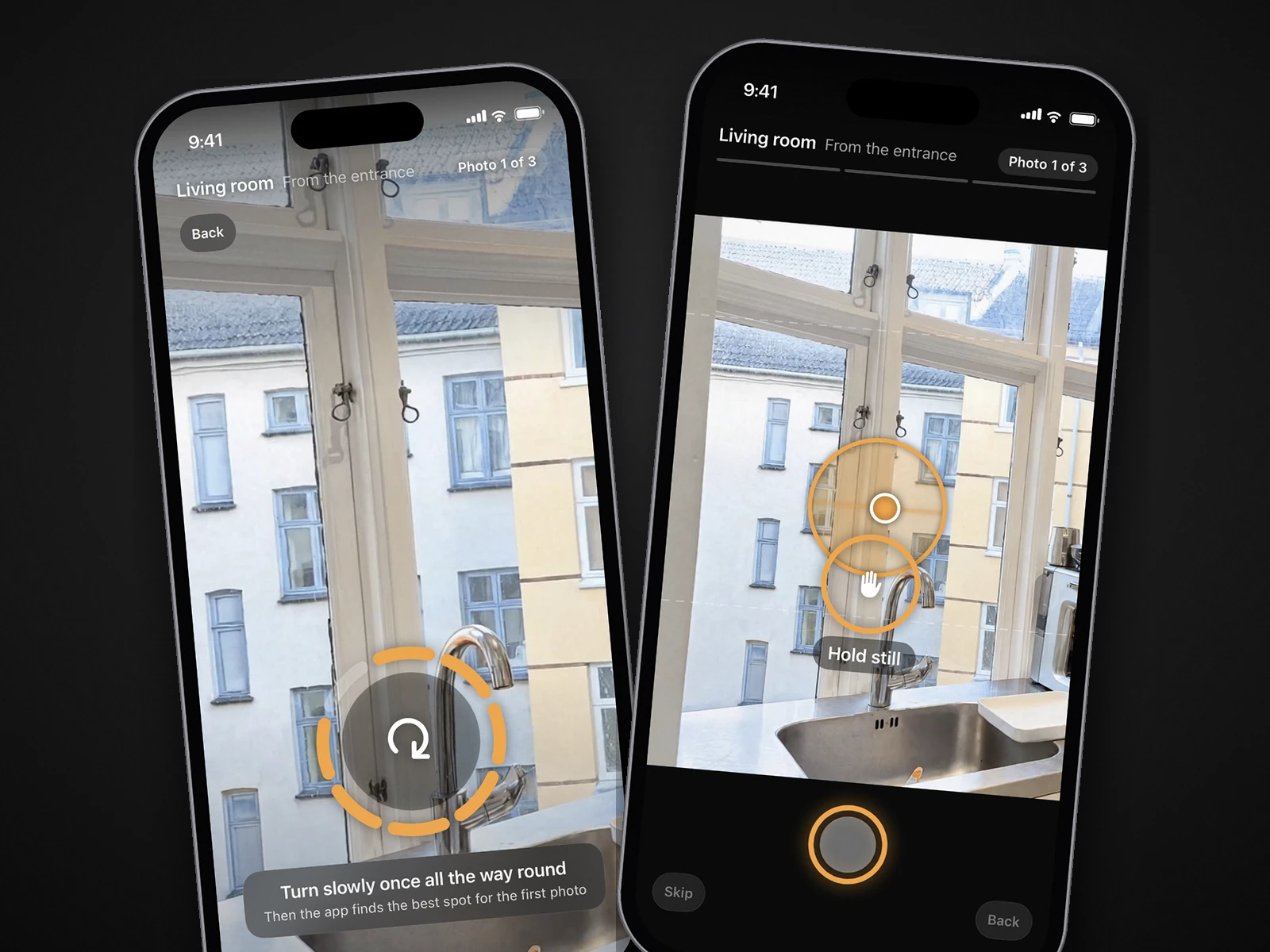
October is not a film crew, and it does not animate photos you already have. You walk the property once with the October app on an iPhone 12 or newer; it guides you to the photographer's spots in each room, keeps the phone level and takes the frames. From that capture an AI image model draws a finished photo of every spot, and an AI video model (Kling) generates smooth camera moves between each room's finished photos, in HD (1920×1080) or 4K (3840×2160, the same film upscaled), usually within a few hours. That is AI-generated motion, not filmed footage, so by the line above call it an AI walkthrough, not a filmed one, and label it the way you label the photos. The models are told to keep the room as captured, but check the video and every photo before you publish.
Photos plus the HD walkthrough cost $99 a place (up to 6 rooms), $199 with the 4K walkthrough, and the first place is free. Start is $149 a month for 2 places and Pro $399 for 6, both with the walkthrough included. October makes no social cuts or narration, and it only works on rooms captured with its app, so if the photos were taken by someone else and you want a reel from them this week, one of the slideshow tools above is the answer. See pricing and the walkthrough video guide for the filmed alternative.
Step by step
Decide what the video is for
A buyer trying to understand the layout needs a walkthrough. A social post or an MLS virtual-tour field can take a slideshow. Decide before you pick a tool.
Pick the photos in walking order
Front door, living spaces, kitchen, bedrooms, bathrooms, then the best finish. AutoReel's plans take 15 to 20 photos; iMovie and Canva take as many as you add.
Build the slideshow
In iMovie, choose the photos and let Magic Movie add transitions and a soundtrack; in AutoReel, upload and pick a look; in Canva or CapCut, drop the photos into a template. Keep each photo on screen for about 3 seconds.
Make two cuts
A landscape, unbranded cut under two minutes for the MLS virtual-tour field, and a vertical cut that opens on the best room for Reels and Shorts, which allow up to 3 minutes.
Label it honestly
Call it a photo slideshow, not a walkthrough or virtual tour. If any photo is virtually staged or digitally tidied, label the video the way you label the photo.
Upgrade to a walkthrough when layout matters
Film the route with your iPhone for real footage, or capture the rooms once with the October app and get AI-generated photos and an AI walkthrough from the same walk, usually within a few hours.
Questions
Can I turn listing photos into a video for free?
Yes. iMovie is free on iPhone and iPad and builds a video from photos with Magic Movie, with export up to 4K at 60 frames per second. AutoReel's free plan makes 2 videos a month with its watermark, and Canva and CapCut have free tiers with in-app purchases. October's first place, photos and an HD walkthrough from one guided walk, is also free.
How long should a listing video made from photos be?
Under two minutes for the listing: Zillow Showcase caps videos at 120 seconds. AutoReel gives each photo a 3-second clip and tops out at 60 seconds; Instagram Reels and YouTube Shorts allow up to 3 minutes but a short cut usually works better.
Can an AI tool turn my listing photos into a walkthrough?
It can animate them, and some add a presenter, narration or a tour-style sequence, but every frame is still one of your photos, so the video cannot show how the rooms connect. A filmed walkthrough needs a camera moving through the home, filmed with your iPhone. October's walkthrough is AI-generated motion between the finished photos of your own guided walk: more than a slideshow, but not filmed footage, so label it as AI-generated.
Can I put a photo slideshow on Zillow Showcase?
Zillow's Showcase guide says the one video per listing must be created by the same photographer who provided the other media and uploaded through Aryeo, with no persistent logos, watermarks or advertising, and no more than 120 seconds. It does not say whether a slideshow qualifies, so ask your Showcase photographer; a watermarked free-plan video would not pass the branding rule either way.
Do I have to say the video is a slideshow?
Call it what it is. NAR's Code of Ethics requires a true picture in advertising, and "video walkthrough" or "virtual tour" promises movement through the home that a slideshow does not contain. If a photo in it is virtually staged or digitally tidied, label the video as you label the photo.
What does October's walkthrough cost?
Photos plus an HD walkthrough are $99 a place (up to 6 rooms), or $199 with the 4K walkthrough; the first place is free. The walkthrough is AI-generated motion between the finished photos of your own walk with the October app on an iPhone 12 or newer, and usually comes back within a few hours with the photos. October cannot make a video from photos taken by someone else.
Did you test these tools?
No. This page compares what each tool publishes on its homepage or App Store listing, read on October 22, 2026, plus the portal rules. Where a pricing page did not load for us, we say so.
Sources
- AutoReel: homepage (photos to video, free plan with watermark, 3-second clips, up to 60 seconds, 15–20 photos, file sizes, 10–15 minutes, claims)
- AutoReel: pricing (the page rendered only a heading for us on October 22, 2026)
- App Store: iMovie (free, iOS 17.6+, Magic Movie, 20 Storyboards, 11 title styles, 130 soundtracks, 4K at 60 fps, Ken Burns option, rating)
- App Store: CapCut (free with in-app purchases, subscription prices, auto captions, rating)
- App Store: Canva AI Photo & Video Editor (free with in-app purchases, Canva Pro prices, video editor, slideshows, rating)
- PropertyVideos.ai: homepage and pricing (only the headline loaded for us on October 22, 2026)
- ReelTorz Media (reeltors.com redirects here; a production service with Listings and Book a Shoot sections)
- Shhots: AI virtual staging / Real Estate Studio (55 credits an image, about $0.45, 'Nobody reviews it', 15-second narrated video from 3–4 photos)
- Shhots: pricing (Pro and Scale, credits, no free plan)
- Collov AI: pricing (Premium plan, AI virtual tour from up to 20 images)
- Exposio: website (Motion video from photos, free with watermark, credits)
- Styldod: virtual staging (single property video from $30, video editing from $60, 24–48 hours)
- Zillow: Showcase getting-started guide, editing listings (120 seconds, one video, Aryeo, same photographer, no persistent logos, autoplay)
- MLS Now: Add a virtual tour to a listing (unbranded rules)
- Lindsey Gamble: Instagram expands Reels to three minutes (January 2025)
- YouTube Help: Shorts up to three minutes
- NAR: 2025 Home Buyers and Sellers Generational Trends (photos 83%, virtual tours 41%, videos 29%, 5,390 responses)
- HousingWire: AI staging and the ethics gray zone (NAR 2025 Profile of Home Staging: photos 73%, videos 48%)
- NAR: 2026 Code of Ethics and Standards of Practice (Article 12)
- California Legislature: AB 723 bill text