

Guides · Guide
How to make a real estate walkthrough video with your iPhone
To make a walkthrough video with an iPhone, plan one route from the front door through the main rooms, then film in landscape at 4K and 30 fps while walking slowly with the phone level. Turn on Action mode for extra stability if you have it, and keep the finished cut under two minutes, which is Zillow's limit for Showcase videos. A gimbal helps, but slow movement, a two-handed grip and good light do most of the work.
By Emil Thomsen, Founder of October · Updated
Reading on Google? Add October to your Preferred Sources to see our guides more often.
Does a listing need a walkthrough video?
Photos come first. In NAR's 2025 Home Buyers and Sellers Generational Trends report, 83% of buyers who searched online rated photos "very useful." Floor plans scored 57%, virtual tours 41% and videos 29%. The survey drew 5,390 responses from people who bought a primary residence between July 2023 and June 2024. In the same report, 51% of buyers found the home they bought on the internet.
Video's job is the thing photos can't do well: showing how the rooms connect. Buyers' agents agree it matters, though less than photos. In NAR's 2025 Profile of Home Staging, as reported by HousingWire, 73% rated photos as more or much more important to their clients, 48% said the same of videos and 43% of virtual tours. So make the photos excellent first, and then add a walkthrough that shows the layout. If you'd rather hire it out, our guide to real estate videos covers the other video types and what a videographer charges. For the photos, see how to take real estate photos with an iPhone.
iPhone settings for a walkthrough
| Setting | What to choose | Why |
|---|---|---|
| Resolution | 4K (Settings > Camera > Record Video) | Room to crop and stabilize in editing. Apple notes files get bigger as resolution and frame rate go up |
| Frame rate | 30 fps (24 for a filmic look) | Smooth enough for a slow walk without huge files |
| Action mode | On, if your iPhone has it and the room is bright | Apple calls it enhanced stabilization. It records at up to 2.8K and works best in bright light |
| Action Mode Lower Light | On, in dim rooms | Apple's setting for using Action mode in lower light |
| Lens | 1×, or 0.5× in small rooms | Wider shows more of the room, but keep the phone level so walls don't lean |
| Orientation | Landscape for the listing, vertical for Reels and Shorts | YouTube treats square and vertical videos up to three minutes as Shorts, and 16:9 as long-form |
Action mode arrived with the iPhone 14 line. 9to5Mac's early test found it makes "a sizable crop" into the frame and asks for more light even on a well-lit staircase. So switch every light on before you film, and step back a little to make up for the crop.
Gimbal or no gimbal
- With a gimbal: the smoothest result, especially for turns and stairs. It's one more thing to carry, charge and balance, and it can tempt you into fast, swoopy moves that look less natural in a home.
- Without a gimbal: use Action mode or the standard stabilization, hold the phone with both hands close to your chest, bend your knees slightly and walk heel to toe. Turn your whole body, not your wrists.
- Either way: move slowly. Speed shows up as shake and blur faster than anything else. If a move looks too slow while you film it, it will usually look about right on playback.
Plan the route before you press record
- Start outside at the front door, or just inside it, so the video opens where a buyer's visit would.
- Go through the main living spaces in the order a person would walk them: living room, kitchen, dining.
- Then the bedrooms, primary first, then bathrooms. Hold each room for a few seconds from the doorway before moving in.
- Finish somewhere memorable, such as a view, a garden or a terrace.
- Open every door you'll walk through, switch on all the lights and open the curtains before the first take. The photo prep checklist covers the rest.
Shoot each room as its own clip rather than one long take. A wobble in the hallway then costs you one clip, not the whole video, and you can trim each room to its best seconds. Filming your own home or apartment to sell, rent out or sublet? Our guide on how to film a house tour covers privacy, apartment routes and where to post it.
Length and format for each place it goes
| Destination | Length | Rules worth knowing |
|---|---|---|
| Zillow Showcase listing | Up to 120 seconds | One video per listing, uploaded by your content provider through Aryeo. No persistent agent or brokerage logos, watermarks or advertising |
| MLS virtual tour field | Set by your MLS | Usually must be unbranded. MLS Now, for example, bans agent names, company names, links and branding, including in the YouTube description |
| Instagram Reels | Up to 3 minutes | The limit went up from 90 seconds in January 2025 |
| YouTube Shorts | Up to 3 minutes | Square or vertical. A 16:9 video is treated as long-form |
A practical plan is one landscape cut under two minutes for the listing and the MLS, plus a vertical cut for social that opens on the best room.
Walkthrough video vs. photo slideshow tools
Many "listing video" tools animate your finished photos. AutoReel, for example, says it will "turn your property photos into engaging cinematic portrait or landscape videos in minutes," and offers a free plan with two watermarked videos a month. They're fast and cheap, but every shot is a photo with movement added, so they can't show how one room leads into the next.
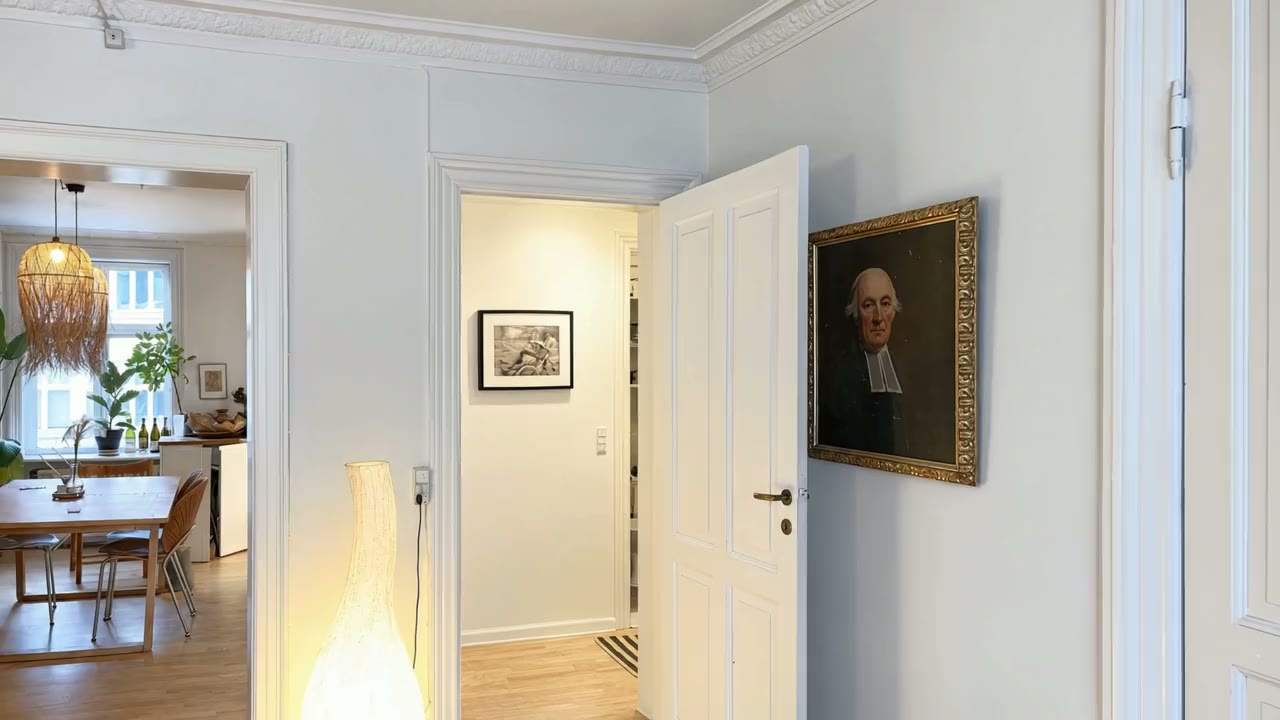
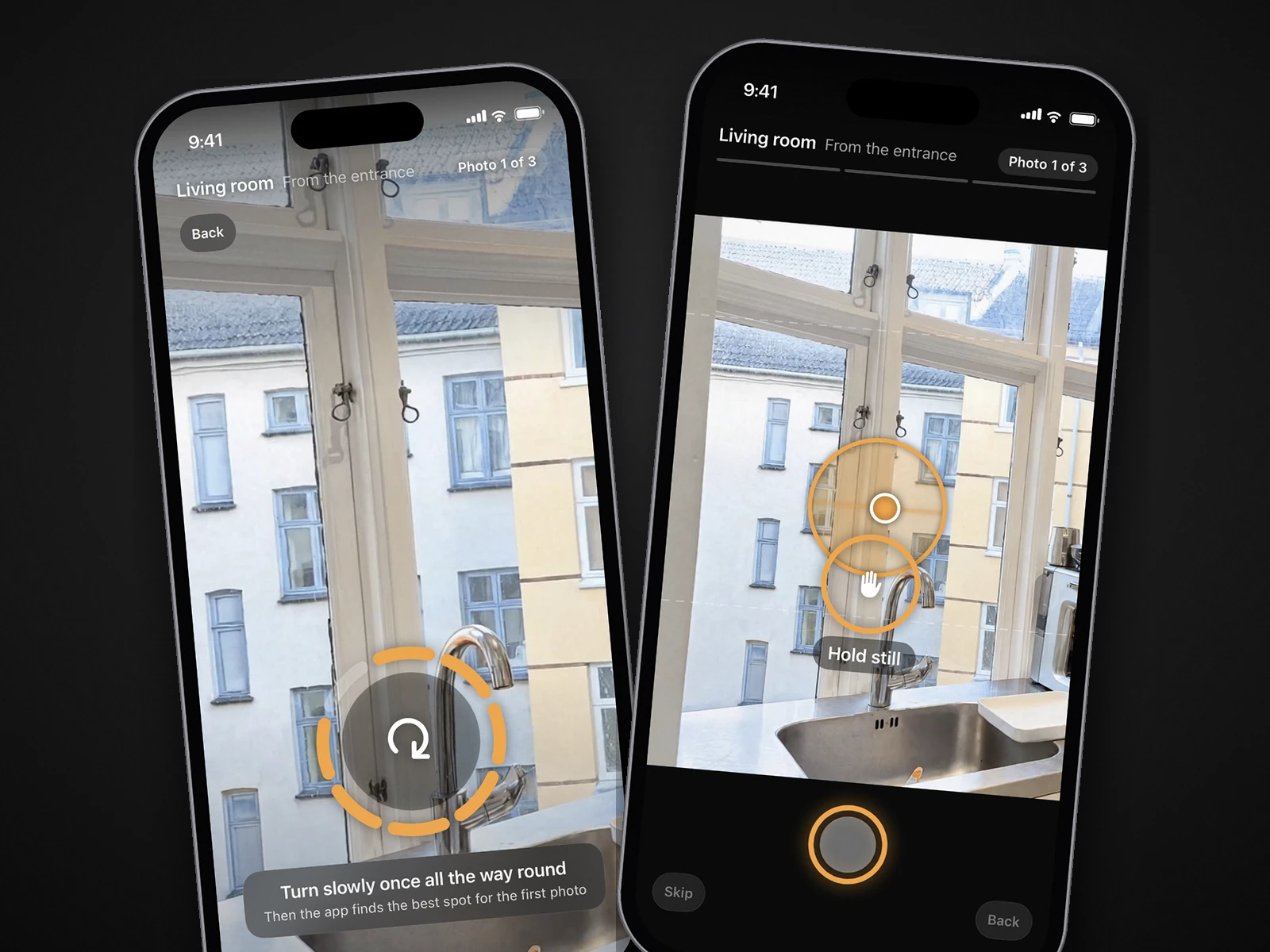
Filming it yourself shows the real connections between rooms, but takes the most care. October sits in between, and it is AI, not filmed footage. You walk the property once with the October app, which guides you to each spot and takes the frames. An AI image model draws the finished photos from that capture, and an AI video model (Kling) generates smooth camera moves between each room's finished photos, in HD (1920×1080) or 4K (3840×2160, the same film upscaled), usually within a few hours. Label it as AI-generated where your MLS requires, and watch it before you publish. Photos plus a walkthrough cost $99 a place (up to 6 rooms), or $199 with the 4K walkthrough, and the first place is free. See pricing.
Editing and disclosure
- Trim each room clip to its steadiest seconds and cut on movement, so the jumps between rooms feel natural.
- Keep exposure and color consistent from room to room. A video that flickers between warm and cold rooms looks amateur.
- Use only music you have the rights to. Listing videos are commercial use.
- Don't add text with your name or brokerage to the version for the MLS virtual tour field if your MLS requires unbranded tours.
- If any shot shows virtually staged or digitally tidied rooms, label it. California's AB 723 is written about images, and labeling the video too is the cautious reading. See our AB 723 guide.
Step by step
Prepare the home
Tidy every room, switch on all the lights, open the curtains and open the doors you'll walk through.
Set up the iPhone
Choose 4K at 30 fps in Settings > Camera > Record Video. Turn on Action mode if your iPhone has it, and Action Mode Lower Light for dim rooms.
Plan the route
Front door, living spaces, kitchen, bedrooms, bathrooms, then a strong finish such as the view or the garden. Never walk the same stretch twice.
Film one clip per room
Hold the phone level with both hands, pause a few seconds at each doorway, then walk in slowly. Turn your body, not your wrists.
Edit to under two minutes
Keep each room's steadiest seconds, keep the color consistent and cut on movement. Make a landscape version for the listing and a vertical one for Reels or Shorts.
Upload by the rules
Use an unbranded version for the MLS virtual tour field, keep Zillow Showcase videos to 120 seconds, and label any staged or tidied rooms.
Questions
How long should a real estate walkthrough video be?
Under two minutes for the listing. Zillow caps Showcase videos at 120 seconds. Instagram Reels and YouTube Shorts allow up to three minutes, but a shorter cut that opens on the best room usually works better on social.
Do I need a gimbal?
No. A gimbal gives the smoothest result, but Action mode, a two-handed grip, slow steps and good light make most walkthroughs steady enough.
Should I film vertical or horizontal?
Horizontal (16:9) for the listing, the MLS and YouTube. Vertical (9:16) for Reels and Shorts. Film the horizontal version first.
Can I put my logo on the video?
Not on the version for the MLS virtual tour field if your MLS requires unbranded tours, and not as a persistent logo or watermark on Zillow Showcase. Social media is up to you.
Does October make the walkthrough from the same capture as the photos?
Yes. One guided walk with the October app gives you AI-generated photos of the rooms you captured and an AI walkthrough video between them, in HD or 4K, usually within a few hours.
How much does a real estate walkthrough video cost?
Photographers usually sell it as an add-on to the photo shoot; our real estate photography cost guide has 2026 standalone and package prices from US surveys. Filming it yourself costs your time and, if you want one, a gimbal. October includes an AI-generated walkthrough of the rooms with the photos from one guided iPhone walk: $99 a place (up to 6 rooms) in HD, $199 in 4K, and the first place is free.
Can I turn listing photos into a video?
Yes, with a photo-to-video tool. AutoReel, for example, says it will turn your property photos into cinematic portrait or landscape videos in minutes, and offers a free plan with two watermarked videos a month. Every shot is a still photo with movement added, so these videos can't show how one room leads into the next. A filmed walkthrough moves through the rooms on camera; October's walkthrough is AI-generated motion between the finished photos of each room, made from one guided capture, not filmed footage.
Sources
- NAR: 2025 Home Buyers and Sellers Generational Trends (Exhibits 3-4 and 3-6, methodology)
- HousingWire: AI staging and the ethics gray zone (NAR 2025 Profile of Home Staging figures)
- Apple iPhone User Guide: Record videos with your iPhone camera (Action mode, formats)
- 9to5Mac: iPhone 14 Action mode first impressions
- Zillow: Showcase getting-started guide, editing listings (video rules)
- MLS Now: Add a virtual tour to a listing (unbranded rules)
- Lindsey Gamble: Instagram expands Reels to three minutes (Jan 2025)
- YouTube Help: Shorts up to three minutes
- AutoReel: photo-to-video tool for real estate