

Guides · Guide
iPhone camera settings for real estate photos (0.5× vs 1×, HDR, ProRAW)
Turn on Grid and Level in Settings > Camera, keep Lens Correction on, leave HDR on automatic, turn the flash off, and shoot at 1× (the 24–26 mm main camera) whenever the room fits, switching to 0.5× only for small rooms. ProRAW, available only on Pro models from the iPhone 12 Pro on, is worth it only if you will edit every file yourself; for most agents the default 24 MP HEIF or JPEG photo on an iPhone 15 or newer is the better choice.
By Emil Thomsen, Founder of October · Updated
Reading on Google? Add October to your Preferred Sources to see our guides more often.
The settings to change once
Most of what matters lives in the Settings app under Camera, not in the camera itself. Set these once and every listing benefits. Menu paths are from Apple's iPhone User Guide for iOS 27; older iOS versions may name things slightly differently.
| Setting | Where | For listing photos | Why |
|---|---|---|---|
| Grid and Level | Settings > Camera | On | Apple: helps you straighten and compose the shot. The level keeps walls vertical. |
| Lens Correction | Settings > Camera | On (the default) | Apple: adjusts Ultra Wide photos for more natural-looking results. |
| HDR | Automatic; on iPhone 12 under Settings > Camera > Smart HDR | Leave automatic | Blends several exposures so windows and shadows both keep detail. |
| Flash | Camera, tools above the frame | Off | Airbnb's photo guide: turn off the flash and use daylight first. |
| Photo resolution | Settings > Camera > Formats > Photo Mode | 24 MP (iPhone 15 and newer) | More detail than 12 MP for straightening and cropping, at a manageable file size. |
| Resolution Control | Settings > Camera > Formats | On if you want 48 MP | Adds a button in Camera to switch 48 MP on and off. |
| Format | Settings > Camera > Formats | High Efficiency, or Most Compatible if your MLS refuses HEIC | Most Compatible saves JPEG instead of HEIF (Apple). |
| Aspect ratio | Camera, Aspect | 4:3 | The iPhone offers 1:1, 4:3 and 16:9; 4:3 is the default and can be cropped to 3:2 later. |
| Photographic Style or filter | Camera, Styles or Filter | None (Standard) | Apple: a style applies to every photo until you change it. A tinted style makes rooms look off-color. |
| Preserve Settings | Settings > Camera > Preserve Settings | On for the controls you set | Stops Camera resetting exposure, style or resolution when you reopen it. |
0.5× vs 1×: what each lens does to a room
Your iPhone has up to three rear cameras, and the buttons on screen pick between them. For rooms, only two matter.
| Button | Camera | Equivalent focal length | What it does to a room |
|---|---|---|---|
| 0.5× | Ultra Wide | 13 mm, 120° field of view (every multi-camera iPhone 12 and newer) | Fits a small room; stretches anything near the edges and makes rooms look deeper than they are |
| 1× | Main (Fusion on newer models) | 26 mm on most standard models; 24 mm on Pro models from iPhone 14 Pro | Close to how the room looks in person; the sharpest camera on every model |
| 2× | Crop of the main sensor | 48 or 52 mm | Details: a fireplace, a fixture, a view |
For comparison, Improve Photography's lens guide says many professional interior photographers work "somewhere around 20-25mm" on a full-frame camera, and warns that going much wider makes the foreground dominate and can "make any room look like a bowling alley". The iPhone's 1× sits just at the edge of that range; 0.5× is far wider than it. The lenses, tripods and flashes professionals use are compared with the iPhone in our equipment guide.
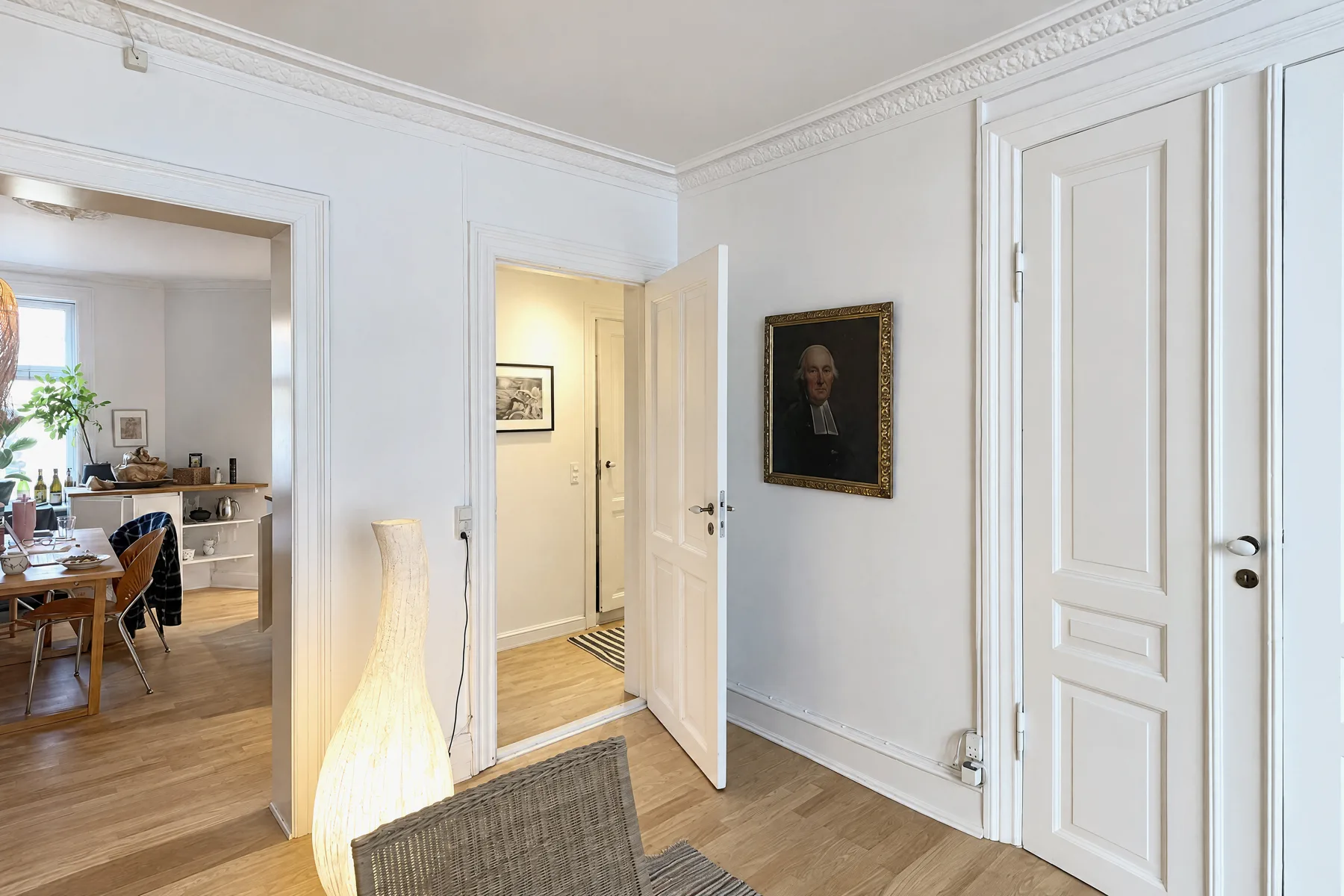
So: use 1× by default, from a corner, and switch to 0.5× only when the room doesn't fit: bathrooms, small bedrooms, hallways. At 0.5×, hold the phone perfectly level (tilting makes the stretching much worse), keep furniture away from the frame edges, and leave Lens Correction on. On supported models, Apple also lets you add 28 mm and 35 mm as extra main-camera lenses, but for rooms they're narrower than you want.
What changes between iPhone 12 and the 2026 models
Every iPhone from the 12 on can take good listing photos. What changes is resolution, how much detail the Ultra Wide holds, and whether ProRAW is available. From each model's Apple spec page:
| Model | Main (1×) | Ultra Wide (0.5×) | Higher-res photos | ProRAW | HDR |
|---|---|---|---|---|---|
| iPhone 12 | 12 MP, ƒ/1.6 | 12 MP, ƒ/2.4, 120° | No | No | Smart HDR 3 |
| iPhone 12 Pro | 12 MP, ƒ/1.6 | 12 MP, ƒ/2.4, 120° | No | Yes | Smart HDR 3 |
| iPhone 13 | 12 MP, ƒ/1.6 | 12 MP, ƒ/2.4, 120° | No | No | Smart HDR 4 |
| iPhone 13 Pro | 12 MP, ƒ/1.5 | 12 MP, ƒ/1.8, 120° | No | Yes | Smart HDR 4 |
| iPhone 14 | 12 MP, 26 mm, ƒ/1.5 | 12 MP, 13 mm, ƒ/2.4 | No | No | Smart HDR 4 |
| iPhone 14 Pro | 48 MP, 24 mm, ƒ/1.78 | 12 MP, 13 mm, ƒ/2.2 | 48 MP in ProRAW | Yes | Smart HDR 4 |
| iPhone 15 | 48 MP, 26 mm, ƒ/1.6 | 12 MP, 13 mm, ƒ/2.4 | 24 MP and 48 MP | No | Smart HDR 5 |
| iPhone 15 Pro | 48 MP, 24 mm, ƒ/1.78 | 12 MP, 13 mm, ƒ/2.2 | 24 MP and 48 MP | Yes | Smart HDR 5 |
| iPhone 16 | 48 MP, 26 mm, ƒ/1.6 | 12 MP, 13 mm, ƒ/2.2 | 24 MP and 48 MP | No | Smart HDR 5 |
| iPhone 16 Pro | 48 MP, 24 mm, ƒ/1.78 | 48 MP, 13 mm, ƒ/2.2 | 24 MP and 48 MP | Yes | Smart HDR 5 |
| iPhone 17 | 48 MP, 26 mm, ƒ/1.6 | 48 MP, 13 mm, ƒ/2.2 | 24 MP and 48 MP on both | Not listed | Smart HDR 5 |
| iPhone 18 Pro | 48 MP, 24 mm, variable ƒ/1.48–ƒ/4.0 | 48 MP, 13 mm, ƒ/2.2 | 24 MP and 48 MP on all three cameras | Yes | Smart HDR 5 |
What that means in practice:
- iPhone 12, 13 and 14 (12 MP): plenty for portals, which display far smaller than 12 MP. Prioritize a level phone and good light; there's little to gain from settings.
- iPhone 15 and newer, and 14 Pro and newer Pro models (48 MP main): shoot 24 MP for everyday listings. Switch to 48 MP when you expect to straighten or crop a lot, because a big perspective correction throws away the edges of the frame.
- Ultra Wide: up to the iPhone 15 Pro and the standard iPhone 16, the 0.5× camera has a 12 MP sensor, so 0.5× photos hold less detail than 1× photos. From the iPhone 16 Pro, and on the iPhone 17 and iPhone 18 Pro, the Ultra Wide is 48 MP too.
- Single-camera models such as the iPhone 17e have no 0.5× option, so small rooms have to be shot from the doorway at 1×.
HDR: leave it on automatic
A room with windows has a wider range of light than any single exposure can hold. Apple's guide explains how the iPhone deals with it: the camera takes several photos in rapid succession at different exposures and blends them, bringing out more highlight and shadow detail, and by default it does this automatically when it's most effective. Only the iPhone 11 models, the iPhone SE (2nd generation) and the iPhone 12 still have a Smart HDR switch, and there's no reason to turn it off for interiors.
What you can still control is exposure. Tap the screen on the part of the room that matters, then drag up or down beside the focus box to brighten or darken. To keep the same exposure across every shot of one room, touch and hold until AE/AF Lock appears; tap again to release it (Apple). Lock on a mid-tone wall, not on the window.
- Don't use flash. HousingWire notes flash can leave the edges of a room darker than the center, and Apple's ProRAW article says flash photos are limited to 12 MP.
- Avoid Night mode for interiors if you can add light instead: switch on lamps and ceiling lights. Night mode photos are also limited to 12 MP.
- Keep still while the shutter works. HDR blends several frames, so moving during the shot can blur or ghost the image.
ProRAW and 48 MP: when they're worth it
Apple ProRAW is available on iPhone 12 Pro and later Pro models with iOS 14.3 or later. It combines a standard RAW file with the iPhone's image processing and gives you more room to adjust exposure, color and white balance afterwards. The cost is size: Apple puts a 12 MP ProRAW file at about 25 MB and a 48 MP one at about 75 MB, 10 to 12 times larger than HEIF or JPEG.
ProRAW makes sense if you edit every photo in Lightroom or a similar app and know what you're doing. It doesn't make sense if you upload straight from your phone: listing portals expect JPEG, so every RAW file has to be edited and exported before it can be used. Airbnb, for example, asks for photos up to about 10 MB, and HomeJab's MLS guide recommends about 2048 × 1365 pixels for online listings.
| Format | File size (Apple) | Who it's for |
|---|---|---|
| HEIF or JPEG, 12 or 24 MP | Small; HEIF saves space at the same visual quality | Most agents and hosts uploading from the phone |
| HEIF or JPEG, 48 MP | Larger | Rooms you'll straighten or crop heavily |
| ProRAW, 12 MP | About 25 MB | Pro-model owners who edit every file |
| ProRAW, 48 MP | About 75 MB | The same, when maximum detail matters |
To shoot 48 MP, go to Settings > Camera > Formats and turn on Resolution Control (or ProRAW & Resolution Control on Pro models), then tap the control at the top of the camera screen. Apple's ProRAW article says only photos from the main camera at 1× are saved at 48 MP, and that Night mode, flash and macro photos drop to 12 MP.
File format and aspect ratio for portals
- HEIF vs JPEG: the iPhone saves HEIF by default, which Apple says uses less space than JPEG at the same visual quality. HomeJab's MLS guide recommends JPEG for listings. If your MLS rejects HEIC files, choose Settings > Camera > Formats > Most Compatible and new photos are saved as JPEG.
- Aspect ratio: keep the default 4:3. HomeJab recommends 3:2 landscape for MLS; you can crop a 4:3 photo to 3:2 but not the other way round. Never shoot 1:1 for listings.
- Orientation: landscape. Airbnb notes its search results crop photos to squares and listing pages show landscape photos.
- Minimum size: Airbnb asks for at least 1200 × 800 pixels; HomeJab reports Bright MLS recommends at least 1024 × 768. Every iPhone photo exceeds both.
Settings that don't help listing photos
- Portrait mode: it blurs the background, which is the room. Apple also notes ProRAW can't be used in Portrait mode.
- Digital zoom: beyond the optical steps it only enlarges pixels. Walk closer instead.
- Filters and tinted Photographic Styles: warm or cool looks change the color of walls and floors, which buyers then find don't match in person.
- Live Photos: harmless, but they add a short video to every photo, and Apple's ProRAW article notes ProRAW can't be used with Live Photos.
- Macro: for close-up details only; it has no use for room shots, and Apple notes macro photos are limited to 12 MP when shooting 48 MP.
Or skip the settings entirely
Settings get you a correctly exposed, level photo. They don't tell you where to stand. The October app handles both: it shows you each photographer's spot in the room with an arrow and the distance, keeps the phone level with an on-screen level, and takes the photos itself when the shot is right. It works on any iPhone 12 or newer, so the differences in the table above stop mattering much.
October stitches the frames from each spot into one wide view, and an AI image model draws a new finished photo from it, with a daylight look and loose items left out. The model is told to keep walls, floors, windows, fittings, built-in furniture and the view, and each photo is checked against your capture; check each one before you publish and label it as AI-altered where your MLS requires. Photos and an AI walkthrough video usually come back within a few hours, from $49 a place (up to 6 rooms) for photos or $99 with the walkthrough, and the first place is free. See pricing, or read the full iPhone real estate photo guide for technique.
Questions
Should I use 0.5× or 1× for real estate photos?
Use 1× whenever the room fits from a corner, and 0.5× only for bathrooms, small bedrooms and hallways. The 0.5× Ultra Wide is a 13 mm equivalent with a 120° field of view, far wider than the roughly 20–25 mm full-frame range professional interior photographers favor, so it stretches the edges.
Should I turn HDR off for real estate photos?
No. HDR blends several exposures so windows and dark corners both keep detail, and from the iPhone 13 on it is automatic with no switch. On an iPhone 12 or 11, leave Smart HDR on.
Is ProRAW better for listing photos?
Only if you edit every photo yourself. ProRAW is available on Pro models from the iPhone 12 Pro on, and the files are about 25 MB at 12 MP and 75 MB at 48 MP, so you'll need to edit and export JPEGs before uploading.
Should I shoot 48 MP?
Shoot 24 MP for everyday listings and 48 MP when you expect to straighten or crop heavily. 48 MP applies only to the main camera at 1×, and on models without the 48 MP Ultra Wide, 0.5× photos are 12 MP regardless.
What aspect ratio is best for MLS photos?
Keep the iPhone's default 4:3 in landscape. Many MLS guides recommend 3:2, and you can crop 4:3 to 3:2 later, but not the reverse.
Sources
- Apple, iPhone User Guide: Use iPhone camera tools (grid, level, exposure, AE/AF lock, aspect ratio, styles)
- Apple, iPhone User Guide: Change advanced camera settings (resolution, Lens Correction, Prioritize Faster Shooting)
- Apple, iPhone User Guide: Adjust HDR camera settings
- Apple, iPhone User Guide: Take Apple ProRAW photos
- Apple, iPhone User Guide: Customize the Main camera lens
- Apple, About Apple ProRAW
- Apple, Using HEIF or HEVC media on Apple devices
- Apple, iPhone 12 technical specifications
- Apple, iPhone 12 Pro technical specifications
- Apple, iPhone 13 technical specifications
- Apple, iPhone 13 Pro technical specifications
- Apple, iPhone 14 technical specifications
- Apple, iPhone 14 Pro technical specifications
- Apple, iPhone 15 technical specifications
- Apple, iPhone 15 Pro technical specifications
- Apple, iPhone 16 technical specifications
- Apple, iPhone 16 Pro technical specifications
- Apple, iPhone 17 technical specifications
- Apple, iPhone 18 Pro technical specifications
- Airbnb, How to take great photos for your listing
- HousingWire, 11 DIY real estate photography tips every agent should know (April 2025)
- Improve Photography, Best lenses for real estate photography
- HomeJab, The ultimate guide to MLS photo size requirements