

Guides · Guide
How to take real estate photos with an iPhone (2026 guide)
Prep and light the room, then shoot in landscape from a corner or doorway with the iPhone at about chest height (around 5 feet) and held perfectly level, so the walls stay vertical; use the 1× camera wherever the room fits and switch to 0.5× only when it doesn't. Take two or three angles of every main room, let the iPhone's automatic HDR handle the windows, and upload large landscape files: Airbnb asks for at least 1200 × 800 pixels, and MLS guides commonly suggest around 2048 pixels wide.
By Emil Thomsen, Founder of October · Updated
Reading on Google? Add October to your Preferred Sources to see our guides more often.
Why the photos matter more than anything else on the listing
Photos are the first thing a buyer judges a home by, and usually the first thing they see. In the National Association of Realtors' 2025 Generational Trends report, 83% of buyers who searched online rated photos "very useful", ahead of detailed property information (79%), floor plans (57%), virtual tours (41%) and videos (29%). The most common first step in buying was looking online at homes for sale (43%), and 51% of buyers found the home they bought on the internet.
They look on small screens, too: 69% of buyers in the same report used a mobile or tablet device in their search. A dark, tilted or cramped photo doesn't get a second look on a phone. On the selling side, NAR's 2025 Profile of Home Staging found 88% of sellers' agents and 73% of buyers' agents rated photos as more or much more important to their clients, ahead of staging, video and virtual tours.
The good news is that any iPhone from the iPhone 12 on has the hardware for it. Every one has a main camera of at least 12 MP, and every model with more than one rear camera adds an Ultra Wide camera with a 120° field of view, according to Apple's spec pages. Single-camera models, such as the iPhone 17e, have no 0.5× option. What makes listing photos look professional is mostly where you stand, how you hold the phone and how the room looks, not the phone.
Before you start: two settings and a clean room
Open Settings > Camera and turn on Grid and Level. Apple's guide says both help you straighten and compose the shot; the level is what keeps walls vertical. Leave Lens Correction on (it is on by default and makes Ultra Wide photos look more natural, per Apple). Turn the flash off. The full list of settings, model by model, is in our guide to iPhone camera settings for real estate photos.
Then prep. In NAR's 2025 staging survey, the improvements agents most often recommended before listing were decluttering (91%), cleaning the whole home (88%), improving curb appeal (77%) and professional photos (76%). Ten minutes of tidying changes a photo more than any setting. Use our room-by-room prep checklist.
 As captured
 Delivered by October
Hold the phone at chest height and keep it level
Camera height is the most common mistake in phone listing photos. At eye level, a room shows too much floor in the foreground and the furniture looks small. HousingWire's DIY guide for agents recommends about 5 feet, or chest height. Airbnb's photo guide says the same thing in other words: shoot from a neutral height, straight ahead, without tilting the lens up or down.
Level matters more than height. If you tilt the phone down to fit in more floor, vertical lines lean in toward the bottom of the frame and the walls look like they're falling. Tilt it up and they lean the other way. Keep the phone upright and use the on-screen level: when you're straight, the level lines join. If the shot shows too much ceiling, lower the phone rather than tilting it.
- Living rooms and bedrooms: about chest height, phone vertical.
- Kitchens: a little lower, around countertop height, so you see across the counters rather than down onto them (Virtuance's photographers shoot kitchens at countertop height).
- Dining rooms: around the height of the table top, which Virtuance also recommends.
- Bathrooms: chest height, from the doorway, so the toilet isn't the closest thing to the lens.
If a photo still comes out slightly tilted, Apple's Photos app can straighten it and adjust horizontal and vertical perspective after the fact. It works best on small errors; a big correction crops the edges of the room.
1× or 0.5×: which camera to use
The 0.5× button switches to the Ultra Wide camera: 13 mm equivalent and a 120° field of view on every iPhone from the 12 on that has one. The 1× button is the main camera: 26 mm on most standard models and 24 mm on Pro models from the iPhone 14 Pro on (Apple's spec pages). Professional interior photographers mostly work wider than 1× but far narrower than 0.5×: Improve Photography's lens guide puts it at "somewhere around 20-25mm" on a full-frame camera. What the rest of a professional's kit does, and which parts a phone replaces, is in our real estate photography equipment guide.
Go too wide and the room stops looking like itself. The same guide warns that an overly wide lens makes the foreground dominate and the background disappear, and can "make any room look like a bowling alley". At 0.5×, a chair near the edge of the frame stretches, and buyers who visit find the room smaller than the photos promised.
| 1× (main camera) | 0.5× (Ultra Wide) | |
|---|---|---|
| Equivalent focal length | 24 mm (Pro, from 14 Pro) or 26 mm | 13 mm on every iPhone 12 and newer with an Ultra Wide |
| Field of view | Natural; close to how the room looks in person | 120°: fits a whole small room, stretches the edges |
| Resolution | 12 MP on iPhone 12–14 (48 MP in ProRAW on 14 Pro); 24 MP and 48 MP from iPhone 15 on | 12 MP up to iPhone 16; 48 MP on iPhone 16 Pro and newer multi-camera models such as iPhone 17 and iPhone 18 Pro |
| Use it for | Living rooms, kitchens, bedrooms, anywhere you can back into a corner | Bathrooms, small bedrooms, hallways, walk-in closets |
A simple rule: back into the corner and try 1× first. If the room still doesn't fit, switch to 0.5×, keep the phone perfectly level (distortion is worst when you tilt), and keep furniture away from the edges of the frame. Avoid the 2× and digital zoom for room shots; they're for details.
Shoot from corners and doorways
A photo taken square-on to a wall looks flat. Stand in a corner, or just inside the doorway, and aim diagonally across the room so you see two walls meeting and some of a third. This is how photographers show depth and the shape of the room. Virtuance's guide calls it getting "the right amount of the third wall": too little and buyers wonder where the room leads, too much and the room looks smaller.
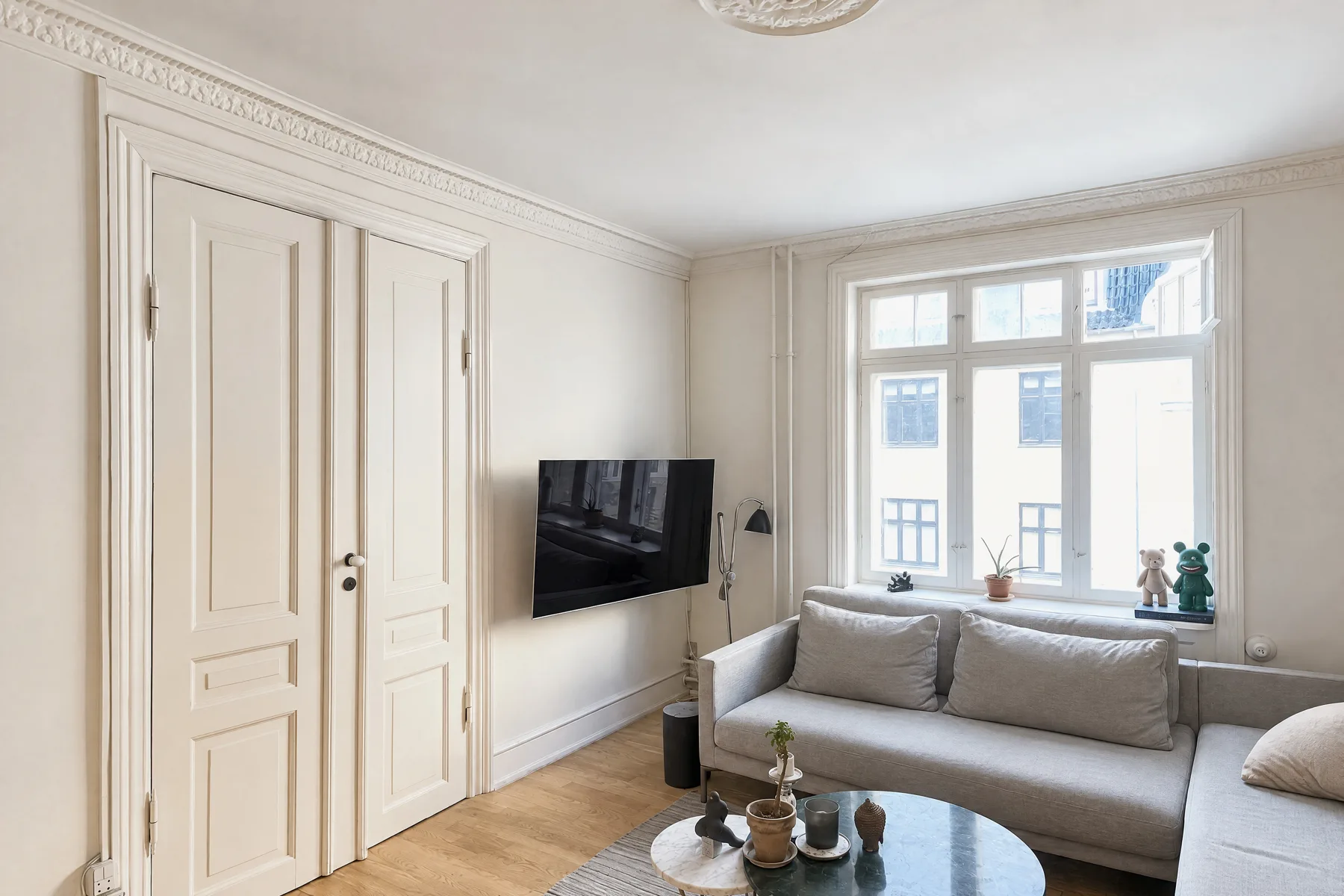
Shoot each main room from at least two of these: from the entrance (the view a visitor gets walking in), from the far end looking back, and from a corner. Turn off ceiling fans and TVs, close toilet lids, and check mirrors for your own reflection before each shot.
Light: daylight first, lamps second, no flash
Airbnb's photo guide gives the order: turn off the flash, open the blinds, shades and curtains, and only if the room is still too dark, turn on the lights. Shoot interiors when the rooms get the most daylight; HousingWire suggests late morning or early afternoon. Shoot the front of the house in the golden hour, which Airbnb defines as the 60 minutes after sunrise and before sunset. Use the same color of bulb throughout a room if you can; mixed warm and cool bulbs give photos a patchy color cast.
Bright windows are where phone photos usually fail: either the window is a white blank or the room is dark. The iPhone handles this with HDR. Apple's guide explains that the camera takes several photos in rapid succession at different exposures and blends them, bringing out highlight and shadow detail, and that it does this automatically when it's most effective. On the iPhone 12 you can turn Smart HDR off in Settings, but don't; on newer models Apple doesn't offer the switch. The terms photographers use for this, such as bracketing, window pulls and flambient, are defined in our real estate photography glossary.
If a room still looks too dark or too bright, tap the screen where you want the focus and drag up or down next to it to change the exposure. Touch and hold until you see AE/AF Lock to keep that exposure for the next shots of the same room (Apple).
How many photos per room
There is no single right number, and the studies quoted for one disagree with each other, so plan by room instead. Airbnb's advice is to make a shot list covering each room from several angles, with a mix of wide, mid-range and close-up shots. For a home listing, a practical plan:
| Room | Wide shots | Worth adding |
|---|---|---|
| Living room | 2–3 (entrance, far end, corner) | A fireplace, built-ins or the view |
| Kitchen | 2–3 | The island or a new appliance run |
| Dining room | 1–2 | The connection to the kitchen or garden |
| Primary bedroom | 2 | Closet or en suite door |
| Other bedrooms | 1–2 | — |
| Bathrooms | 1–2 (from the doorway) | A vanity or walk-in shower detail |
| Exterior | 2–4 (front, back, garden) | Street view, deck, pool, parking |
Lead with the best photo, usually the front of the house or the main living space, and leave out photos that repeat an angle. Check your MLS's photo limit before you shoot. Selling without an agent? Our guide to taking pictures of your house to sell it covers Zillow's owner-listing photo rules and flat-fee MLS limits.
What portals want: size, shape and format
- Orientation: landscape. Airbnb notes that search results crop photos into squares and listing pages show photos in landscape, so vertical photos lose the most.
- Size: Airbnb asks for at least 1200 × 800 pixels, with larger files better up to about 10 MB. HomeJab's MLS guide recommends about 2048 × 1365 pixels for online use and says Bright MLS recommends at least 1024 × 768. Any iPhone photo is far larger than that; resize on export only if your MLS caps the file size.
- Shape: the iPhone shoots 4:3 by default and also offers 1:1 and 16:9 (Apple). HomeJab recommends 3:2 landscape for MLS; 4:3 is fine almost everywhere. Don't shoot square.
- Format: JPEG is the safe choice for MLS uploads (HomeJab). The iPhone saves HEIF by default; Apple's guide shows how to switch to JPEG under Settings > Camera > Formats > Most Compatible.
- Edits: correcting light, color and straightness is standard. Adding or removing permanent features is not, and some states and MLSs now regulate digitally altered photos. See our guides to MLS rules for AI photo editing and California AB 723.
The shortcut: let the app do the photographer's part
Everything above is learnable, but it's a lot to remember in a stranger's living room. The October app does the photographer's part for you: it shows you each photographer's spot in the room with an arrow and the distance, keeps the phone level with an on-screen level, tells you to turn only the phone, and takes the photos itself when the shot is right. It takes you to three spots in every room (from the entrance, from the other end and from a corner) and tells you on the spot if a picture is leaning or repeats the last one.
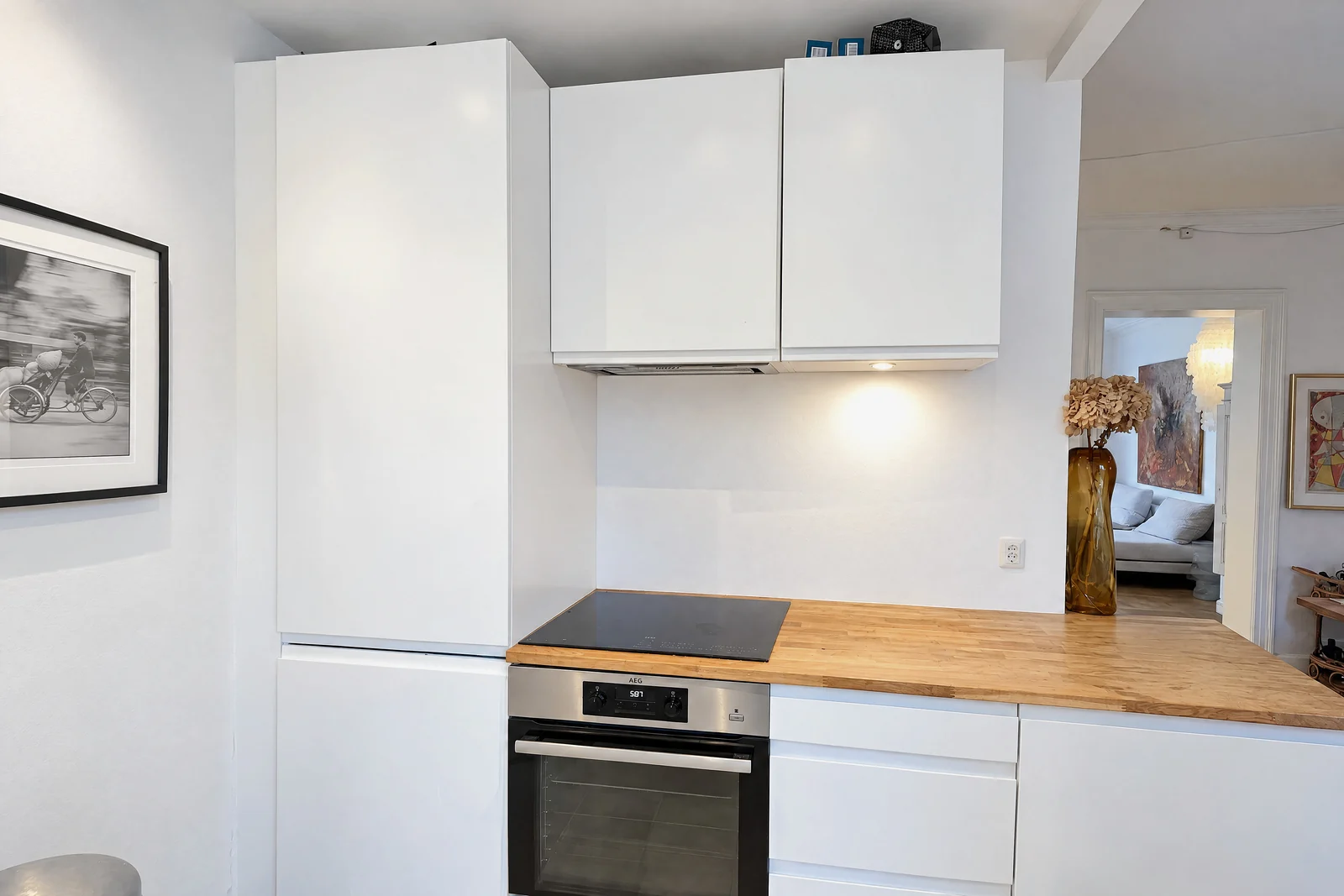
October then stitches the frames from each spot into one wide view, and an AI image model draws a new finished photo from it, with a daylight look and loose items such as bottles, towels, papers and cables left out. The model is told to keep walls, floors, windows, fittings, built-in furniture and the view, and each photo is checked against your capture and redrawn if the room changed. The AI-generated photos and an AI walkthrough video usually come back within a few hours, room by room; check each photo before you publish and label it as AI-altered where your MLS requires. It costs $49 a place (up to 6 rooms) for photos or $99 with the walkthrough, your first place is free, and it runs on iPhone 12 and newer. See pricing or the real estate page.
If you'd rather hire a photographer, compare the cost in our real estate photography cost guide and see when each makes sense. For video, read how to make a walkthrough video with an iPhone.
Step by step
Prep the room
Declutter, clean, make beds, clear counters and hide cords, bins and personal items. Open every blind and curtain and turn on every light. Use the prep checklist.
Set up the camera
In Settings > Camera, turn on Grid and Level and leave Lens Correction on. Turn the flash off and hold the phone in landscape.
Stand in a corner or doorway
Aim diagonally across the room so two walls meet in the frame and part of a third shows.
Hold the phone at chest height and level
Around 5 feet for most rooms, countertop height in kitchens. Keep the phone vertical so walls don't lean; lower it instead of tilting it.
Start at 1×, switch to 0.5× only if needed
The 1× camera keeps the room's proportions. Use the 13 mm Ultra Wide (0.5×) for bathrooms and small rooms, keeping furniture away from the edges.
Let HDR handle the windows
Leave HDR on automatic. If the room is too dark or bright, tap and drag to adjust exposure, then touch and hold to lock it for the room.
Take two or three angles per main room
From the entrance, from the far end and from a corner, plus a detail shot where something deserves it.
Export large landscape JPEGs
At least 1200 × 800 pixels (Airbnb) and around 2048 pixels wide for MLS, in landscape, without heavy filters.
Questions
Can you take professional real estate photos with an iPhone?
Yes, for most listings. Every iPhone from the 12 on has at least a 12 MP main camera and automatic HDR, and every multi-camera model has a 120° Ultra Wide. The difference between amateur and professional-looking photos is mostly camera height, a level phone, the right lens, light and a tidy room.
Should I use 0.5× for real estate photos?
Only when the room doesn't fit at 1×. The 0.5× Ultra Wide is a 13 mm equivalent with a 120° field of view, much wider than the roughly 20–25 mm full-frame range professional interior photographers favor, so it stretches the edges and can make rooms look bigger than they are.
What height should I hold my iPhone for real estate photos?
About chest height, roughly 5 feet, for most rooms, and a little lower in kitchens and dining rooms. Keep the phone vertical rather than tilting it, so walls stay straight.
Do I need a tripod?
Not necessarily. A tripod helps keep the phone level and at the same height in every room, and it helps in dim rooms. Holding the phone with both elbows tucked in and watching the on-screen level works for most daylight shots.
What size should listing photos be?
Landscape, at least 1200 × 800 pixels for Airbnb and around 2048 pixels wide for most MLSs, saved as JPEG. Check your own MLS's limits on file size and photo count.
Does it matter which iPhone I use (13, 15, 16 Pro, 17 Pro)?
Not much. Any iPhone from the iPhone 12 on has a main camera of at least 12 MP, and every model with more than one rear camera adds an Ultra Wide (0.5×) camera with a 120° field of view; single-camera models such as the iPhone 17e have no 0.5× option. The newer phones add resolution you will never need for a listing. Where you stand, how level you hold the phone and how the room looks matter far more than the model.
How long does it take to photograph a house for sale?
Budget ten minutes of tidying per room before you start, then two or three angles of every main room, so a few minutes of shooting per room once the room is ready. With the October app it is a few minutes per room as well: the app takes you to three spots in each room and takes the photos at each one. A photographer's visit is usually booked by the hour; see our real estate photography cost guide.
Can I edit real estate photos on my iPhone?
Yes, within limits. Correcting light, colour and straightness is standard and fine everywhere; adding or removing permanent features is not, and some states and MLSs now regulate digitally altered photos. If you tidy clutter out of a photo in California, the result is a digitally altered image under AB 723 and needs a label. See MLS rules for AI photo editing and California AB 723.
Sources
- NAR, 2025 Home Buyers and Sellers Generational Trends (Exhibits 3-1, 3-2, 3-4, 3-6)
- NAR, 2025 Profile of Home Staging
- Apple, iPhone User Guide: Use iPhone camera tools (grid, level, exposure, aspect ratio)
- Apple, iPhone User Guide: Change advanced camera settings (Lens Correction)
- Apple, iPhone User Guide: Adjust HDR camera settings
- Apple, Using HEIF or HEVC media on Apple devices
- Apple, iPhone 12 technical specifications
- Apple, iPhone 14 Pro technical specifications
- Apple, iPhone 15 technical specifications
- Apple, iPhone 16 Pro technical specifications
- Apple, iPhone 17 technical specifications
- Airbnb, How to take great photos for your listing
- HousingWire, 11 DIY real estate photography tips every agent should know (April 2025)
- Virtuance, Professional real estate photos
- Improve Photography, Best lenses for real estate photography
- HomeJab, The ultimate guide to MLS photo size requirements