

Guides · Guide
How to take Airbnb photos with an iPhone that get booked
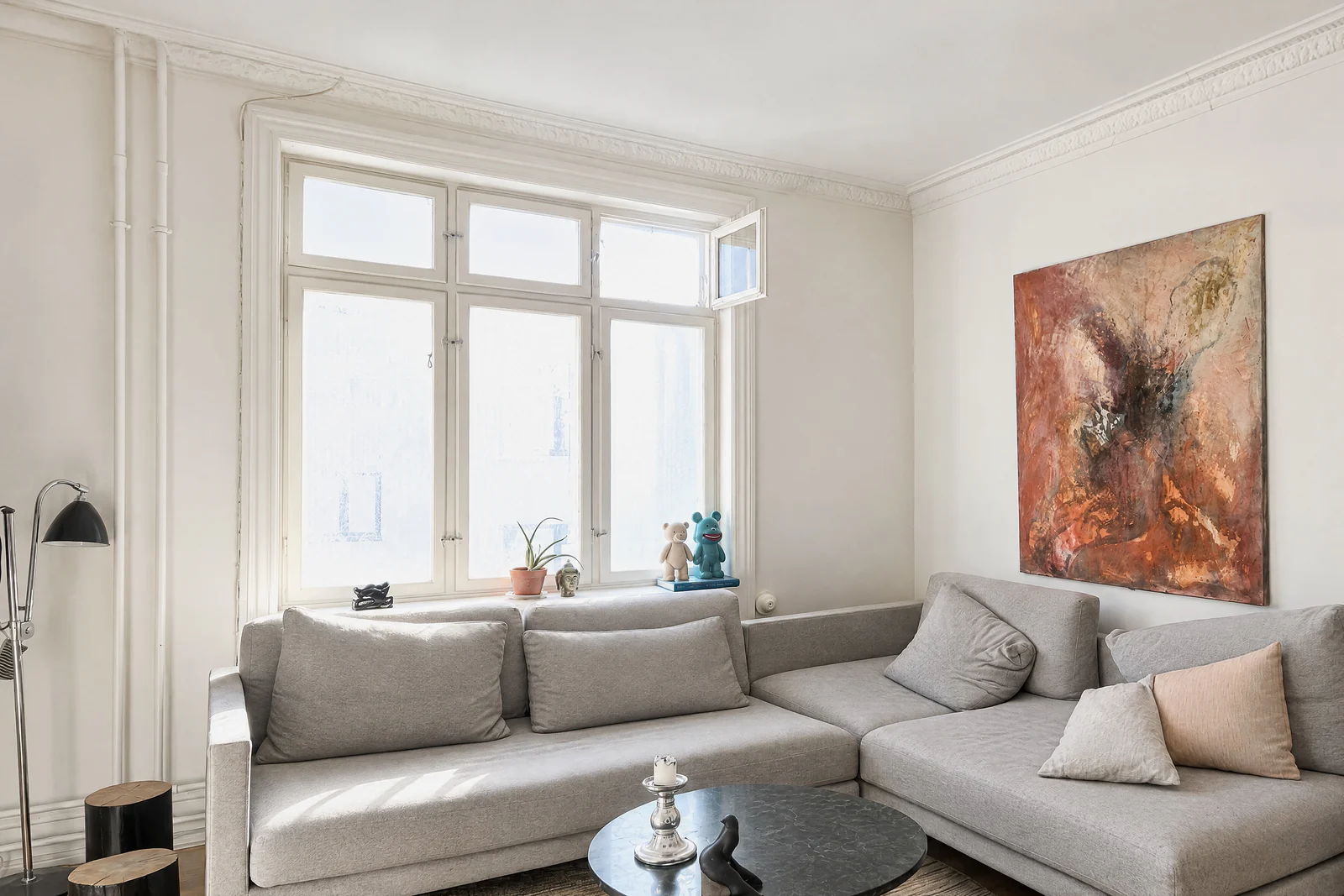
To take Airbnb photos with an iPhone, shoot horizontally in daylight with the flash off, hold the phone level at a neutral height, and photograph every room guests will use with a mix of wide, mid-range and close-up shots. Airbnb asks for photos of at least 1200 × 800 pixels and crops them to squares in search results, so keep the main subject centered and make sure every photo shows the place as guests will find it.
By Emil Thomsen, Founder of October · Updated
Reading on Google? Add October to your Preferred Sources to see our guides more often.
What Airbnb itself asks for
Airbnb publishes its own photo guidance for hosts in its Resource Center (the version we used was last updated November 8, 2024). These are its main points, all of which an iPhone can meet:
| Airbnb's guidance | What it means with an iPhone |
|---|---|
| Use natural light; shoot indoors when rooms get the most daylight | Plan the shoot around the brightest hours in each room |
| Outdoors, shoot in the golden hours: the 60 minutes after sunrise and before sunset | Do the outside shots at the start or end of the day |
| Turn off the flash; open blinds and curtains; switch on lights only if it's still too dark | Leave the iPhone flash off |
| Shoot horizontal photos | Hold the phone sideways. Search results crop photos to squares and listing pages show them in landscape |
| Shoot straight ahead from a neutral position, without tilting up or down | Keep the phone level, roughly at chest height |
| Center the subject and use the camera's grid | Turn on Grid in Settings > Camera |
| Mix wide, mid-range and close-up shots; cover each room from several perspectives | One wide shot per room, plus details guests care about |
| Upload at least 1200 × 800 pixels; larger files are better, up to about 10 MB | Any recent iPhone photo is well above this |
Airbnb's photo tour sorts your photos by room automatically, and you can move, remove or add photos. It also asks for captions that explain what a photo can't show, like how far a table extends, which floor a room is on or whether it has an ensuite. Professional photography through Airbnb is offered only in select cities. Photos are one part of what a listing needs before it goes live; the rest, from ID verification to city permit numbers, is in Airbnb listing requirements.
iPhone settings that matter
- Flash off, always. Airbnb's own advice, and the quickest way to avoid hard shadows.
- Grid on, to keep door frames and wall edges vertical and the horizon level.
- 1× for most rooms, 0.5× for small ones. The ultra-wide fits a small bedroom or bathroom, but tilting the phone even slightly makes walls lean. Keep it level.
- Landscape orientation for every listing photo.
- Wipe the lens. A smudged lens makes photos look hazy and soft.
For the details, see iPhone camera settings for real estate photos. Much of it applies to rentals too.
Prepare the place first
Airbnb's first instruction is to clean and declutter, so the photos show what guests can expect. Shoot right after a turnover clean, while the place looks the way it will for the next guest.
- Make the beds, plump the cushions and set out fresh towels the way you stage them for guests.
- Put away personal items, cleaning supplies, cables, mail and anything on the floor.
- Clear the kitchen counters except for one or two things guests will use, like a coffee maker.
- Close toilet lids. Hide bins.
- Switch on every lamp and open every curtain, then turn off any light that leaves a color cast.
Our photo prep checklist goes room by room.
The shot list
Airbnb's guidance is to make a shot list covering every room and guest area from several angles. Its own backyard example lists the whole yard, the pool, the patio seating and the gate latch. A typical list for a one- or two-bedroom rental:
| Space | Shots | Tip |
|---|---|---|
| Cover photo | The best room or the view, wide | It will be cropped to a square in search, so center what matters |
| Living room | Wide from the entrance, wide from the opposite corner, one detail | Show the seating and the light from the window |
| Kitchen | Wide, plus the appliances guests ask about | Caption the coffee maker, dishwasher or oven |
| Each bedroom | Wide from the door, one of the bed | Put the bed size in the caption |
| Each bathroom | One wide or corner shot | Shoot from the doorway at 0.5× if it's small |
| Workspace | Desk and chair | Mention the Wi-Fi speed in the caption if you've measured it |
| Outdoor space | Wide, plus seating and any pool or grill | Shoot it in the golden hour |
| Entrance and access | The door, any stairs, parking | Shows accessibility honestly |
| The view | From the window or balcony | Only if guests really get it from the rental |
Accuracy: what Airbnb won't accept
Bright and tidy is fine. Different from reality is not. CTV News reported in July 2026 that Airbnb's policies require hosts to provide photos and a description that accurately represent the space. It also reported that Airbnb will ask hosts to remove content where AI or other digital technology was used to edit flaws, hide damage or add anything that isn't part of the listing. In that case Airbnb fully refunded the guest and suspended the listing while it reviewed it.
Airbnb also checks. Its Help Center describes photo verification: hosts take new photos of the space as it is now, in person through the Airbnb app, matching the angles of their listed photos. Photos from the camera roll can't be uploaded for that review.
- Correcting light, color and a leaning horizon: fine, and Airbnb's own guide tells you to adjust brightness and straighten.
- Making a bed you'll make anyway, or tidying away things guests won't find: shows the place as guests receive it.
- Removing a stain, a crack or a building site next door, or adding furniture or a view you don't have: misrepresentation. Don't.
Doing it faster with October
If you'd rather not learn composition and editing, the October app guides you through each room between two stays. It shows you where to stand, keeps the phone level and takes the frames itself. Know what you get: October's photos are AI-generated from that capture. The frames are stitched into wide views, and an AI image model draws each finished photo with a daylight look, beds made, cushions plumped and loose items like towels, bottles and cables left out. The model is told to keep the rooms, the furniture and the view, and each photo is checked against your capture, but AI can still get a small detail wrong. Airbnb acts on photos where AI was used to hide flaws or add things, so compare every photo with the room before you upload it, so guests find what they booked.
A rental of up to 6 rooms counts as one place: $49 for photos, or $99 with a walkthrough video. Your first place is free, and you need an iPhone 12 or newer. More on the short-term rental page and in the Airbnb photography cost guide.
Step by step
Clean and declutter
Shoot right after a turnover clean. Make the beds, set out towels, put away personal items and clear the counters.
Wait for the light
Shoot each room when it gets the most daylight, and the outside in the hour after sunrise or before sunset. Open the curtains and turn the flash off.
Set up the iPhone
Turn on the grid, wipe the lens and hold the phone horizontally. Use 1× for most rooms and 0.5× for small ones.
Work through the shot list
Take a wide shot of every room from the entrance and from the opposite corner, then close-ups of the bed, kitchen appliances, workspace and outdoor seating.
Keep it level and honest
Hold the phone straight ahead at chest height without tilting it. Edit only light, color and straightness, never flaws or features.
Upload, order and caption
Upload photos of at least 1200 × 800 pixels, pick a cover photo that works as a square, check the photo tour's room sorting and add captions with bed sizes and amenities.
Questions
Can I take Airbnb listing photos with an iPhone?
Yes. Airbnb asks for at least 1200 × 800 pixels, far below what any recent iPhone captures. Light, level framing and preparation matter much more than the camera.
How many photos should an Airbnb listing have?
Airbnb's hosting guide doesn't set a number. It asks for every room and guest area from several perspectives, with a mix of wide, mid-range and close-up shots.
Should Airbnb photos be horizontal or vertical?
Horizontal. Airbnb's search results crop photos to squares, and listing pages show landscape photos.
Can I edit my Airbnb photos?
Yes, for brightness, contrast, highlights and straightening, which Airbnb's own guide suggests. According to CTV News, Airbnb will ask hosts to remove photos where AI or other tools were used to hide flaws or damage or to add things that aren't part of the listing.
What does October cost for a rental?
A rental of up to 6 rooms is one place: $49 for AI-generated photos drawn from your own capture, $99 with a walkthrough video. Your first place is free. See pricing.
Can I use AI to edit my Airbnb photos?
For light, colour and tidying, yes; for anything that changes what guests will find, no. CTV News reported in July 2026 that Airbnb's policies require photos that accurately represent the space, and that Airbnb will ask hosts to remove content where AI or other digital technology was used to edit flaws, hide damage or add anything that isn't part of the listing; in the case reported, it refunded the guest and suspended the listing. Bright and tidy is fine; different from reality is not.
Why do my Airbnb photos look blurry or low quality?
Usually the light, not the phone. Shoot in daylight with the flash off, wipe the lens, hold the phone level with the grid on and keep it still. Airbnb asks for at least 1200 × 800 pixels and accepts files up to about 10 MB, so upload the full-size photo rather than a compressed copy from a messaging app, and keep the main subject centred because search results crop photos to squares. If a photo won't upload at all, see Airbnb photo upload problems.
How do I order my Airbnb photos and use the photo tour?
Airbnb's photo tour sorts your photos by room automatically, and you can move, remove or add photos in it. Pick a cover photo that still works when cropped to a square, lead with the room guests book for, and add captions for what a photo can't show: bed sizes, which floor a room is on, whether it has an ensuite, the coffee maker or the Wi-Fi speed.
Sources
- Airbnb Resource Center: How to take great photos for your listing (updated Nov 8, 2024)
- Airbnb Resource Center: How to take great listing photos
- Airbnb Help Center: How can I confirm photo accuracy for my listings?
- CTV News: Ontario family says AI was used in Airbnb listing photos (July 14, 2026)
- California Legislature: AB 723 bill text