

Guides · Checklist
How to prepare for a real estate photoshoot: a checklist for every room
Before listing photos, declutter and clean every room, clear counters and tabletops, make the beds, put away personal items, cords, bins and pet things, and do small repairs the camera will show. Right before the shoot, open every blind, turn on every light, switch off TVs and ceiling fans, close toilet lids, and get people, pets and cars out of the shot.
By Emil Thomsen, Founder of October · Updated
Reading on Google? Add October to your Preferred Sources to see our guides more often.
Why prep matters more than the camera
Buyers judge a home by its photos first: in NAR's 2025 Generational Trends report, 83% of buyers who searched online rated photos "very useful", more than any other feature of a listing site. A professional camera can't fix a cluttered counter, and a phone photo of a clean, bright room beats an expensive photo of a messy one.
Agents agree on where to start. In NAR's 2025 Profile of Home Staging, the improvements agents most often recommended to sellers before listing were:
| Recommendation | Share of agents |
|---|---|
| Declutter the home | 91% |
| Clean the entire home | 88% |
| Improve curb appeal | 77% |
| Professional photos | 76% |
| Minor repairs | 75% |
| Carpet cleaning | 74% |
| Depersonalize the home | 72% |
| Paint touch-ups | 67% |
| Paint walls | 57% |
| Landscape the outdoor area | 53% |
The same survey asked buyers' agents which rooms matter most to stage. The living room came first (37%), then the primary bedroom (34%) and the kitchen (23%). If time is short, spend it in that order; our guide to how to stage a house for sale covers the bigger job of setting up each room before it lists. And 83% of buyers' agents said staging makes it easier for buyers to picture the property as their future home.
The day before: whole-house jobs
- Declutter every room: if it isn't furniture or decor you'd keep in a show home, box it or put it in a car.
- Clean floors, windows (inside and out where you can reach), mirrors, glass doors and stainless steel.
- Replace dead or mismatched bulbs so every fixture works and the bulbs in each room are the same color.
- Fix the small things the camera will show: loose cabinet doors, missing cover plates, scuffed paint, a dripping tap.
- Depersonalize: take down most family photos, kids' artwork, certificates, religious items and anything with names or addresses.
- Clear the fridge door of magnets, notes and calendars.
- Put away all medication, mail, documents, keys and valuables.
- Mow, edge and sweep outside; tidy beds and planters.
- Wash or replace worn bath mats, towels and throws; have one set of plain towels ready.
Right before the shoot: the 10-minute pass
- Open every blind, shade and curtain. Airbnb's photo guide puts daylight first and lamps second.
- Turn on every light, including lamps and under-cabinet lights.
- Switch off TVs, computer screens and ceiling fans.
- Close toilet lids, shower curtains (or slide them to one side neatly) and cabinet doors.
- Hide bins, pet bowls, pet beds, litter boxes and toys.
- Move cars out of the driveway and off the street in front.
- Ask people and pets to leave the rooms being photographed.
- Straighten rugs, pull chairs square to tables, and fold throws.
- Check every mirror and window for your own reflection before each shot.
Living room
- Clear the coffee table to one or two items: a book, a plant, a bowl.
- Put away remotes, game controllers, chargers and cables.
- Plump and line up sofa cushions; fold any throw or remove it.
- Remove most items from shelves and mantels; leave a few, grouped.
- Push furniture slightly back from walkways so the floor is visible.
- Hide or neatly bundle TV and lamp cords.
 As captured
 Delivered by October
Kitchen
- Clear the counters almost completely: keep one or two items, such as a bowl of fruit or a plant.
- Put away small appliances: toaster, kettle, mixer, coffee machine.
- Hide dish soap, sponges, dish towels, drying racks and paper towels.
- Empty the sink and wipe it dry; run the dishwasher and close it.
- Take everything off the fridge door and top.
- Wipe fingerprints off appliance fronts and cabinet handles.
- Take bins and recycling out of sight.
Dining room
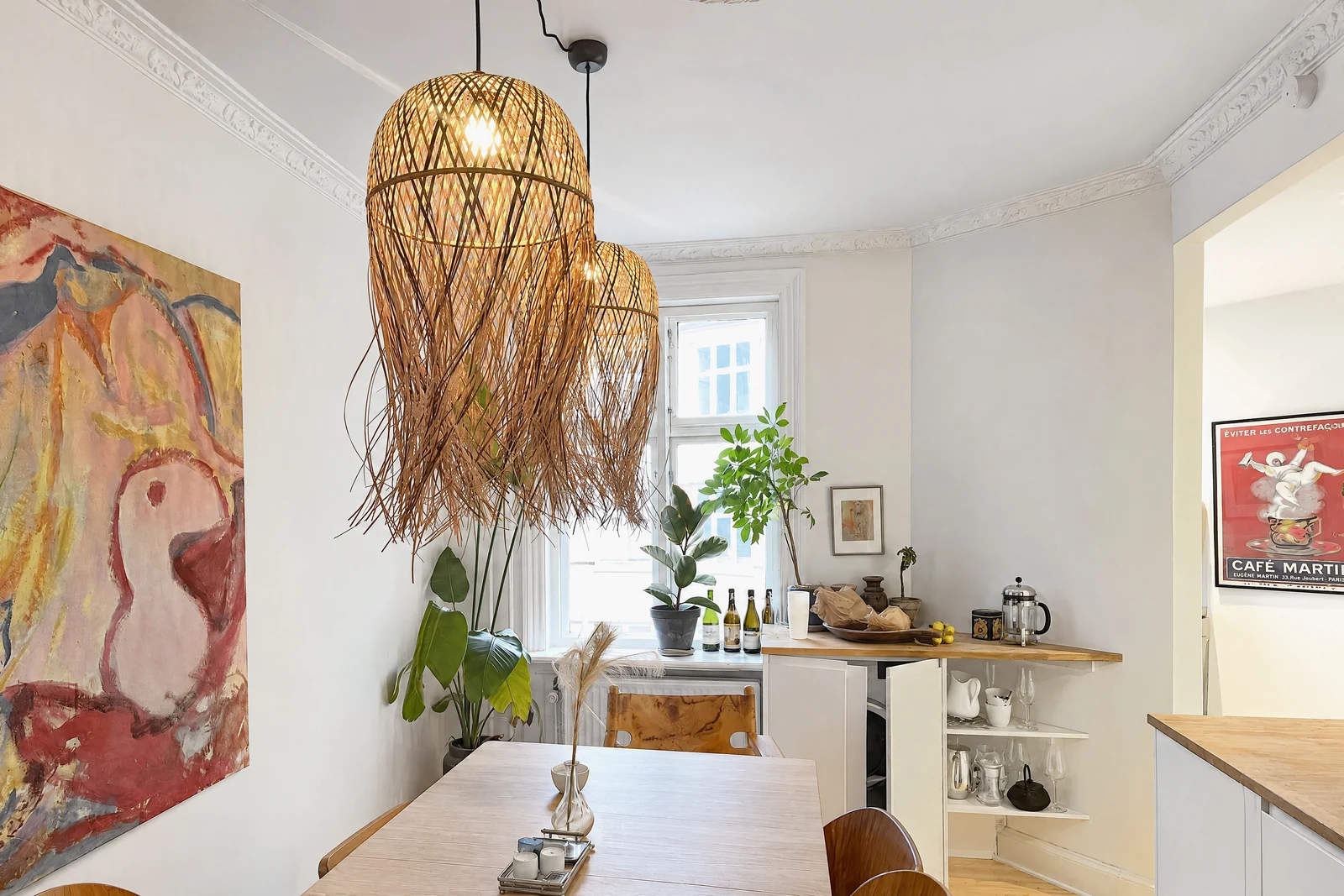
- Clear the table, or set it simply: a centerpiece, or matching place settings.
- Push all chairs in evenly; remove extra chairs.
- Remove mail, bags and anything stored on sideboards.
- Make sure the light over the table works and matches the other bulbs.
Bedrooms
- Make the beds tightly with plain, light bedding; plump and arrange the pillows.
- Clear nightstands to a lamp and one item.
- Put away clothes, shoes, bags and laundry baskets; nothing on chairs or the floor.
- Close closet doors, or tidy the closet if it's a selling point.
- Hide chargers, cords and anything under the bed that shows.
- In kids' rooms, box most toys and take down names on walls.
Bathrooms
- Clear the vanity: no toothbrushes, razors, makeup or bottles.
- Remove everything from the shower and tub ledges.
- Hang one set of matching plain towels neatly, or none.
- Close the toilet lid and hide the brush, plunger and scale.
- Polish the mirror, taps and glass.
- Remove bath mats unless they're new and plain.
Office, laundry, entry and garage
- Office: clear the desk to a lamp and a closed laptop; hide paperwork, cables and screens showing personal information.
- Laundry: put away detergent and baskets; close machine doors.
- Entry: put away shoes, coats, keys and bags; one clean doormat.
- Garage: if it will be photographed, clear the floor and sweep it.
Outside: front, back and the street
- Mow and edge the lawn, sweep paths and the driveway, and clear leaves.
- Put bins, hoses, tools and toys away.
- Open the garage door only if the garage is tidy; otherwise close it.
- Clean the front door and replace a tired doormat; switch on porch lights for dusk photos.
- Set out patio furniture neatly with cushions on; uncover the pool or barbecue.
- Move cars, trailers and bikes out of the frame.
Airbnb's guide suggests photographing outdoors in the golden hours, the 60 minutes after sunrise and before sunset, and interiors when the rooms get the most daylight. HousingWire's DIY guide for agents suggests late morning or early afternoon for interiors, with blinds and curtains open.
Rentals, hotels and venues: what's different
The same rules apply, with a few additions. Airbnb's photo guide recommends a shot list covering each room and outdoor area from several angles, and showing the amenities guests search for and any accessibility features.
- Set the room exactly as a guest finds it: made beds, fresh towels, amenities laid out.
- Remove guest belongings, housekeeping carts and signs meant for staff.
- For venues and restaurants, photograph each set-up you want to sell (banquet, meeting, dining) as a separate shoot.
See also how to take Airbnb photos with an iPhone and photos for hotels, venues and restaurants.
What October tidies for you, and what it can't
If you capture with the October app, you don't have to do every item above by hand. October's photos are AI-generated from your capture: an AI image model draws each finished photo and leaves out loose things that wouldn't stay with the space, such as bottles, towels, papers, cables, bags and clothes on chairs. Cushions get plumped and beds made. If in doubt, an item stays. The model is told to keep the fixed parts of the space as captured: walls, floors, windows, fittings, built-in furniture and the view. Each photo is checked against your capture and redrawn if the room changed, but AI can still get a small detail wrong, so check every photo before you publish.
| Task | Do it yourself | October handles it |
|---|---|---|
| Open curtains, switch on lights | Yes: the photo is drawn with a daylight look, but daylight and lamps give the best start | Daylight look |
| Ask people (and pets) to leave | Yes | Leave them out of the capture |
| Bottles, towels, papers, cables, bags, clothes on chairs | Optional | Left out of the AI photo |
| Unmade beds, flat cushions | Optional | Beds made, cushions plumped |
| Boxes, piles and bigger clutter | Yes: if in doubt, October leaves things in place | Only what is clearly loose |
| Scuffs, stains, damage, repairs | Yes | Not fixed: the model is told to keep walls, floors and fittings as captured |
| The lawn, the street, the view | Yes (outside prep) | The model is told to keep the view as captured |
| Dated or no furniture | — | Optional: Empty room $19 or Staged $29 per room |
Before the first room, the app shows a short checklist: tidy away what doesn't belong, switch the lights on, open the curtains and ask people to step out. Mirrors facing the camera can make a spot impossible to finish; if that happens, October tells you, and if the rooms that were made fit in fewer places, the extra places go back to your account. Pricing is $49 a place (up to 6 rooms) for photos or $99 with a walkthrough video, and your first place is free. See pricing.
When the room is ready, follow our guide to taking real estate photos with an iPhone, or read about virtual staging vs an empty room if the furniture is the problem.
Questions
How do I prepare my house for real estate photos?
Declutter and clean every room, clear counters and tabletops, make beds, hide personal items, cords, bins and pet things, and fix small visible damage. Right before the shoot, open all blinds, turn on every light, switch off TVs and fans, and get people, pets and cars out of the shot.
Which rooms matter most?
In NAR's 2025 Profile of Home Staging, buyers' agents rated the living room most important to stage (37%), followed by the primary bedroom (34%) and the kitchen (23%). Spend your prep time in that order.
Should the lights be on during the day?
Yes. Open every blind and curtain first, then turn on lamps and ceiling lights to fill dark corners. Airbnb's photo guide recommends natural light first and lights second, and no flash.
Should I remove family photos?
Most of them. Depersonalizing was recommended by 72% of agents in NAR's 2025 staging survey. It also keeps names, faces and addresses off the internet.
Can editing remove clutter instead?
Loose items can be removed in editing; October, whose photos are AI-generated from your capture, leaves out bottles, towels, papers, cables, bags and clothes on chairs. Damage, stains and the fixed parts of a home should not be edited away, and some states and MLSs regulate altered listing photos, so fix those in person.