

Guides · Guide
How to photograph small rooms: bathrooms, hallways and walk-in closets
Shoot a small room from the doorway, or from the hall just outside it, with the phone level at about chest height and the 1× camera if the room fits, 0.5× only if it doesn't. Close the toilet lid, take out the bath mat, turn on the lights, turn off the flash, step to one side of the door frame so you're not in the mirror, and take one photo, not three; a half bath or a cluttered closet is better left out than shown badly.
By Emil Thomsen, Founder of October · Updated
Reading on Google? Add October to your Preferred Sources to see our guides more often.
Why small rooms are the hardest rooms
A small room gives you nowhere to stand, a mirror that shows the photographer, and a temptation to go as wide as the phone allows. The wide option on every iPhone from the 12 on is the 0.5× Ultra Wide: 13 mm equivalent with a 120° field of view (Apple). Professional interior photographers mostly work far narrower than that. Improve Photography's lens guide puts the common range at "somewhere around 20-25mm" on a full-frame camera and warns that going too wide makes the foreground oversized and the background recede: "You can easily make any room look like a bowling alley when shooting too wide."
The same guide notes that "even a small living room is much larger to a camera than it is to your eyes", which is the point: a camera already makes rooms look bigger, and a bathroom shot at 120° with the vanity stretched across the edge of the frame looks like a different room from the one the buyer walks into. Scott Hargis, one of the photographers quoted in Photography for Real Estate's small-bathroom thread, goes the other way: "the smaller the room the longer the focal length I'm likely to use." The rest of this guide is how to get a true, tidy, level photo of a room that is three steps wide; for rooms you can back into a corner of, the basics are in how to take pictures of a room.
Where to stand: the doorway, or outside the room
Larry Lohrman, who ran Photography for Real Estate for years, says of small bathrooms: "I almost always shoot from the doorway." HomeJab's guide to wide-angle lenses in small spaces lists the doorway as the best position for bathrooms and small offices because it "captures the full width of the room with minimal distortion", the corner for bedrooms and open plans, and the center of a wall for kitchens and narrow spaces. HomeJab also suggests keeping the camera at least three feet from walls and furniture, and 18 inches from a corner, so the nearest surfaces don't stretch.
- Bathroom: stand in the doorway, half in and half out, and aim at the vanity and shower. Lohrman's priorities: "the vanity, some small part of the toilet, and most importantly the shower setup."
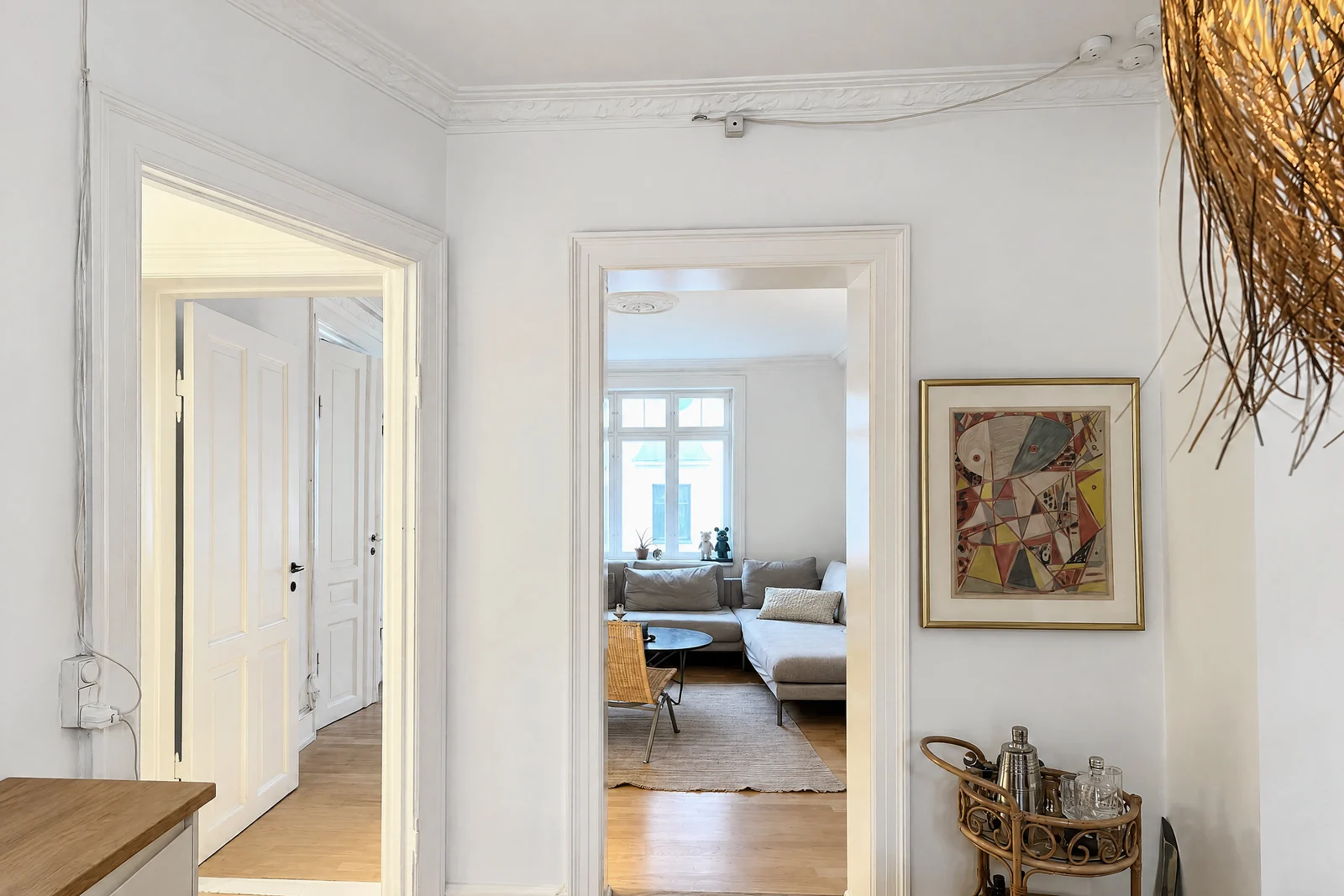
- Even smaller bathroom: step back into the hall and shoot through the open door; the frame of the door reads as depth rather than as a wall. One PFRE commenter suggests shooting from the adjoining room with the bathroom door ajar, which also shows where the bathroom is.
- Hallway: stand at one end, centered, phone level, and let the hallway lead to a lit room or an open door. A hallway photo exists to show how rooms connect, so make sure a doorway at the far end shows something.
- Walk-in closet: from the door, at the diagonal, so two sides of hanging space and the floor show. If it won't look roomy and neat, Veterans United's advice is to keep the closet door closed and skip it.
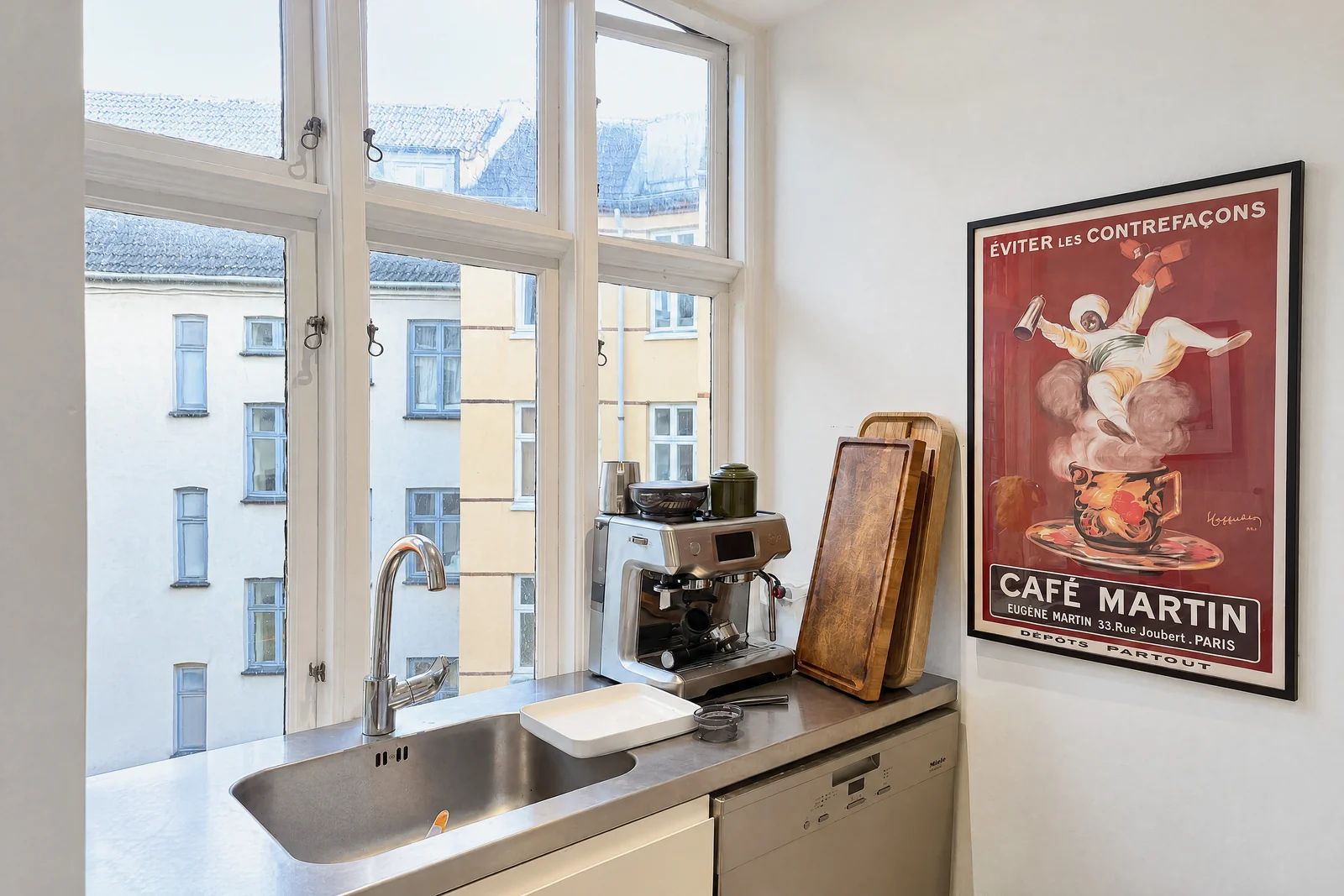
- Galley kitchen or laundry: from the end, centered between the two runs; a corner shot has nowhere to go.
Lens: 1× and a step back, or 0.5× and a level phone
Try the 1× camera first (26 mm equivalent on most iPhones, 24 mm on Pro models from the iPhone 14 Pro on, per Apple's spec pages) from the doorway or the hall. If the room still doesn't fit, switch to 0.5×. HomeJab's small-space advice is the same in camera terms: use the longer end of the wide range, "around 24mm instead of 16mm", in very tight rooms, and step back and crop later rather than going wider.
| Room | Start with | Switch to 0.5× when | Watch for |
|---|---|---|---|
| Bathroom with a door opposite the vanity | 1× from the hall | The shower and vanity won't both fit | Vanity stretching at the edge; your reflection |
| Powder room or half bath | Skip it, or 1× from the door | Rarely; it's one angle anyway | The toilet as the biggest thing in the frame |
| Hallway | 1× from the end | The hallway is short and the doors matter | Converging walls if the phone isn't level |
| Walk-in closet | 1× from the door at the diagonal | It's a true walk-in with three sides | Clothes and shoes at the edges look stretched |
| Small bedroom | 1× from the corner or door | You can't get the bed and a window in | Bed as a wedge: keep it off the frame edge |
Whichever camera you use, leave Apple's Lens Correction on (Settings > Camera; on by default), which adjusts Ultra Wide photos "for more natural-looking results", and keep furniture and fittings away from the edges of a 0.5× frame, where the stretch is worst. Avoid digital zoom in either direction. The full list of settings is in our iPhone camera settings guide.
Height and level: lower the phone, never tilt it
Tilting is the small-room mistake that shows most, because the walls are close and every vertical line is in the frame. Tilt down to get more floor and the walls lean inward at the bottom; tilt up for a tall shower and they lean outward. HomeJab's rule: keep the camera about 4 to 5 feet off the ground, the sensor parallel to the walls, and "avoid tilting the lens more than 5°". Lohrman's figure for bathrooms is a standard 36 to 48 inches. HousingWire's advice for all rooms is about 5 feet, or chest height.
- Turn on Grid and Level in Settings > Camera (Apple); the level shows when the phone is straight.
- If there's too much ceiling, lower the phone; if there's too much floor, raise it. Keep it vertical.
- Airbnb's small-spaces guide: make sure you can see the tops of surfaces such as countertops and beds, and don't tilt to fit more in.
- A vertical (portrait) frame is acceptable for a very tight bathroom or hallway as a secondary photo. Airbnb's guide says a vertical "can make for a cleaner outcome" in bathrooms, kitchens, balconies and hallways; PFRE's Jim Bolen shoots the smallest bathrooms vertical and crops to 4:5. For the main MLS gallery, landscape is still the shape to deliver, so try the doorway in landscape first.
A slightly leaning photo can be straightened in Apple's Photos app, which adjusts horizontal and vertical perspective, but a big correction crops the room, and in a small room there is no room to lose.
Mirrors: keeping yourself out of the picture
Almost every bathroom has a mirror facing the door, and HousingWire describes the result: "the bathroom mirror with the agent crouched down or trying to hide around the corner." The techniques photographers use, from Lohrman's PFRE thread on exactly this question:
- Stand to one side of the door frame. Jerry Flynn stands "off to the side of the door frame" and lowers the camera a little, which keeps most of him out of the reflection.
- Angle slightly off the mirror. Aim a little toward the shower or window rather than straight at the glass, so the mirror reflects a wall, not the hallway.
- Keep the background behind you plain. Lohrman's own approach is to accept a small reflection and remove it in editing, and "the trick is to make sure there is a simple background behind the camera so the camera can easily be cloned out." Standing in the doorway does this for free.
- Lower the camera below the mirror. Several photographers drop the camera under the mirror's bottom edge; Lohrman doesn't like the low viewpoint it gives, so use it only when the mirror is high.
- Use the timer and step out. The iPhone's timer (Apple) lets you set the phone on a shelf or tripod and leave the frame; Ken Brown suggests opening a mirrored cabinet door a touch or putting a vase on the vanity in front of the camera.
Two things not to do: don't use the flash (BoxBrownie: turn it off where there are likely to be reflections, typically kitchens and bathrooms), and don't shoot a mirror straight on at 0.5×, which puts both you and the stretched door frame in the picture.
The bathroom checklist
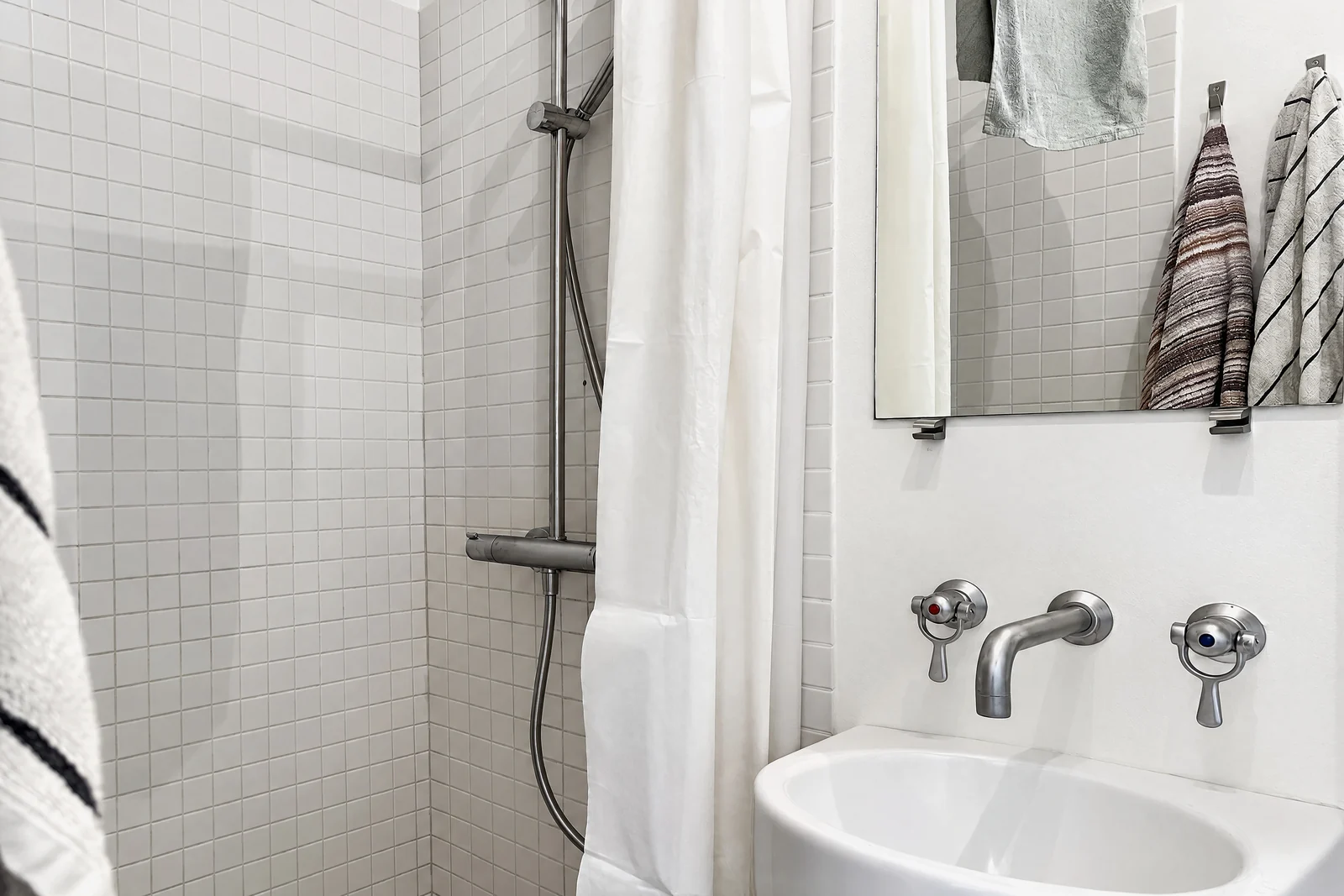
Bathrooms are judged harshly: Veterans United's guide warns that "bathrooms that fall short can cause a buyer to skip over your listing entirely". Jeff Landers' list of common real estate photo mistakes reads like a bathroom audit: an open toilet lid, water droplets on the sink, lights left off, toilet paper hanging loose, bath rugs left in place. Before the one photo:
- Close the toilet lid. ("At least close the lid", as Veterans United puts it.)
- Take out the bath mat and the scale; remove bottles from the shower ledge and the vanity.
- Hang one set of matching towels, straight, or none: BoxBrownie says to even them up or remove them if they aren't neat.
- Pull the shower curtain closed and straight, or slide a glass door so the shower reads clearly.
- Center the taps, close cabinet doors, wipe the mirror and the basin dry.
- Turn on every light, including the one over the mirror; turn the flash off.
The rest of the house has its own list in our photo prep checklist.
What to skip
Not every small room earns a photo. Scott Hargis's first rule for small bathrooms is to "avoid shooting those rooms altogether", and Veterans United says that if a bathroom can't be made photo-worthy with straightened towels and a closed curtain, leave it out and let buyers enjoy the better rooms. The same goes for a powder room that is mostly toilet, a closet that is mostly clothes, a laundry with a basket on the machine, and any hallway that leads nowhere visible. Vrbo's guidelines reject close-ups and blurry photos outright, and a cramped room shot at 0.5× from inside it is often both.
A rough rule for the gallery: one photo for each bathroom from the doorway (two for a large primary bath), one hallway or stair photo per floor if it shows how rooms connect, and closets only when a walk-in is a selling point. Counts for every room are in how many photos a listing should have.
How the October app handles small rooms
If you capture with the October app, it chooses the spots for you. Since October 2026, bathrooms, hallways and walk-ins get spots that fit them: the app no longer asks you to stand inside a wall, and it leaves out the corner shot where there is no room for one. It keeps the phone level with an on-screen level, tells you to turn only the phone, and takes the frames when the shot is right; an AI image model then draws each finished photo from them, keeping the room as captured. A mirror facing the camera can make a spot impossible to finish; if that happens, October tells you, and if the rooms that were made fit in fewer places, the extra places go back to your account. Photos are $49 a place (up to 6 rooms), $99 with a walkthrough video, and your first place is free. See pricing.
For the rooms that aren't small, start with how to take real estate photos with an iPhone.
Step by step
Prep the room
Close the toilet lid, remove the bath mat, bottles and the scale, hang one straight set of towels or none, close the shower curtain, wipe the basin and mirror, and turn on every light. Flash off.
Stand in the doorway
Half in, half out, or step back into the hall and shoot through the open door. For a closet, stand at the door on the diagonal; for a hallway or galley, at one end, centered.
Try 1× first
Use the 1× camera from the doorway or the hall. Switch to 0.5× only if the vanity and shower (or both sides of the closet) will not fit, and keep fittings away from the frame edges.
Hold the phone level at chest height
About 4 to 5 feet, phone vertical, Grid and Level on. Lower or raise the phone instead of tilting it; a tilt of more than a few degrees makes the walls lean.
Check the mirror
Move to one side of the door frame, angle slightly away from the glass, or use the timer and step out. Keep a plain wall behind you.
Take one photo, then look at it
Check the verticals, the reflection and the edges of the frame. Retake rather than fix later; a straightened photo loses the edges of a room that has none to spare.
Decide whether it belongs in the listing
A half bath, a stuffed closet or a dead-end hallway is better left out than shown badly. One good photo per small room is the goal.
Questions
How do you photograph a small bathroom for a listing?
From the doorway, or from the hall through the open door, with the phone level at about chest height and the 1× camera if the vanity and shower fit, 0.5× if they don't. Close the toilet lid, remove the mat, hang towels straight, turn on the lights, turn off the flash, and stand to one side of the door frame so you aren't in the mirror.
Should I use 0.5× for small rooms?
Only when 1× from the doorway or the hall still won't fit the room. The 0.5× Ultra Wide is a 13 mm equivalent with a 120° field of view, far wider than the 20 to 25 mm professionals favor, and it stretches whatever is near the edges. If you use it, keep the phone perfectly level and keep fittings out of the corners of the frame.
How do I keep myself out of the bathroom mirror?
Stand to one side of the door frame, angle the phone slightly away from the mirror, or set the phone down and use the timer. Shooting from the doorway keeps a plain wall behind you, so any small reflection is easy to edit out. Lowering the camera below the mirror also works if the mirror is high.
How high should the camera be in a small room?
About 4 to 5 feet, roughly chest height, and perfectly level. Photography for Real Estate's figure for bathrooms is 36 to 48 inches. If the frame shows too much ceiling or floor, move the phone up or down rather than tilting it.
Which small rooms should I leave out of a listing?
Any that can't be made to look good: a powder room that is mostly toilet, a closet full of clothes, a laundry with baskets, a hallway that leads nowhere visible. One doorway photo per bathroom, one hallway photo per floor and closets only when a walk-in is a selling point is a sound plan.
Sources
- Apple, iPhone 12 technical specifications (12 MP cameras, 120° Ultra Wide)
- Apple, iPhone 15 technical specifications (26 mm main, 13 mm Ultra Wide)
- Apple, iPhone 14 Pro technical specifications (24 mm main)
- Apple, iPhone User Guide: Use iPhone camera tools (grid, level, timer, aspect ratio)
- Apple, iPhone User Guide: Change advanced camera settings (Lens Correction)
- Photography for Real Estate, How to deal with small bathrooms on a real estate shoot (Larry Lohrman, 2015)
- Photography for Real Estate, How do you keep yourself and camera out of bathroom mirrors? (Larry Lohrman, 2016)
- HomeJab, How to use wide-angle lenses in small spaces (April 2025)
- Improve Photography, Best lenses for real estate photography
- HousingWire, 11 DIY real estate photography tips every agent should know (April 2025)
- Veterans United, 8 interior real estate photography tips
- Jeff Landers (Engel & Völkers), 20 common mistakes in real estate photography
- BoxBrownie, Real estate photography tips for the untrained eye
- Airbnb, Photos of small spaces
- Vrbo, Photo guidelines