

Guides · Guide
Airbnb photo editing: what to fix, what to leave alone, and the tools that do it
Edit your Airbnb photos for brightness, contrast, highlights, straight verticals and white balance, and tidy the room before you shoot; Airbnb's own guidance tells hosts to adjust brightness and straighten, and asks for photos of at least 1200 × 800 pixels. Do not remove damage, stains or a view you don't have, or add anything guests won't find: Airbnb's policies require photos that accurately represent the space, and it will ask hosts to remove content where AI or other tools were used to hide flaws or add things. Snapseed and the iPhone's own Photos app do the allowed edits for free.
By Emil Thomsen, Founder of October · Updated
Reading on Google? Add October to your Preferred Sources to see our guides more often.
What Airbnb itself says about editing
Airbnb's hosting guide on listing photos (last updated November 8, 2024) is short on editing and clear about it. It recommends adjusting brightness, contrast and highlights, and names "the auto editing button on your phone" as one way to do it. It tells hosts to crop, straighten or rotate images so they are "right side up." It says nothing about filters, and names no editing app. The rest of its advice is about the shoot: flash off, natural light first, horizontal photos because search results crop to squares, a neutral camera position without tilting "so guests get a realistic view of your place," and clutter cleared so guests see what to expect. Photos should be at least 1200 × 800 pixels and can be up to about 10 MB.
The accuracy side is firmer. CTV News reported in July 2026 that Airbnb's policies require hosts to provide photos and a description that accurately represent the space, and that Airbnb will ask hosts to remove content where AI or other digital technology was used to edit flaws, hide damage or add anything that isn't part of the listing. In the case reported, Airbnb refunded the guest in full and suspended the listing while it reviewed it. Airbnb also checks: its Help Center describes photo verification, where a host visits the listing in person and sends new photos through the Airbnb app "from the same perspective" as the listed ones; "existing photos from a camera roll cannot be uploaded for review." A photo that was edited to look like a different room will not survive that comparison.
The edits that help
These change how the photo looks, not what is in the room. Airbnb's guide asks for most of them by name, and guests who arrive find exactly what they saw.
| Edit | What it fixes | Where to do it |
|---|---|---|
| Brightness and exposure | Dim rooms, dark corners, a window that blew out the rest of the frame | Photos app Auto or exposure slider; Snapseed; Lightroom |
| Highlights and shadows | Bringing back the view through a bright window, opening up a dark hallway | Photos app; Snapseed; Lightroom |
| White balance | Orange rooms from warm bulbs, blue rooms from daylight mixed with lamps | Snapseed's White Balance tool; Lightroom; Photos app warmth and tint |
| Straightening and verticals | Leaning walls and door frames from a tilted phone | Photos app straighten and vertical perspective; Snapseed's Perspective tool |
| Cropping | A bin or a cable at the edge of the frame; the square crop Airbnb uses in search | Any app; keep the main subject centered |
| Tidying before you shoot | Clutter, unmade beds, personal items, the bathroom counter | Your hands, ten minutes before the shoot; see the photo prep checklist |
Two habits make these edits safe. Edit from the full-size photo, not a copy that passed through a messaging app, so the result still clears 1200 × 800 with room to spare. And stop while the photo still looks like the room on a cloudy Tuesday: a listing that only matches the place at its sunniest sets guests up to feel misled even when nothing was faked.
The edits that cause complaints
"Airbnb photos vs reality" is a search people run after a stay, and the gap is almost always one of these. Each of them changes what is in the room, which is the line Airbnb's accuracy policy draws.
- Removing damage or wear: a stain on the carpet, a cracked tile, a scuffed wall, mold in the shower. Hiding damage is the example CTV News reported Airbnb naming.
- Removing what guests will find: the building site next door, the neighbor's wall outside the window, the radiator, the bars on the window.
- Adding what isn't there: furniture, plants, a fire in the fireplace, a sea where there is a parking lot. Adding anything that isn't part of the listing is the other example Airbnb named.
- Replacing the sky or the view: a sunset through a window that faces a courtyard is a different listing.
- Widening the room: ultra-wide lenses held at a tilt, or an AI tool that redraws the frame, make a small bedroom look like a suite. Airbnb's guide asks for a neutral, untilted position for exactly this reason.
- Generative "enhance" buttons: some AI tools regenerate the whole photo and can change a window, a floor or the furniture by accident. If a tool redraws the room, compare every fixed feature with the original before you upload, or don't use it.
The test is the photo verification Airbnb describes: could you stand in the same spot tomorrow and take the same picture? If the answer is yes, the edit is fine. If the honest version would show something your listing photo doesn't, so will your guests.
Free and cheap tools for hosts
Compared from the App Store listings and Apple's support page on October 22, 2026; we did not edit the same photo in each. All of them do the allowed edits; the generative removal tools in two of them are where the accuracy line gets crossed.
| Tool | Price (as of Oct 2026) | What it does for a listing photo | Watch out for |
|---|---|---|---|
| Photos app (built into the iPhone) | Free | Auto enhance, exposure, highlights and shadows, warmth, straightening and vertical perspective, crop; revert to the original at any time | Clean Up, Apple's object remover, needs iPhone 15 Pro, 15 Pro Max or an iPhone 16 model on iOS 18.1 or later. Use it on a cable, not on a crack |
| Snapseed (Google) | Free; "no subscriptions, purchases, ads, or watermarks" | Perspective tool for leaning walls, White Balance, Selective adjustments for one dark corner, curves; 4.9 from 29K ratings, iOS 17 or later | Its Healing tool removes objects; the same rule applies |
| Lightroom (Adobe) | Free with in-app purchases; Premium listed at $6.99 a month or $49.99 a year | Quick Actions that suggest edits, adaptive presets, batch editing for a whole listing; 4.8 from 338K ratings | Generative Remove and Generative Expand are AI tools that remove objects and invent edges; keep them off damage and views |
For most hosts the Photos app is enough: auto enhance, straighten, pull the highlights down on the window, done. Snapseed earns its place when a room has leaning walls or a color cast the phone could not fix. Lightroom is for a host with many listings who wants the same look on all of them. More on the shoot itself in Airbnb photos with an iPhone.
Editing services, and where October fits
If you would rather send the photos away, the real estate editing services take rental photos too. BoxBrownie's US pricing page lists image enhancement at $1.60 an image, with item removal at $8 or $4 for one or two small items (October 27, 2026; other regions see their own currency). Styldod lists image enhancement from $1.50 and object removal from $8. PhotoUp's standard enhancement is half a credit an image at $1.50 a credit on demand, with 24-hour standard delivery and 5 free credits to start. Item removal from a service is the same accuracy question as item removal in an app: cables and trash cans yes, damage and views no. For what a photographer or Airbnb's own photo program costs instead, see Airbnb photography cost.
October is for the host who wants the shoot and the edit done in one go. You walk the rental with the October app between two stays, on an iPhone 12 or newer; it shows you where to stand, keeps the phone level and takes the photos. Be clear about what that means: October's photos are AI-generated. The frames from each spot are stitched into a wide view, and an AI image model draws a new photo from it with a daylight look, beds made, cushions plumped and loose items like towels, bottles and cables left out. It is the kind of tool that redraws the whole photo, described above. The model is told to keep walls, floors, windows, fittings, built-in furniture and the view, and each photo is checked against your capture and redrawn if the room changed, so a verification photo from the same spot should show the same room, but AI can still get a small detail wrong. Compare every fixed feature with the room before you upload, and leave out any photo that doesn't match. A rental of up to 6 rooms is one place: $49 for photos or $99 with a walkthrough video, usually within a few hours, and the first place is free. No human review is promised.
 As captured
 Delivered by October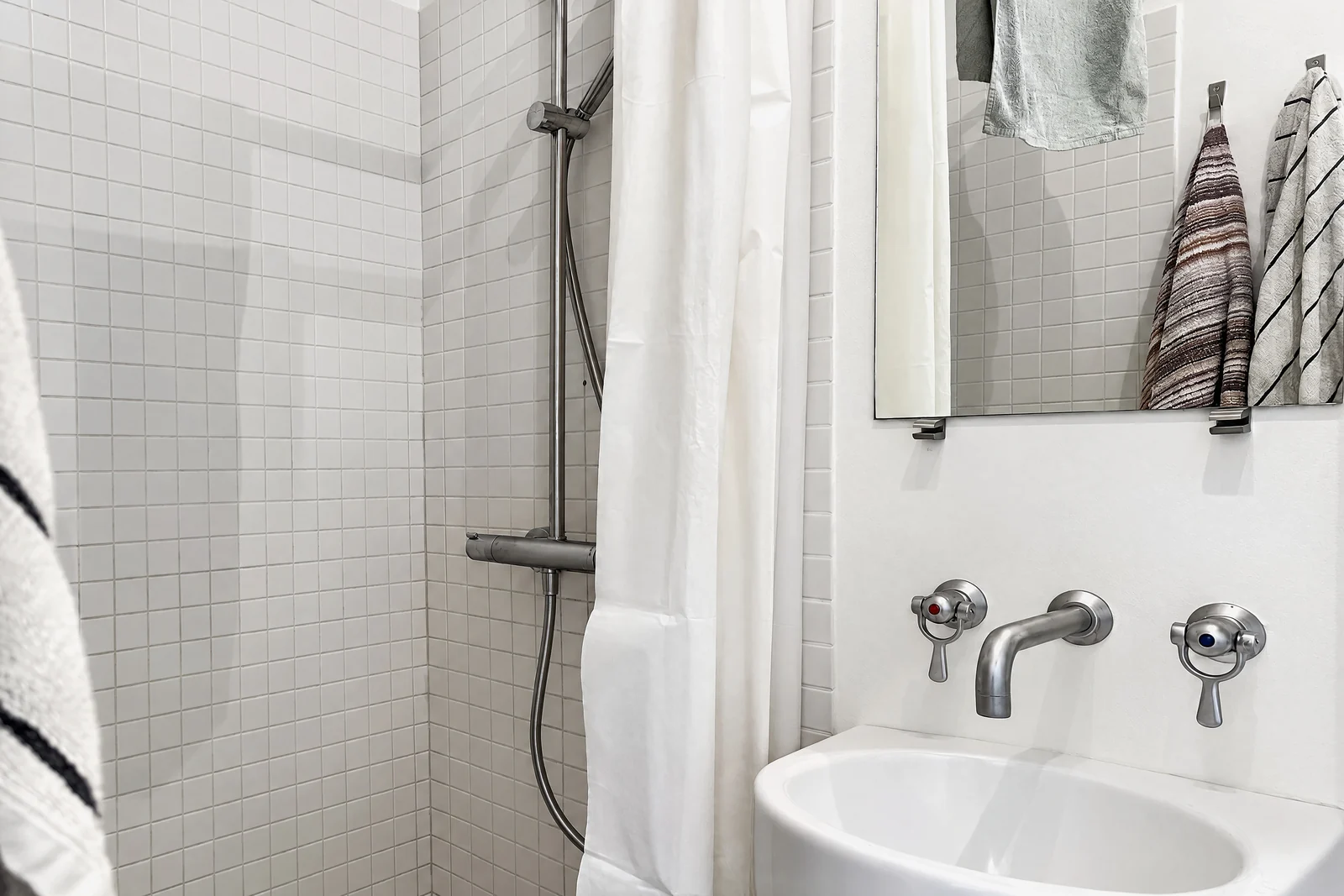
Step by step
Tidy first, then shoot
Make the beds, clear the counters, put away personal items and trash cans, open the curtains and turn the flash off. The best edit is the one you don't need.
Fix the light
Tap Auto in the Photos app, then pull highlights down to bring back the window and lift shadows in dark corners. Stop while it still looks like the room on an ordinary day.
Straighten the verticals
Use the straighten and vertical perspective tools in Photos, or Snapseed's Perspective tool, so walls and door frames stand straight.
Correct the color
Neutralize orange or blue casts with white balance. Walls should look the color they are painted.
Crop for the square
Airbnb crops search results to squares, so keep the main subject centered and crop out a trash can or cable at the edge rather than erasing it.
Run the honesty check
Ask whether you could take the same photo from the same spot tomorrow. If an edit removed damage, removed the view or added something, undo it before you upload at 1200 × 800 or larger.
Questions
Does Airbnb allow edited photos?
Yes, for brightness, contrast, highlights, cropping and straightening, which Airbnb's own hosting guide recommends. Airbnb's policies require photos that accurately represent the space, and CTV News reported in July 2026 that Airbnb will ask hosts to remove content where AI or other digital tools were used to edit flaws, hide damage or add anything that isn't part of the listing.
Can I use an AI photo editor or enhancer for my Airbnb photos?
For light, color and straightening, yes. For removing damage, changing the view or adding furniture, no: that is the misrepresentation Airbnb acts on, and in the case CTV News reported it refunded the guest and suspended the listing. If an AI tool redraws the whole photo, compare every fixed feature with the original before you use it.
What is the best free Airbnb photo editor?
The Photos app on your iPhone for most rooms: auto enhance, highlights, straightening and vertical perspective, with a revert to the original. Snapseed is free with no purchases, ads or watermarks and adds a Perspective tool, White Balance and Selective adjustments. Lightroom's free tier adds presets and batch editing, with Premium listed at $6.99 a month.
Can I remove objects from my Airbnb photos?
Loose things guests won't find, like a cable, a trash can or your own mail, yes, though tidying before the shoot is simpler. Damage, stains, a building site or anything fixed, no. Apple's Clean Up, Snapseed's Healing and Lightroom's Generative Remove all do the same job and the same rule applies to each.
What size should Airbnb photos be after editing?
At least 1200 × 800 pixels, and Airbnb says larger files are better, up to about 10 MB. Edit the full-size photo rather than a copy that was compressed by a messaging app. More in our photo size requirements guide.
What does October do to a rental's photos?
It makes new ones: October's photos are AI-generated from your own capture. An AI image model draws each finished photo from the frames you took of that spot, with a daylight look, beds made, cushions plumped and loose items such as towels, bottles and cables left out. The model is told to keep walls, floors, windows, fittings, built-in furniture and the view, and each photo is checked against the capture, but compare each one with the room before you upload it to Airbnb. A rental of up to 6 rooms is $49 for photos or $99 with a walkthrough, usually within a few hours, and the first place is free.
Did you test these editing apps?
No. This page compares what each app and service publishes on its App Store listing or pricing page, read on October 22, 2026, against Airbnb's own guidance. It is not a hands-on comparison.
Sources
- Airbnb Resource Center: How to take great photos for your listing (updated November 8, 2024: brightness, contrast, highlights, auto edit, straighten, 1200 × 800, 10 MB, flash, horizontals, neutral position)
- Airbnb Help Center: How can I confirm photo accuracy for my listings? (in-person photos through the app, same perspective, no camera-roll uploads)
- CTV News: Ontario family says AI was used in Airbnb listing photos (July 14, 2026: accuracy policy, removal of AI-edited content, refund and suspension)
- App Store: Snapseed (free, no purchases or watermarks, Perspective, White Balance, Healing, Selective, rating, iOS 17)
- App Store: Lightroom (free with in-app purchases, Premium prices, Quick Actions, Generative Remove, Generative Expand, rating)
- Apple Support: Clean Up in the Photos app (supported iPhones, iOS 18.1)
- Apple iPhone User Guide: Edit photos and videos on iPhone (served us only its navigation index on October 22, 2026; the Photos app tools are described from the app itself)
- BoxBrownie: pricing page, United States region (enhancement $1.60, day to dusk $4, staging $24, item removal $4–$8, floor plans $24–$32; read October 27, 2026)
- Styldod: virtual staging and services (image enhancement from $1.50, object removal from $8)
- PhotoUp: pricing (0.5 credit an image, $1.50 a credit on demand, 24-hour delivery, 5 free credits)
- California Legislature: AB 723 bill text (sale of real property)