

Guides · Guide
How to take pictures of your house to sell it (for sale by owner)
Clean and declutter first, then photograph every room in daylight with all the lights on, holding your phone sideways at about chest height, perfectly level, from a corner or doorway, at 1× wherever the room fits. Plan on 20 to 30 photos for a typical house, led by the best exterior or living-room shot. For an owner listing, Zillow takes JPG, PNG, GIF or TIF files of at least 330 × 220 pixels and suggests 1536 × 1152. If you go through a flat-fee MLS service, your MLS's cap (36 to 100 photos in the MLSs we checked) is the hard limit.
By Emil Thomsen, Founder of October · Updated
Reading on Google? Add October to your Preferred Sources to see our guides more often.
Why your photos do the job an agent's marketing would
Selling by owner is rare, and that makes your listing photos matter more. In the National Association of Realtors' 2025 Profile of Home Buyers and Sellers, released November 4, 2025, only 5% of homes sold as For Sale By Owner, an all-time low, and 91% of sellers used an agent. NAR also reports a median FSBO price of $360,000 against $425,000 for agent-assisted homes. Those homes are different, so the gap doesn't show what photos are worth. It does show what you are up against: your listing sits next to agent listings with professional photos. The rest of the sale, from pricing to closing, is in our step-by-step guide on how to sell a house by owner.
Buyers start online and decide on the photos. In NAR's 2026 Home Buyers and Sellers Generational Trends report, which covers buyers from July 2024 to June 2025, 81% of buyers who searched online rated photos "very useful". Photos ranked first, ahead of detailed property information (77%), floor plans (57%), virtual tours (38%) and videos (29%). In the same report, 52% of buyers found the home they bought on the internet and 70% searched on a mobile or tablet device, so most buyers will see your photos small, on a phone, next to others.
You don't need a camera for this. Any iPhone from the iPhone 12 on has the hardware. What separates good listing photos from snapshots is mostly preparation, where you stand and how you hold the phone, and all of that is in this guide.
Where FSBO photos go, and the photo rules there
As an owner you can't upload to every site yourself. Zillow takes owner listings directly. Redfin doesn't: its help center says it shows FSBO listings only if they are posted on Fizber.com or FSBO.com, and that an MLS listing of the same home overrides them. The other way to the big portals is a flat-fee MLS service: a broker puts your home in the local MLS for a set fee, and the MLS feeds it to the portals. Redfin's guide puts flat-fee MLS listings at $100 to $1,000, and notes that photography is usually yours to handle.
| Where | How your photos get there | Photo rules (as published) |
|---|---|---|
| Zillow (also Trulia) | Free owner listing: Sell > Post For Sale By Owner. Verified within up to 72 hours, active for 90 days and extendable | JPG, GIF, PNG or TIF; under 50 MB (10 MB suggested); at least 330 × 220 px, 1536 × 1152 px suggested. Its help pages state no photo-count limit |
| Redfin | No direct FSBO upload. Shows listings posted on Fizber.com or FSBO.com within 48 hours, or your MLS listing | Whatever the source site or MLS allows; the MLS listing replaces the FSBO one |
| FSBO.com | Starter $0 (30 days), Plus $99 (6 months, Redfin syndication), MLS $399 (6 months, MLS and portals) | 1 photo on Starter, 10 on Plus, unlimited on FSBO.com with MLS. FSBO.com notes the MLS caps how many photos the portals show |
| Flat-fee MLS service | A licensed broker enters your listing in the MLS, which feeds Realtor.com, Zillow, Redfin and other sites | Your MLS's rules. Plans differ: Houzeo's Bronze plan ($399; prices vary by state) allows 25 photos and its higher plans the maximum; Homecoin's $149 listing advertises "Max Photos" |
MLS limits vary a lot. In our MLS photo rules by MLS table, checked October 22, 2026, OneKey MLS (New York) allows 36 photos, NWMLS (Washington) and Unlock MLS (Austin) 40, MLS PIN (New England) 42, Canopy MLS (Charlotte) 48, REcolorado (Denver) 50, CRMLS and San Diego's SDMLS 75, and Doorify MLS (Raleigh-Durham) 100. Ask your flat-fee service which MLS it uses and what that MLS caps, before you shoot.
How many photos, and in what order
Most houses are well served by 20 to 30 photos: two or three angles of each main room, one or two of every other room, and two to four of the outside. Small condos and apartments need 12 to 15, large homes 30 to 40. The full reasoning, with counts by home size, is in our guide to how many photos a listing should have.
- The best exterior or living-room photo first. It's the thumbnail buyers scroll past or tap on.
- The rooms buyers decide on: living room, kitchen, dining, then the primary bedroom and bath. In NAR's 2025 Profile of Home Staging, the living room was rated the most important room to stage for buyers (37%), followed by the primary bedroom (34%) and the kitchen (23%).
- The rest of the house in walking order: other bedrooms and baths, office, laundry, the way a visitor would move through it.
- The outside last: backyard, deck or patio, garage, the street view.
If your MLS or plan caps you lower than you'd like, cut repeat angles first. Never cut a bedroom or bathroom: buyers count them and wonder what's wrong with the one that's missing.
The room-by-room shot list
Shoot the house in the order you'll upload it, and take more than you need. Two or three frames from each spot let you pick the sharpest one later.
| # | Space | Shots | Where to stand |
|---|---|---|---|
| 1 | Front of the house | 2–3 | Across the street or at the end of the driveway, phone level; one straight on, one at an angle. Cars out of the driveway, bins out of sight |
| 2 | Living room | 2–3 | From the entrance, from the far corner looking back, and one showing the connection to the kitchen or dining area |
| 3 | Kitchen | 2–3 | Wide from the doorway, then the island or appliance run. Phone a little lower, around countertop height |
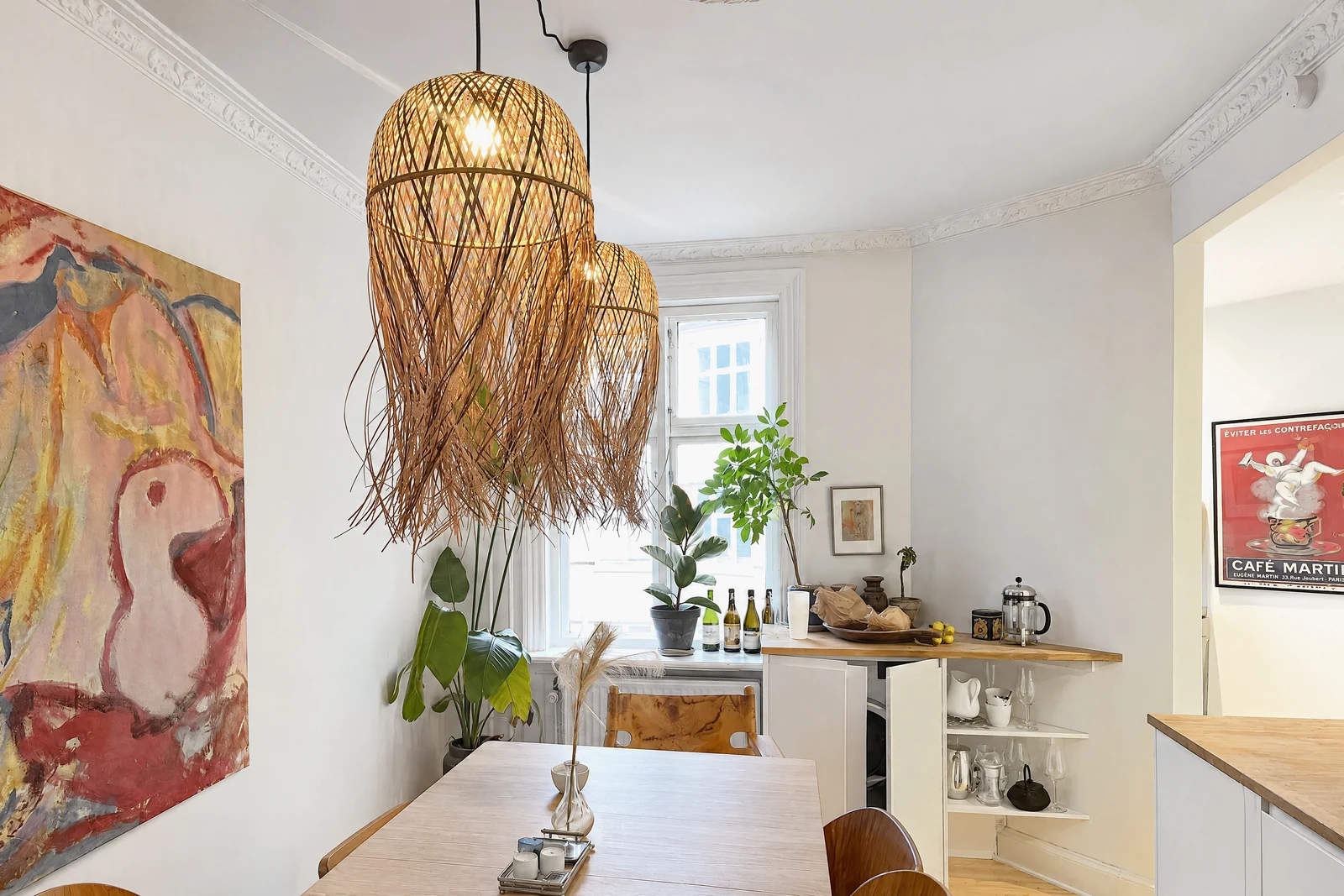
| 4 | Dining room | 1–2 | From a corner, phone about table-top height |
| 5 | Primary bedroom | 2 | From the door and from the corner by the window; one with the closet or en suite door open |
| 6 | Other bedrooms | 1–2 each | From the doorway diagonal, so two walls and the window show |
| 7 | Bathrooms | 1–2 each | From the doorway, toilet lid down. Check the mirror for your own reflection |
| 8 | Office, laundry, basement, bonus room | 1 each | Whatever buyers would ask about |
| 9 | Backyard, deck, patio, pool | 2–4 | From the back door looking out, then from the far end of the yard back at the house |
| 10 | Garage, parking, storage | 1 each | Wide, lights on |
Selling an apartment or condo? The same list applies, minus the yard; add the building entrance, the view from the unit and any shared amenities you're allowed to photograph.
Prep: what to do the day before
Preparation changes the photos more than any phone setting. In NAR's 2025 Profile of Home Staging, the improvements agents most often recommended before listing were decluttering (91%), cleaning the whole home (88%), improving curb appeal (77%) and professional photos (76%). PropPhoto's August 2026 guide to shoot day gives homeowners a short version: clear countertops and surfaces, turn on every light and replace burned-out bulbs, raise the blinds, put away personal items, pet supplies and bins, mow the lawn and keep the driveway clear.
- Clear every flat surface. Counters, tables, nightstands, the top of the fridge.
- Make the beds, plump the cushions, fold the towels. Hang towels straight or take them out.
- Hide the everyday: cords, chargers, bins, toiletries, pet bowls, the fridge magnets, the shoes by the door.
- Depersonalize. Family photos and names off the walls; it also keeps your family out of a public listing.
- Light it. Open every blind and curtain, turn on every lamp, and use the same color of bulb within a room.
- Outside: mow, sweep the path, move the cars, put the bins away.
Our room-by-room prep checklist has the full list, and our real estate photo mistakes guide shows what a missed step looks like in a photo.
Phone settings and technique
Five things make most of the difference. The details, model by model, are in our guides to taking real estate photos with an iPhone and iPhone camera settings for real estate photos.
- Turn on Grid and Level. Apple's guide: Settings > Camera, then turn on Grid and Level. The level is what keeps walls vertical. Flash off.
- Landscape, always. Portals and MLS galleries show photos wide; a vertical photo gets cropped or wastes the screen.
- Chest height, phone upright. About 5 feet for most rooms, a little lower in kitchens. If you tilt the phone down, walls lean in; lower the phone instead.
- 1× first, 0.5× only when the room won't fit. Back into a corner and try 1×. The 0.5× Ultra Wide fits more but stretches the edges.
- Let HDR handle the windows. The iPhone blends several exposures automatically. If a room is still too dark or bright, tap the screen and drag the exposure up or down; touch and hold to lock it for the next shots (Apple).
For uploads, JPEG is the safe format. The iPhone saves HEIF by default; Apple's guide shows how to switch new photos to JPEG under Settings > Camera > Formats > Most Compatible. Any iPhone photo is far larger than Zillow's 1536 × 1152 suggestion, so you only need to resize if your MLS caps the file size; our photo size requirements guide lists the limits.
What not to do
- Don't make rooms look bigger than they are. The Ultra Wide at 0.5× and wide-angle apps stretch furniture at the edges and turn a small bedroom into a hallway. Buyers who visit notice, and they stop trusting the rest of the photos.
- Don't tilt the phone. Leaning walls are the fastest tell of an amateur photo.
- Don't put yourself, your family or your pets in the shot, including in mirrors, windows and the oven door.
- Don't add text, phone numbers or your yard sign to the photos. Most MLSs forbid it, and it looks like a flyer.
- Don't use old photos. Shoot the house as it is now, in the season you're selling.
- Don't edit out anything that stays with the house. Brightening, straightening, cropping and color correction are standard. Removing a crack, a power line or the neighbor's wall, or changing the view, is misrepresenting the house.
Do California's rules apply to you? California's AB 723, in force since January 1, 2026, requires a disclosure and a link to the original whenever a digitally altered image advertises a home for sale. The statute names "a real estate broker or salesperson, or person acting on their behalf". An owner selling their own home isn't named, and we found no federal rule written for listing photos. But a flat-fee MLS listing is entered by a licensed broker, and MLS rules apply to every listing in the MLS: CRMLS Rule 11.5.2, for example, requires a label such as "digitally altered" or "virtually staged" in the photo description, and the original photo in the listing right before or after the altered one. If you virtually stage, tidy clutter out of a photo or replace a sky, label it and keep the original next to it. See our guides to California AB 723 and MLS rules for edited photos.
Do it yourself or hire a photographer: cost and time
| Do it yourself | Hire a photographer | |
|---|---|---|
| Cost | $0 with the phone you have | PropPhoto median $225 per package (979 packages from 481 photographers, October 28, 2026); middle half $150–$300 |
| Time on site | Our estimate: a few minutes of shooting per room once it's ready, so about an hour for a typical three-bedroom house | 1–2 hours for a typical home (PropPhoto); Snappr's average is 98 minutes across 1,626 US bookings |
| Prep | The same either way: plan on the day before | The same; the photographer won't tidy |
| Turnaround | Same evening, if you edit and pick yourself | PropPhoto says standard delivery is 24–48 hours |
| Result | Depends on your light, prep and technique | Consistent, edited photos; drone, twilight and floor plans cost extra |
Snappr charges $279 for a two-hour real estate shoot in every US city, plus a 15% service fee at checkout. Against a sale without an agent's commission, a photographer is usually affordable. The question is whether your own photos will be good enough to compete with the agent listings beside yours. Prices by city and add-on are in our real estate photography cost guide.
The middle option: let the October app guide the shoot
If you'd rather not learn all of this for one sale, the October app does the photographer's part on an iPhone 12 or newer. It walks you through the house room by room, shows you where to stand with an arrow and the distance, keeps the phone level and takes the photos itself when the shot is right.
An AI image model then draws each finished photo from your capture, with a daylight look and loose items such as bottles, towels, papers and cables left out. The model is told to keep the walls, floors, windows, fittings, built-in furniture and the view, and each photo is checked against your capture. The finished photos and an AI walkthrough video usually come back within a few hours, room by room. Because every photo is AI-generated, check each one before you publish and label it as AI-altered or digitally altered where your listing site or MLS requires; the unaltered originals are included in your download. A place is up to 6 rooms: $49 for photos, $99 with the walkthrough, and your first place is free. See pricing and how October makes your photos.
Step by step
Find out where the photos will go
A free Zillow owner listing takes JPG, GIF, PNG or TIF files of at least 330 × 220 pixels. If you use a flat-fee MLS service, ask which MLS it uses and how many photos that MLS allows.
Prep the house the day before
Declutter, clean, make beds, clear counters, hide cords, bins and personal items, mow and move the cars. Use the prep checklist.
Light every room
Shoot in daylight with every blind open and every lamp on, flash off. Shoot the front of the house when the sun is on it.
Set up the phone
In Settings > Camera turn on Grid and Level. Hold the phone in landscape at about chest height and keep it upright so walls stay vertical.
Work through the shot list
Front of the house, living room, kitchen, dining, bedrooms, bathrooms, extra rooms, yard and garage: two or three angles of the main rooms from corners and doorways, at 1× wherever the room fits.
Pick and export
Choose 20 to 30 photos for a typical house, the best exterior or living-room shot first, and export landscape JPEGs. No text, signs or people in any photo.
Upload and label honestly
Upload in walking order. If any photo is virtually staged or has anything removed, label it and put the original next to it, as MLS rules such as CRMLS Rule 11.5.2 require.
Questions
What are some tips for taking pictures to sell my house?
Declutter and clean first, open every blind and turn on every light, then shoot in landscape from corners and doorways with the phone at chest height and level. Use 1× wherever the room fits, take two or three angles of each main room, and lead with the best exterior or living-room photo.
What kind of photos sell a house best?
Bright, level, wide photos of the rooms buyers decide on: the front of the house, the living room, the kitchen and the primary bedroom. In NAR's 2026 Generational Trends report, 81% of buyers who searched online rated photos very useful, more than any other listing feature.
How many photos should a for-sale-by-owner listing have?
About 20 to 30 for a typical house, 12 to 15 for a small condo and 30 to 40 for a large home. On a flat-fee MLS listing, your MLS's cap is the limit: 36 to 100 photos in the MLSs we checked.
Can I put my FSBO listing photos on Zillow?
Yes. Zillow lets owners post a for-sale-by-owner listing for free, with photos in JPG, GIF, PNG or TIF format, under 50 MB, at least 330 × 220 pixels and ideally 1536 × 1152. Zillow verifies the listing within up to 72 hours, and it stays active for 90 days.
How do I get my FSBO photos on Realtor.com and Redfin?
Through the MLS. Redfin has no direct owner upload; it shows FSBO listings posted on Fizber.com or FSBO.com, and an MLS listing replaces them. A flat-fee MLS service puts your home in the local MLS, which feeds the portals. Redfin's guide puts these services at $100 to $1,000.
Should I use the 0.5× wide angle for listing photos?
Only when a room doesn't fit at 1×. The Ultra Wide makes rooms look bigger and stretches furniture at the edges, and buyers who visit notice. Bathrooms, small bedrooms and hallways are where it earns its place.
How long does it take to photograph a house for sale?
Prep takes the longest: plan on the day before. The shooting itself is a few minutes per room, roughly an hour for a typical house. A professional photographer usually spends 1 to 2 hours on site; Snappr's average is 98 minutes.
Is it worth hiring a photographer if I'm selling by owner?
Often, yes. A standard package costs a median of $225 (PropPhoto, October 2026), a small share of a home's price, and your listing competes with agent listings that nearly all have professional photos. If you shoot it yourself, follow a shot list and the technique in this guide.
Sources
- NAR: NAR 2025 Profile of Home Buyers and Sellers reveals market extremes (November 4, 2025)
- NAR, 2026 Home Buyers and Sellers Generational Trends (Exhibits 3-2, 3-4, 3-6, 6-14), PDF as published by Inman
- NAR: 2026 Generational Trends press release (April 15, 2026)
- NAR, 2025 Profile of Home Staging
- Zillow Help Center: How do I post my home For Sale by Owner?
- Zillow Help Center: Photo uploading tips
- Zillow Help Center: How do I edit or manage my For Sale By Owner listing?
- Redfin Customer Service: For Sale By Owner (FSBO)
- Redfin: Flat fee MLS listing, everything you need to know before you sell (February 12, 2025)
- FSBO.com: Listing packages (Starter, Plus, MLS)
- Houzeo: Pricing
- Homecoin: $149 flat fee MLS
- CRMLS: Digitally altered images FAQs (Rule 11.5.2)
- California Legislature: AB 723 bill text, Chapter 497, Statutes of 2025
- Apple, iPhone User Guide: Use iPhone camera tools (grid, level, exposure)
- Apple, Using HEIF or HEVC media on Apple devices
- PropPhoto: Real estate photography pricing (data as of October 28, 2026)
- PropPhoto: What to expect from a real estate photo shoot (August 16, 2026)
- Snappr: How much does real estate photography cost?