

Guides · Roundup
Bad real estate photos: 12 mistakes that cost listings, and the fix for each
The real estate photo mistakes that cost listings are the ones buyers notice in a second on a phone: leaning walls from a tilted camera, rooms stretched by the 0.5× lens, white windows or dark rooms, clutter, the photographer in the mirror, too few or repetitive photos, a weak first photo, over-editing, undisclosed alterations and vertical shots that get cropped. Each has a fix you can apply on the next shoot, and most of them are about where you stand and what you switch on, not about the camera.
By Emil Thomsen, Founder of October · Updated
Reading on Google? Add October to your Preferred Sources to see our guides more often.
Why the photos are where listings are won or lost
Photos are the part of a listing almost every buyer uses. In the National Association of Realtors' 2025 Generational Trends report, 83% of buyers who searched online rated photos "very useful", ahead of detailed property information (79%), floor plans (57%) and virtual tours (41%), and 51% of all buyers found the home they bought on the internet. Zillow's own listing research says homes that get 250 views a day on Zillow typically go pending in a week, twice as fast as the median listing; the photos are what earn those views.
There is also old but real evidence that photo quality moves the price. Redfin's study of its listings, which it republished in 2019 using 2013 data, found homes shot with a professional DSLR sold for $3,400 to $11,200 more relative to list price in the $200,000 to $1 million range, and three weeks faster in the $400,000 range; the sharpest 10% of photos sold at or above list price 44% of the time. The study is dated and Redfin gives no sample size, so treat it as direction, not a forecast.
The mistakes below are the ones that separate an amateur set from a professional one. For each, we say why it hurts, with a source where a real one exists and an honest "no study" where it doesn't, and what to do instead. For the same ground the other way round, as 25 things to do from prep to upload, see our real estate photography tips.
1. Leaning walls from a tilted phone
Why it hurts. When the phone tilts down to get more floor in, every vertical line converges toward the bottom and the walls look like they're falling in; tilt up and they fall out. It is the single most recognizable sign of an amateur photo, and it makes the room look smaller and the house feel off. Apartments.com's guide to unit photos puts it plainly: level the camera so "the vertical lines of walls, counters, or mirrors are straight", because leveled images help the viewer "get a real sense of what they are looking at".
The fix. Settings > Camera > turn on Grid and Level; Apple says both help you straighten and compose the shot. Hold the phone perfectly upright at about chest height and, if the shot shows too much ceiling, lower the phone instead of tilting it. If a photo still leans, the Photos app can adjust horizontal and vertical perspective after the fact (Apple), at the cost of a crop at the edges. Our iPhone camera settings guide has the full setup.
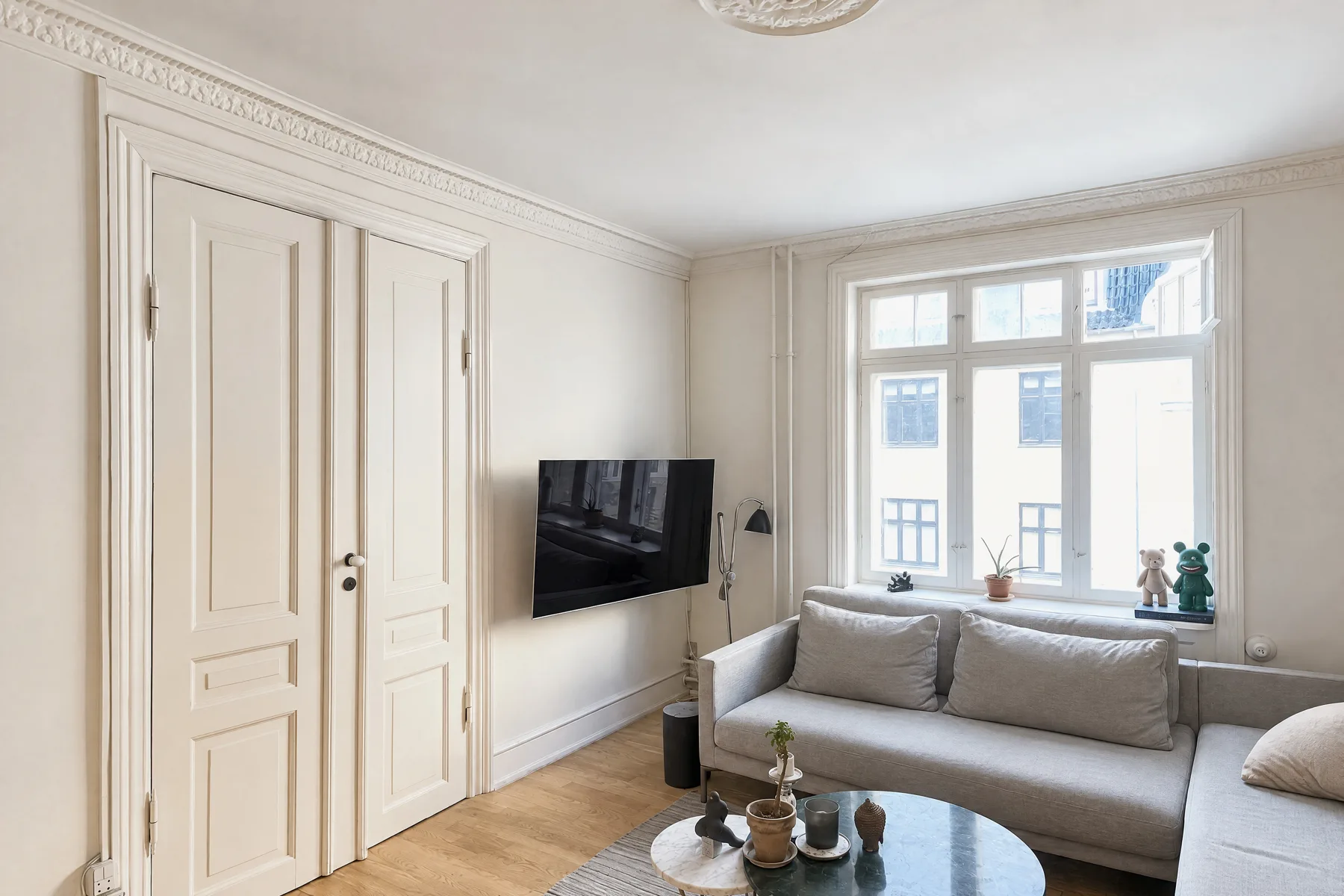
2. Shooting every room at 0.5×
Why it hurts. The 0.5× button is a 13 mm equivalent lens with a 120° field of view (Apple's iPhone 15 specifications; it's the same on every multi-camera iPhone from the 12 on). Professional interior photographers mostly work at "somewhere around 20-25mm" on a full-frame camera, according to Improve Photography's lens guide, which warns that going too wide produces "a foreground that unrealistically dominates and a background that disappears into the distance" and that "you can easily make any room look like a bowling alley". Buyers who visit find rooms smaller than the photos promised, and chairs near the frame edge stretch.
The fix. Back into the corner and try 1× first. Switch to 0.5× only when the room still doesn't fit, keep the phone level (distortion is worst when tilted) and keep furniture away from the edges of the frame. Avoid 2× and digital zoom for room shots. Small rooms have their own tricks; see how to photograph small rooms.
3. Blown-out windows
Why it hurts. A white rectangle where the window should be removes the view, the garden and the sense of daylight, and it is the first thing a buyer's eye goes to. Apartments.com lists "lighting overexposure (dark interiors and bright light from windows)" among the pitfalls to avoid in unit photos. It is also where phone photos most often fail, because the camera exposes for the room and gives up on the glass.
The fix. Let HDR work. Apple's guide explains that the camera takes several photos in rapid succession at different exposures and blends them "to bring more highlight and shadow detail", automatically when it's most effective; only iPhone 11, SE (2nd generation) and iPhone 12 even have a switch, and it should stay on. Then tap the brightest part of the room and drag the exposure down slightly, and touch and hold until AE/AF Lock appears so the setting holds for the next frames (Apple). Shoot the room when the sun isn't coming straight through that window. If the view still blows, it's a candidate for careful editing, which pulls window detail from a darker exposure; that is a lighting adjustment, not an alteration.
4. Dark rooms and the flash
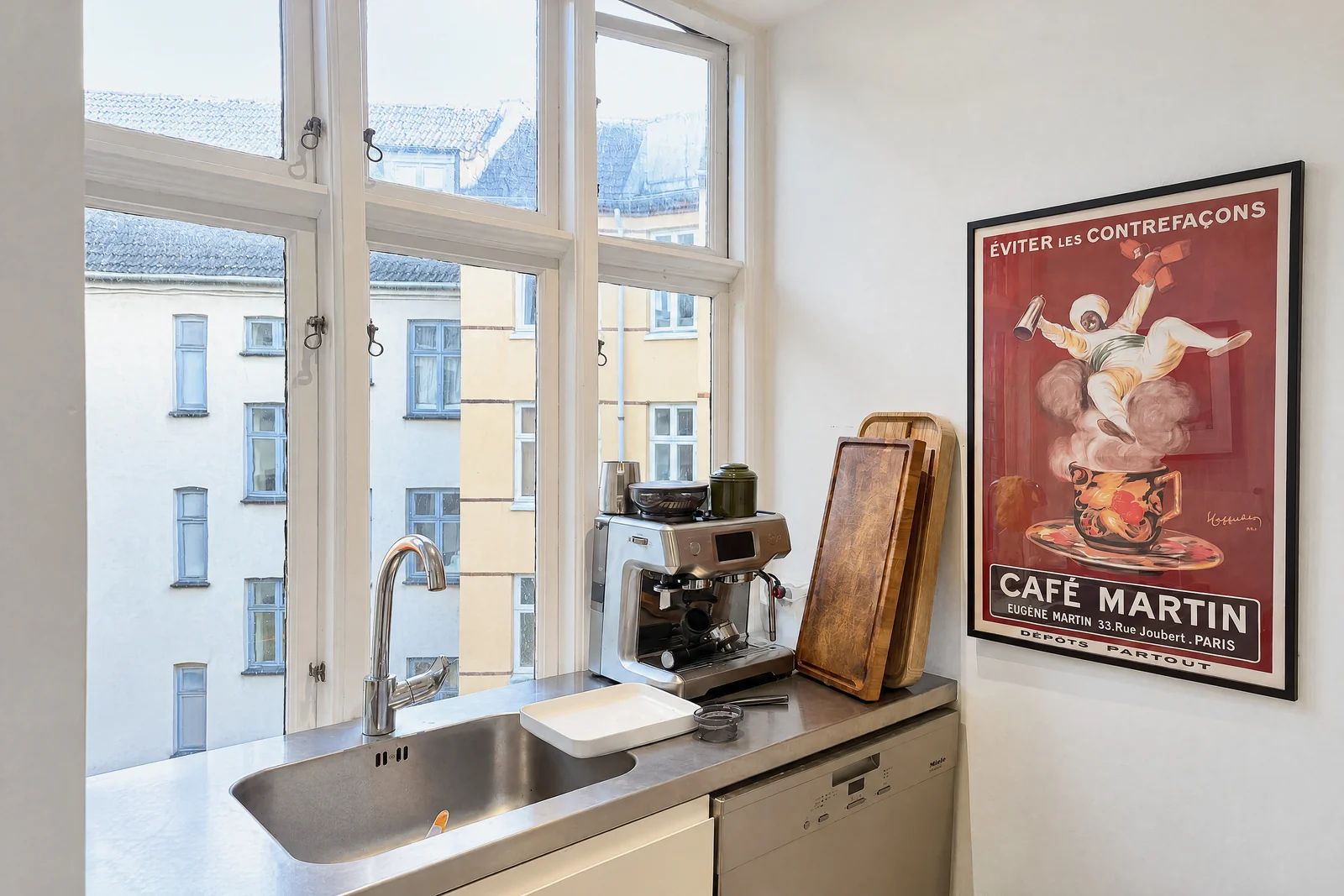
Why it hurts. Dark photos read as a dark home, and a flash makes it worse: HousingWire's DIY guide for agents warns that flash photos "can tend to look darker around the edges and brighter towards the middle". Mixed light (daylight from the window, a warm bulb, a cool LED) gives patches of orange and blue that no buyer can read as a wall color.
The fix. Airbnb's photo guide gives the order: turn off the flash, open the blinds, shades and curtains, and only if the room is still too dark, turn on the lights. Shoot when the room gets the most daylight; HousingWire suggests late morning or early afternoon. Apartments.com's unit-photo guide suggests 60-watt "warm" or "bright white" bulbs in rooms without natural light, and the useful rule is one color of bulb per room. Then tap the screen and drag the exposure up if the room is still dim.
5. Clutter, cords and personal things
Why it hurts. The camera shows what the eye filters out: the remote, the charging cable, the bin, the fridge magnets, the family photos. Agents put this at the top of their list: in NAR's 2025 Profile of Home Staging, the improvements sellers' agents most often recommended were decluttering the home (91%), cleaning the whole home (88%), improving curb appeal (77%), professional photos (76%) and depersonalizing (72%). Nothing about the camera is in the top five.
The fix. A 10-minute pass before every room: counters cleared except one or two things, cords and bins out of sight, beds made, cushions plumped, toilet lids down, pet things away. Our room-by-room prep checklist has the full list. Editing can safely remove loose items that leave with the seller (towels, papers, cables); it must not remove or change anything fixed, which is where mistake 11 begins.
 As captured
 Delivered by October
6. The toilet lid, and the rest of the bathroom
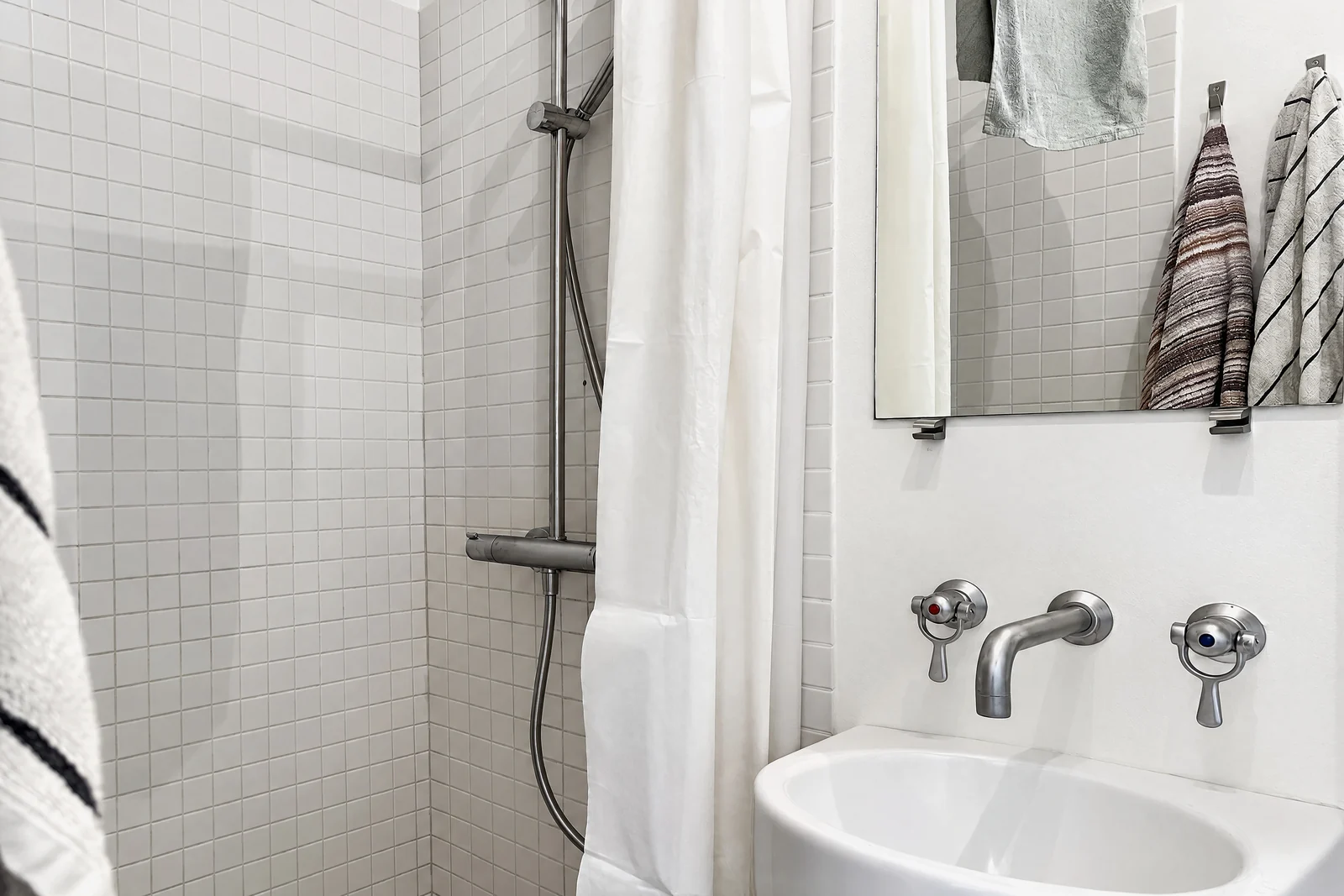
Why it hurts. There is no study on toilet lids, and there doesn't need to be: an open lid is the first thing anyone sees in a bathroom photo, and a bathroom shot from inside the door makes the toilet the closest, largest object in the frame. Bathrooms are also the weakest photos in a set by the numbers: in an Apartments.com analysis of 600,000 listing photos, bathroom photos "performed poorly" and the company advises against using one as the primary photo at all.
The fix. Lid down, seat down, shower curtain pulled back or straight, towels folded, counters empty except a soap. Shoot from the doorway at chest height, at 0.5× if the room is small, so the vanity or shower is the subject and the toilet is at the edge or out of frame. One photo per bathroom is usually enough.
7. You're in the mirror (and the fan is spinning)
Why it hurts. A photographer reflected in the bathroom mirror, a phone in the oven door, a ceiling fan blurred into a propeller: each tells the buyer this is a snapshot, and the reflection also drags the eye away from the room. HousingWire's tip 7: "It really is easy to miss yourself, a pet or a random object in a reflection, so be sure to scan the room". Apartments.com's pitfall list is the same: reflections of yourself in mirrors or windows, fingerprints on surfaces, running ceiling fans.
The fix. Before each shot, look at every mirror, window, glass door and glossy appliance in the frame. Shoot mirrors at an angle so the reflection shows the room, not you, or stand so a door frame hides you. Turn off ceiling fans and TVs. Wipe the stainless steel. In the delivered photo, a reflected photographer or tripod is a loose item an editor can remove; a reflection of a messy room behind you is not.
8. Too few photos, or twenty of the same room
Why it hurts. On Zillow the average listing has 33 photos, according to Zillow's own guide to high-performing listings. A listing with eight looks like it's hiding something; Apartments.com's rental guide says too few photos "create uncertainty". The opposite mistake is as common: four near-identical angles of the living room and none of the laundry, the garage or the back yard. Portals also cap what shows: on Apartments.com the Basic package shows 5 photos and Silver 20, and in its own example only the first twenty of fifty uploads are shown to renters. For a rental, see rental listing photos with an iPhone for a per-room shot list.
The fix. Two or three distinct angles of each main room (from the entrance, from the far end, from a corner), one or two of each secondary room and bathroom, and every feature a buyer would ask about: storage, parking, outdoor space, laundry, the view. Then cut anything that repeats an angle. Our guide to how many photos a listing needs goes through the studies that disagree with each other.
9. The wrong first photo, and no order after it
Why it hurts. The first photo is the listing in search results. Zillow's Rental Manager help says its research shows "kitchen or living room photos as primary photos typically return the highest number of responses", and Zillow's system will move your chosen primary photo to second place if it decides another will generate more contacts. Apartments.com's analysis of 600,000 photos found that for three-star properties the top performers were staged bedrooms, living rooms and kitchens; for four- and five-star properties, wide exterior and amenity shots; and that bathrooms, floor plans and fitness centers should never be the primary photo, nor anything with a text overlay. After the first photo, a random order makes the buyer rebuild the house in their head.
The fix. Lead with the strongest photo: the front of the house in good light, or the best living space for a condo. Then follow the path a visitor would walk: entrance, living areas, kitchen, dining, primary bedroom, other bedrooms, bathrooms, outdoor space, extras. Details and the floor plan go last. Check the order on your phone, where most buyers see it: NAR's 2025 report found 69% of buyers used a mobile or tablet device in their search.
10. Over-edited, HDR-halo or AI-looking photos
Why it hurts. Neon grass, a navy sky at noon, halos around the window frames, plastic-smooth walls, furniture that looks rendered. Buyers may not know the word for it, but they discount the listing, and when they visit, the gap between photo and house costs trust. This is now common: Coraly's study of just under 40,000 primary listing images on Zillow, Redfin, Realtor.com and Homes.com found 10.8% showed indicators of digital manipulation, as HousingWire reported in June 2026.
The fix. Edit the way a photographer does: exposure, white balance, straightening, a modest lift of the shadows. Keep saturation and clarity sliders near where they started. Skip the one-tap "enhance" filters that push everything. If an AI tool is used, it should correct light and tidy loose items and leave the room's surfaces as they were; our guide to what makes listing photos look professional lists the tells.
11. Undisclosed alterations
Why it hurts. Virtual staging, a removed power line, a replaced sky, a day-to-dusk edit, a lawn turned green: each is legal in most places if you say so, and a problem if you don't. In California, AB 723 (in force since January 1, 2026) requires a conspicuous statement next to any "digitally altered image" in a sale advertisement plus a link or QR code to the original. The statute defines an altered image as one edited with software or AI "to add, remove, or change elements", with examples from fixtures and furniture to paint color, landscape, and "views through windows". Only "lighting, sharpening, white balance, color correction, angle, straightening, cropping, exposure, or other common photo editing adjustments" that don't change the representation of the property are exempt. In the Coraly study above, over 90% of the manipulated images carried no visible disclosure.
The fix. Treat every edit that adds, removes or changes a thing as a disclosure, everywhere, not only in California. Label it in the photo description ("virtually staged", "digitally altered"), keep the original, and know your MLS's mechanics: CRMLS, for example, requires the original photo immediately before or after the altered one and fines $250 after a warning. Its rule of thumb: "When in doubt, err on the side of caution." Details in our guides to AB 723 and MLS rules for AI photo editing. Correcting light and removing a towel are not alterations; moving a wall or a window is.
12. Vertical photos
Why it hurts. Every portal is built for landscape. Airbnb's guide says horizontal photos work better because search results crop photos into squares and listing pages display photos in landscape. Apartments.com's photo guidelines say to avoid portrait orientation because "it could be cutoff on the top and bottom" in its viewer, and its unit-photo guide adds that vertical images are awkward on a desktop. HomeJab's MLS guide recommends landscape at 3:2 for most MLS photos. A vertical room photo also shows ceiling and floor, which nobody is buying, instead of the width of the room.
The fix. Hold the phone sideways for every listing photo; use the default 4:3 or the 3:2 that HomeJab recommends, and never square. Export large: HomeJab suggests around 2048 × 1365 pixels for online use and says Bright MLS asks for at least 1024 × 768; Zillow Rental Manager accepts photos of at least 330 × 220 pixels and under 10 MB, in JPG, PNG or GIF. Our guide to real estate photo size requirements has the full table by portal.
The 60-second check before you upload
- Walls vertical in every frame; nothing leaning.
- 1× unless the room wouldn't fit; nothing stretched at the edges.
- Window shows the view; room is bright without flash.
- No cords, bins, remotes, personal photos or pet things; toilet lids down.
- No one in a mirror or window; fans and TVs off.
- Two or three angles per main room, every feature covered, no repeats.
- Best photo first, then the path through the house.
- Colors look like the house; nothing glowing.
- Every added, removed or changed element labeled, original kept.
- All landscape, at least about 2,000 pixels wide, JPEG.
If you'd rather not remember all twelve
Most of this list is the photographer's part of the job, and it's a lot to hold in your head in a stranger's hallway. The October app handles the first seven on its own: it shows you the photographer's spot in each room with an arrow and the distance, keeps the phone level with an on-screen level, takes you to three spots per room, tells you if a shot is leaning or repeats the last one, and takes the photos itself. October then stitches the frames into one wide view per spot, and an AI image model draws a new finished photo from it, with a daylight look and loose items left out. The model is told to keep walls, floors, windows, fittings and the view, and each photo is checked against the capture, but the photos are AI-generated, so check each one and label it as AI-altered where your MLS or state requires. The photos and an AI walkthrough video usually come back within a few hours, from $49 a place (up to 6 rooms), and the first place is free. See pricing, or read how to take real estate photos with an iPhone if you'd rather do it by hand.
Questions
What is the most common real estate photo mistake?
A tilted phone. Tilting down to fit more floor makes every wall lean, and it is the quickest way to tell an amateur photo from a professional one. Turn on the Level in Settings > Camera and hold the phone upright at chest height.
Should I use 0.5× for real estate photos?
Only when a room doesn't fit at 1×. The Ultra Wide is a 13 mm equivalent with a 120° field of view, far wider than the roughly 20 to 25 mm professionals use, so it stretches edges and makes rooms look bigger than they are.
How many photos should a listing have?
Enough to show every room and every feature from two or three distinct angles, with no repeats. The average Zillow listing has 33 photos. Too few makes buyers suspicious, and portals may show only the first set anyway.
Which photo should go first?
The strongest one: usually the front of the house, or the main living space for a condo. Zillow's rental research says kitchen or living room photos as the primary photo get the most responses; Apartments.com's analysis says never a bathroom, a floor plan or a gym.
Do I have to disclose edited listing photos?
If the edit adds, removes or changes something in the picture, yes in California under AB 723 and under many MLS rules; lighting, color, straightening and cropping are exempt. Label the photo, keep the original, and check your MLS.
Sources
- NAR, 2025 Home Buyers and Sellers Generational Trends (Exhibits 3-2, 3-4 and 3-6)
- NAR, 2025 Profile of Home Staging
- Zillow, Elements of a high-performing listing
- Redfin, Professional real estate photos sell homes for more (2013 study, republished 2019)
- Apple, iPhone User Guide: Use iPhone camera tools (grid, level, exposure, AE/AF Lock)
- Apple, iPhone User Guide: Adjust HDR camera settings
- Apple, iPhone 15 technical specifications
- Improve Photography, Best lenses for real estate photography
- HousingWire, 11 DIY real estate photography tips every agent should know
- Airbnb Resource Center, How to take great photos for your listing
- Apartments.com Help Center, How do I take great unit-level images?
- Apartments.com Help Center, How do I upload and arrange photos?
- Apartments.com Help Center, Photo guidelines (Apartments.com Canada)
- Apartments.com Rental Manager, The biggest rental listing mistakes that can cost you leads (July 2026)
- Apartments.com (Apartmentology), Optimize your Apartments.com listings: analysis of 600,000 listing photos
- Zillow Help Center, How do I upload my rental listing photos?
- HomeJab, The ultimate guide to MLS photo size requirements
- HousingWire, Most AI-altered listings go undisclosed (Coraly study), June 2026
- California Legislature, AB 723 bill text, Chapter 497, Statutes of 2025
- CRMLS knowledge base, Digitally altered images FAQs