

Guides · Roundup
The best virtual staging apps in 2026, and what not to use for the MLS
For quick, cheap AI staging of your own photos, Virtual Staging AI, Collov AI, AI HomeDesign and REimagineHome cost from about $16 to $19 a month; Apply Design lets you stage by hand from $7 an image; and BoxBrownie, Stuccco and PadStyler put a designer on each image for $23 to $35, delivered within 24 to 48 hours. Stager AI adds HDR correction and retouching to staging, and Trolto bundles staging into a social media marketing plan. Whatever you use, label every staged image, keep the original, and never change fixed features, the view or defects: that is what MLS rules, NAR's Code of Ethics and California's AB 723 come down to.
By Emil Thomsen, Founder of October · Updated
Reading on Google? Add October to your Preferred Sources to see our guides more often.
How we compared them
This is a roundup, compared from each tool's public pricing page or App Store listing, checked on October 20 to 22, 2026. We did not stage photos with the other tools, so there are no quality scores. Prices are as of October 2026 and change often; several tools show prices only after a monthly or yearly toggle, so check before you pay.
The 14 tools at a glance
| Tool | How it works | Price (as of Oct 2026) | Speed | Best for |
|---|---|---|---|---|
| Virtual Staging AI | Upload a photo, AI stages it; furniture removal included | From $16/mo for 6 photos to $79/mo for 150 | About 10 seconds | Cheapest AI staging at volume |
| Collov AI | AI staging, human-assisted multi-angle on higher plans | From $19/mo (billed yearly) for 60 credits | About 10 seconds (AI) | AI staging with a human-assisted tier |
| AI HomeDesign | AI staging and photo editing on credits | $35/mo for 30 photos, or $19/mo billed yearly | About 30 seconds, its homepage says | Staging plus editing in one plan |
| REimagineHome | AI staging, can match real products you can buy | $19 to $119/mo; 5 free designs | 2–5 minutes for a batch of up to 50 photos, its homepage says | Staging with buyable furniture |
| Apply Design | One-click auto staging or drag-and-drop DIY | $7 to $15 per image; first image free | 15 minutes (auto) | Pay per image, no subscription |
| PhotoUp | AI staging on credits, plus editing services | 3+ credits an image ($1.50 a credit on demand) | 24-hour standard delivery | Teams already editing with PhotoUp |
| BoxBrownie | Designers stage the photo; changes free for 2 months | $24 per image (US price, October 27, 2026; shown in local currency) | Under 48 hours | Human-designed staging |
| Stuccco | Designers stage the photo; also changes walls, floors, landscaping and day to dusk | $35 per image pay as you go; $24.50–$28 with a prepaid bundle | 24 hours, 7 days a week | Human staging with an optional label |
| PadStyler | Designer staging per image, or an AI staging subscription | Designers $34 an image down to $23 at 8+; AI from $16/mo billed yearly for 6 photos | Designers under 24 hours; AI in seconds | A designer and AI from one account |
| Nodalview | AI home staging inside its capture app | AI features 1 to 3 credits; 20 credits $28.99 | Not stated | Agencies already on Nodalview |
| Stager AI | AI HDR blending, staging, decluttering, sky and dusk edits and retouching in one tool | App Store plans $24.99 to $49.99/mo; 10 free renders (low-res, watermarked) | Seconds; HDR 1 to 5 minutes | Correcting and staging a whole shoot |
| Trolto | Marketing platform: AI staging plus cinematic listing videos, property websites and social posts | Starter $59/mo, Pro $99/mo; 7-day free trial | Not stated | Staged listings turned into social media content |
| House AI | AI interior redesign of a room photo in 300+ styles, walls and floors included | $19.99/mo (web) or $59.99/yr; App Store from $14.99/mo; 1 free design a day | About 15 seconds | Redesign ideas, not MLS photos |
| October | AI-drawn empty or staged rooms from captures made with the October app | Empty room $19, staged $29 per room; Pro includes 3 a month | Usually within a few hours | Staging every photo of a room you captured with October |
To compare these staging tools with photo apps, AI editors and editing services in one table, see real estate photo apps and services compared.
AI staging subscriptions: Virtual Staging AI, Collov AI, AI HomeDesign, REimagineHome
Virtual Staging AI lists four plans: Basic $16/month (6 photos), Standard $19 (20), Professional $39 (60) and Enterprise $79 (150), with a 10-second turnaround, unlimited renders, furniture removal and no watermark. At 20 photos a month it works out under $1 a photo. Best for agents who stage often and want the lowest price per image.
Collov AI starts at $19/month billed yearly ($228 a year) for 60 credits, one credit per generation, with a 10-second AI turnaround and a 5-image watermarked trial. Premium ($79) and Enterprise ($127) add human-assisted multi-angle staging, without a separate per-image price on the page. Best if you want AI speed with a human-assisted option.
AI HomeDesign charges $35/month for 30 photos on monthly billing, or $19/month on yearly billing; Pro Plus and Enterprise go to 80 and 200 photos. The plans cover photo editing and staging together. Best if you want one tool for both.
REimagineHome gives 5 free designs without a card, then plans on credits: on October 22, 2026 its pricing page showed Essential $19 a month for 30 credits, Pro $36 for 200, Advanced $59 for 400 and Agency $119 for 900 (the page title still says $14–$99). One staged image is one credit; matching real products you can buy costs a second credit. Best if you want buyers to see furniture that actually exists.
Limits for all four: you upload your own photos, so the result is only as good as the photo. AI can add furniture at the wrong scale or redraw parts of the room; check every image against the original before it goes on a listing.
Pay per image: Apply Design, PhotoUp, BoxBrownie, Stuccco, PadStyler
Apply Design is pay per image with no monthly plan. One-click auto staging costs 1.5 coins (about 15-minute turnaround) and DIY drag-and-drop staging 1 coin; a coin is $10, $8 at 10 or more and $7 at 20 or more. That puts a 2D image at $7 to $15. The first image is free. Best if you stage a few listings a year, or want to place the furniture yourself.
PhotoUp lists AI virtual staging at 3 or more credits an image; credits are $1.50 on demand and cheaper on packs or plans, which start at $49/month ($39/month billed quarterly). Standard delivery is 24 hours with unlimited revisions. Best for teams already sending editing work to PhotoUp.
BoxBrownie stages with a team of designers. Its US price was $24 per image on October 27, 2026, pay as you go (the site shows local currency), with delivery under 48 hours, unlimited changes for 2 months and styles from Scandinavian to Farmhouse. Best when you want a person choosing and placing the furniture, and can wait two days. More in October vs BoxBrownie.
Stuccco stages with designers, not software: its pricing page says every photo is designed by design professionals, "not bots or editors". Adding furniture and decor, with or without removing what is there, is $35 an image pay as you go, $28 with a $399 prepaid bundle and $24.50 with a $799 one; bundles are one-off purchases that expire after 12 months, and team plans ($0 to $12,000 a year) cut the rate by up to 40%. Delivery is within 24 hours, 7 days a week, with unlimited revisions, a free listing page and an optional "Virtually Staged" watermark. Its menu also changes walls, floors, cabinets, ceilings, exterior colours and landscaping ($19 to $35 an image) and does day to dusk. Stuccco's site sat behind a bot check when we tried on October 22, 2026, so these figures are from the Internet Archive's copy of its pricing page from July 10, 2026; they match the October 2026 rate table from Bella Virtual Staging cited in our virtual staging cost guide. Best when you want a person staging every photo, seven days a week.
PadStyler sells both. Its Bespoke Virtual Staging is done by designers: $34 for one photo, $31 each for 2 or more, $27 for 5 or more and $23 for 8 or more, pay as you go, delivered in under 24 hours (rush within 12 hours on weekdays), with unlimited revisions, a money-back guarantee and a price-match promise. PadStyler AI is a subscription that stages, remodels and redesigns backyards in seconds: Starter 6 photos a month for $16 billed yearly ($25 month to month), Essentials 20 for $19 ($35) and Premium 60 for $39 ($79), with furniture removal and multi-view staging; its AI page says every render is reviewed for consistency and realism before delivery. A code on its homepage stages one photo free, and its FAQ says buyers should be told when photos are virtually staged. Best if you want AI for most rooms and a designer for the hero shot from the same account.
Limits for these two: Stuccco's wall, floor, ceiling and landscaping changes and PadStyler's AI remodeling alter fixed features, which the MLS rules below keep off a listing photo; use them to show what a room could become, labelled, next to the original.
Editing suites, marketing platforms and design apps: Stager AI, Trolto, House AI
Stager AI (stagerai.com) combines photo correction with staging. Its site lists Auto HDR that blends 3 to 7 brackets, pulls the windows, corrects colour and straightens verticals; virtual staging in 19 room types and 11 styles, with multi-angle staging that keeps the same furniture across up to 4 photos of one room; decluttering, a Magic Eraser for objects and a Magic Retoucher for marks, stains and wall damage; sky, lawn and day-to-dusk edits; and AI listing videos and floor plans. Most edits take seconds and HDR photos 1 to 5 minutes, it says. Each photo uses 1 credit and includes 9 free re-renders, and unused photos roll over for up to 6 months. The web pricing page lists plans by photos a month (Starter 10, Growth 30, Pro 80, Studio 150 to 2,000) but showed us no prices; in the US App Store the subscriptions run from $24.99 (Basic monthly) to $49.99 (Pro monthly), or $199.99 a year for Basic. You get 10 free renders without a card, downloaded in low resolution with a watermark. It runs in the browser and, by its site, on iOS and Android; the App Store listing (iOS 15 or later) shows 4.5 from 36 ratings as of October 2026. Best for photographers and agents who want to correct and stage a whole shoot in one tool.
Trolto is a marketing platform for agents rather than a stand-alone stager: its plans bundle AI virtual staging and editing with cinematic property videos, property websites with seller reports, listing presentations and automatic social media posts. Starter is $59 a month (1 active property website) and Pro $99 (unlimited property websites, the maximum videos and posts), both with a 7-day free trial; Enterprise is quoted. The pricing page does not say how many staged images a plan includes or how fast staging is; HousingWire's review (updated October 2025) listed 20 virtually staged images and 3 cinematic videos a month on the $59 plan. Best for agents who want each staged listing turned into videos and social posts.
House AI (houseaiapp.com) is an AI interior design app rather than a staging service: upload a photo and it redesigns the room in about 15 seconds, in 300+ styles, and can also change walls, flooring, cabinets, exteriors and gardens. Its App Store listing pitches it to realtors too: "Stage a listing in minutes." The free plan gives 1 design a day, watermarked on the web; on its site the paid plans are $19.99 a month (web only) or $59.99 a year, and in the App Store Monthly Pro is $14.99 and Yearly Pro $39.99. It runs in the browser, on iPhone and iPad (iOS 15 or later; 4.6 from 351 ratings as of October 2026) and on Android. Best for showing a buyer or seller what a room could become.
Limits for these three: Stager AI's retoucher can remove wall damage and stains, and House AI is built to change walls and floors; both are exactly the edits the MLS rules below forbid on a listing photo, so use them for cosmetic fixes and ideas, and compare every result with the original. Stager AI asks you to label staged or retouched photos where your portal asks for it; the other two pages say nothing about labels. Trolto makes most sense if you want the whole marketing bundle, not just staging.
Staging built into a capture app: Nodalview and October
Nodalview includes AI home staging and decluttering in its mobile app (iPhone and Android) and platform. AI features cost 1 to 3 credits each; in the app, 20 credits are $28.99. Best for agencies that already capture with Nodalview.
October offers two add-ons on places captured with the October app: an Empty room ($19 per room), with the furniture removed, and a Staged room ($29 per room) in Scandinavian, Modern or Classic. Every delivered photo of that room is done in the chosen look. Pro plans include 3 empty or staged rooms a month. Like all October photos, they are drawn by an AI image model from your capture; the model is told to keep walls, floors, windows, fittings and the view, each photo is checked against the capture, and each staged or emptied image carries a visible label. Check every photo before you publish.
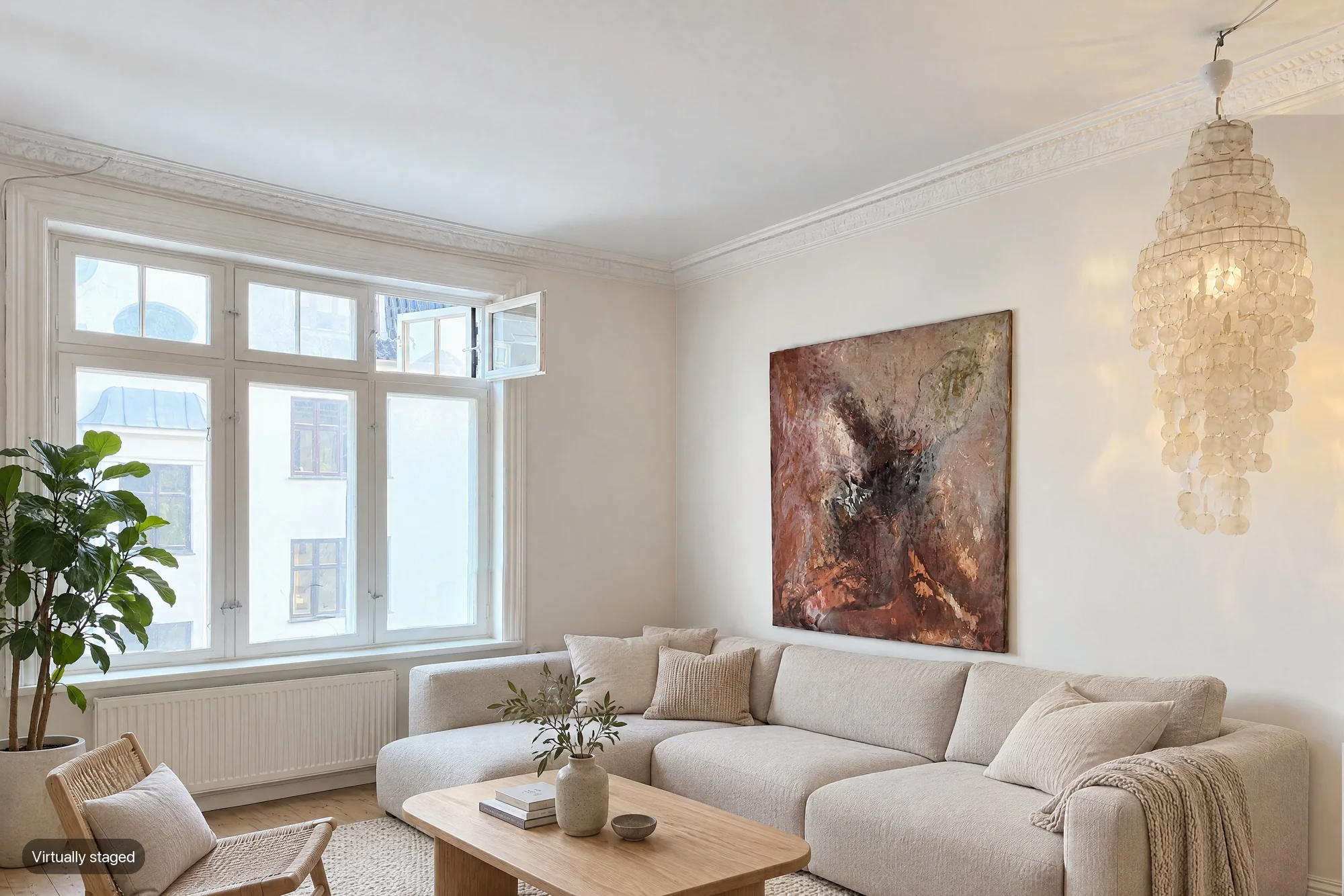
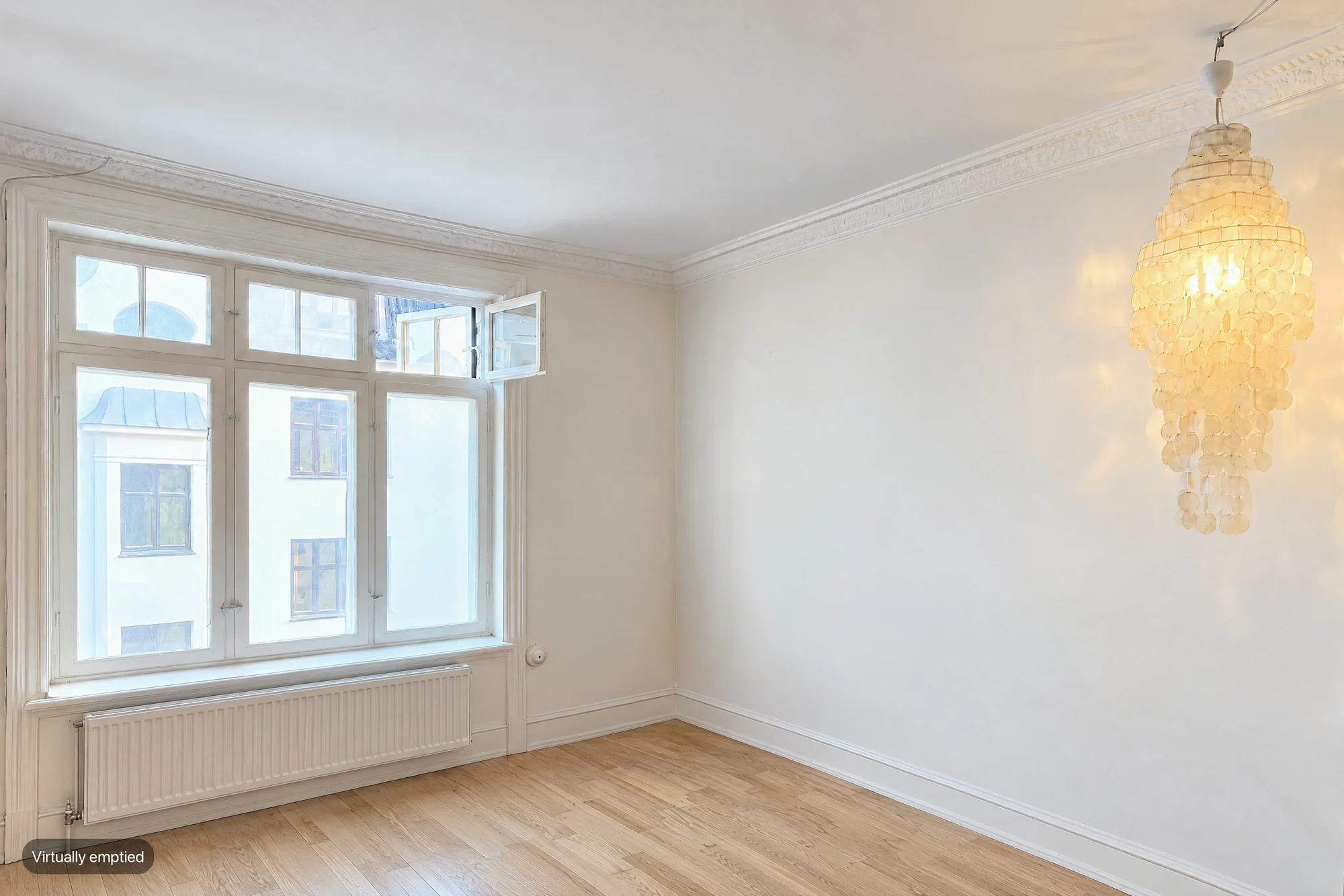
Limits: October stages only rooms you captured with its app; you cannot upload other photos. If you just need to stage existing photos, the tools above fit better. To choose between the two looks, see virtual staging vs empty room.
What not to use for the MLS
The rules vary by MLS and state, but they point the same way. NAR's Code of Ethics requires REALTORS® to present a "true picture" in their advertising, and Standard of Practice 12-10 bars misleading images. Florida Realtors' guidance says MLS rules on virtual staging "almost universally require transparency": cosmetic changes only, clear labels, and originals included or available.
Keep these off a listing, whichever tool made them:
- Unlabeled staged or emptied photos. Label every one, on or next to the image.
- Changes to fixed features: walls, floors, windows, built-ins, room size or layout. Florida Realtors warns against changing room dimensions or removing flaws.
- Hidden defects: painted-over damage, removed stains, a "fixed" ceiling.
- A changed view or exterior: a new sky, lawn or skyline. California's law covers elements outside the property or visible from it.
- General AI image generators that redraw the whole frame. They can quietly change a window, a floor or the view, which is exactly what the rules forbid. Use a tool that keeps the original room, and compare before you publish.
- Staged photos without the original. Florida Realtors recommends showing both; in California the law requires a link to it.
California AB 723: the strictest rule so far
Since January 1, 2026, California's AB 723 (Business and Professions Code section 10140.8) requires a broker or salesperson who uses a digitally altered image in advertising to state that the image has been altered, and to include a link, URL or QR code to the original, unaltered image. An image altered with editing software or AI "to add, remove, or change elements" counts. Edits that only change lighting, sharpening, white balance or colour correction are excluded. Virtual staging and emptying a room are covered.
Compliance is far from universal. Coraly, a real estate data company that also sells a compliance tool, looked at just under 40,000 primary listing images on Zillow, Redfin, Realtor.com and Homes.com early in 2026: 10.8% showed signs of digital alteration, and over 90% of those had no visible disclosure, HousingWire reported. Virtual staging was 10% of the altered images.
San Diego MLS says the same as the rest: when in doubt, disclose. Our full explainers: California AB 723 and AI photo editing and MLS rules.
Which staging tool should you pick?
- Lowest cost for many photos: Virtual Staging AI or AI HomeDesign on a yearly plan.
- A few listings a year, no subscription: Apply Design.
- Furniture buyers can actually buy: REimagineHome.
- A human designer: BoxBrownie, Stuccco or PadStyler's Bespoke service, or Collov's human-assisted tier.
- HDR correction, retouching and staging of a whole shoot in one tool: Stager AI.
- Staged listings turned into videos and social posts: Trolto.
- Redesign ideas to show a buyer, not for the MLS: House AI.
- You capture with October already: add Empty or Staged rooms to the place; see virtual staging cost for how the prices compare.
Questions
What is the cheapest virtual staging app?
Per image at volume, AI subscriptions are cheapest: Virtual Staging AI's Enterprise plan works out at about $0.53 a photo (150 photos for $79 a month). For a single image without a subscription, Apply Design's DIY staging starts at $7.
Is virtual staging allowed on the MLS?
Generally yes, if the image is clearly labeled, only furnishings and decor change, and the original is available. Rules differ by MLS, and California requires a link to the unaltered original. Check your MLS's rules before you upload.
Do I have to disclose virtually staged photos?
In practice, yes. NAR's Code of Ethics requires a true picture, most MLSs require a label, and in California AB 723 requires a statement plus a link or QR code to the original.
Can AI staging change walls, floors or the view?
Some AI tools redraw the whole photo and can change them by accident, which can mislead buyers and break MLS rules. Compare every staged image with the original before you publish.
Did you test these tools?
No. This is a roundup compared from public pricing pages and App Store listings, checked on October 20 to 22, 2026.
Is there a free virtual staging app?
Free to try, not free to use. REimagineHome gives 5 free designs without a card, PadStyler stages one photo free with a code on its homepage, Apply Design makes the first image free, Collov AI offers a 5-image trial with a watermark, Stager AI 10 free renders (low resolution, watermarked) and House AI 1 free design a day. After that, AI subscriptions start at about $16–$19 a month and pay-per-image staging at $7. October's first place (up to 6 rooms, photos and a walkthrough) is free, but a staged room is $29.
Can I do virtual staging without a subscription?
Yes. Apply Design is pay per image with no monthly plan: $7 to $15 for a 2D image depending on how many coins you buy, and whether you place the furniture yourself or let it stage with one click. BoxBrownie's designers stage pay as you go at $24 per image in the US, Stuccco's at $35 an image and PadStyler's at $23 to $34 depending on how many you order, and PhotoUp's AI staging is 3 or more credits at $1.50 a credit on demand. October charges $29 per room, no plan required.
Can I use ChatGPT, Gemini or Canva for virtual staging?
You can make a picture, but it is a risky listing photo. General AI image generators redraw the whole frame, so they can quietly change a window, a floor or the view, and add furniture at the wrong scale, which is exactly what MLS rules, NAR's Code of Ethics and California's AB 723 forbid. If you try it, compare every result with the original, label it as virtually staged and keep the original next to it; a tool built to keep the room unchanged is the safer choice. More in virtual staging with ChatGPT, Gemini or Canva.
Sources
- Virtual Staging AI – pricing
- Collov AI – pricing
- AI HomeDesign – pricing
- AI HomeDesign – homepage ('Results in ~30 seconds'; checked October 22, 2026)
- REimagineHome – homepage (batch of up to 50 photos, 'Turnaround: 2–5 mins'; checked October 22, 2026)
- REimagineHome – pricing (Essential $19, Pro $36, Advanced $59, Agency $119 a month; checked October 22, 2026)
- Apply Design – pricing
- PhotoUp – pricing (plans $49/month or $39 billed quarterly and up; checked October 22, 2026)
- BoxBrownie – virtual staging (US$24 an image, United States region, read October 27, 2026)
- Stuccco – virtual staging pricing (Internet Archive copy of July 10, 2026; the live site showed a bot check on October 22, 2026)
- Stuccco – virtual staging homepage (Internet Archive copy of July 11, 2026: 12 to 24 hour delivery, services)
- Bella Virtual Staging – best virtual staging companies 2026 (Stuccco and PadStyler rates, rechecked October 2026; a staging company)
- PadStyler – pricing (AI plans and Bespoke per-photo prices; checked October 22, 2026)
- PadStyler – virtual staging (24 hours or less, 12-hour rush, revisions, disclosure FAQ; checked October 22, 2026)
- PadStyler – AI virtual staging (seconds, multi-view staging, renders reviewed before delivery; checked October 22, 2026)
- Nodalview – pricing (credit costs)
- Nodalview – App Store listing
- Nodalview – mobile app (works on iPhone and Android smartphones; checked October 22, 2026)
- Stager AI – website (tools, speed, free renders, platforms, labeling note, as of October 2026)
- Stager AI – pricing (plans by photos a month, re-renders, rollover, as of October 2026)
- Stager AI – App Store listing (subscription prices, iOS 15+, 4.5 from 36 ratings, as of October 2026)
- Trolto – website (marketing platform, AI virtual staging and editing, as of October 2026)
- Trolto – pricing (Starter $59, Pro $99, 7-day free trial, as of October 2026)
- HousingWire – Virtual staging: the best apps (Trolto plan contents, updated October 2025)
- House AI – website and pricing (15 seconds, 300+ styles, plans, as of October 2026)
- House AI – App Store listing (prices, iOS 15+, 4.6 from 351 ratings, as of October 2026)
- NAR – Code of Ethics and Standards of Practice
- Florida Realtors – 3 things to know about virtual staging
- Open Homes – AB 723 statute text and exclusions
- San Diego MLS – AB 723 digitally altered images compliance
- HousingWire – Most AI-altered listings go undisclosed (Coraly study)