

Guides · Guide
Real estate photography tips: 25 that make a listing look professional
The real estate photography tips that matter most: prepare the home before the camera comes out, stand in a corner with the camera perfectly level at about chest height, use the 1× lens wherever the room fits, light rooms with daylight and every lamp but no flash, shoot the front of the house in soft light, and edit only light, color and straightness. Then lead with the strongest photo, follow the path through the house, and label anything you added, removed or changed.
By Emil Thomsen, Founder of October · Updated
Reading on Google? Add October to your Preferred Sources to see our guides more often.
The short version
Buyers judge a home by its photos first. In the National Association of Realtors' 2026 Home Buyers and Sellers Generational Trends report, 81% of buyers who searched online rated photos "very useful", more than any other listing feature: detailed property information (77%), floor plans (57%), virtual tours (38%) and videos (29%) all came after. Most of them see those photos small, on a phone.
When we measured 392 professional interior listing photos, three things set them apart, and none of them was the camera: straight verticals (a median lean of 0.00°; only 7 of 392 lean more than 1°), a wide but not extreme view (a median of 18 mm full-frame equivalent) and bright rooms with filled shadows rather than a pale frame (what makes listing photos look professional). The 25 tips below are grouped in the order you'll use them: before the shoot, composition, light, interiors, exteriors, editing and delivery.
Quick start for beginners: the seven that matter most
If you read nothing else, do these. They cover most of the gap between a snapshot and a listing photo, and none needs extra gear.
- Tidy first. Clear counters and floors, make beds, hide cords, bins and personal things (tip 2).
- Turn on Grid and Level in Settings > Camera, and wipe the lens (tip 4).
- Stand in a corner, look across the room, and hold the phone sideways at chest height (tips 5 and 6).
- Keep the phone level. Too much floor? Raise the phone. Too much ceiling? Lower it. Never tilt (tip 7).
- Try 1× first; switch to 0.5× only if the room won't fit (tip 8).
- Flash off, blinds open, every light on (tip 10).
- Check every photo before you leave the room: leaning walls, your reflection, a dark corner (tip 15).
Before the shoot (tips 1–4)
1. Make a shot list. Write down every room and feature before you start: the front from straight on and at an angle, the back yard, the garage, each room, and the things that sell this house, such as a fireplace, a pool or built-in shelving. HousingWire's first tip for agents is a shot list, because buyers expect "a full visual story of the home", and Airbnb's guide says to plan each room "from various perspectives". Without a list, the laundry room and the view from the deck are what get forgotten.
2. Declutter and depersonalize every room. The camera shows what your eye filters out. In NAR's 2025 Profile of Home Staging, the improvements agents most often recommend to sellers are decluttering (91%) and cleaning the whole home (88%), well ahead of professional photos (76%). Clear counters, hide cords, bins and pet bowls, make the beds and remove family photos and mail. Our room-by-room prep checklist is the full list to send a seller.
3. Book the time by the light. Shoot interiors when the rooms get the most daylight; HousingWire suggests late morning or early afternoon. Exteriors are timed separately: PropPhoto's description of a professional shoot puts the exterior "first or last, timed to the light", because the front becomes the primary listing photo. If the front of the house is in shadow at noon, plan the exterior for the hour it's lit.
4. Set up the camera once. On an iPhone, turn on Grid and Level in Settings > Camera; Apple says they help you "straighten and compose your shot". Leave Lens Correction and HDR on, turn the flash off, and wipe the lens: HousingWire's checklist for phone shooters ends with "the lenses are clear". If your MLS or editor wants JPEG rather than HEIF, Settings > Camera > Formats > Most Compatible switches new photos to JPEG (Apple). Details: iPhone camera settings.
Composition: where to stand and how to hold the camera (tips 5–9)
5. Shoot from corners and doorways. Back into a corner and aim diagonally across the room so two walls meet near the middle and a bit of a third shows. HousingWire's advice is to stand in a corner or doorway "to capture as much of the room as possible" without making it look distorted. Virtuance explains the third wall: with none, buyers wonder where the room leads; with too much, the room looks smaller than it is. How to take pictures of a room has a stand-here plan for every room.
6. Hold the camera at chest height, lower in kitchens and dining rooms. HousingWire's figure is about 5 feet, or chest height. Virtuance's photographers shoot kitchens at countertop height and dining rooms at table height, so you see across the surfaces instead of down onto them. Too high and the furniture shrinks; too low and the floor fills the frame.
7. Keep the verticals vertical. Tilt the camera down and the walls lean in; tilt it up and they lean out. In our study, the median lean of professional photos was 0.00°, while people in our first phone tests held the phone anywhere from 0° to 8° off level. Airbnb says the same in plain words: shoot "without tilting the lens up or down". If you see too much ceiling, lower the camera rather than tilting it. It's the most common photo mistake for a reason.
8. Go wide, but not as wide as the camera allows. The median professional interior in our study was shot at 18 mm full-frame equivalent, with the middle 80% between 15 and 25 mm. An iPhone's 0.5× camera is 13 mm with a 120° field of view (Apple), wider than roughly 9 in 10 of those photos, and it stretches whatever sits near the edges. Larry Lohrman of Photography for Real Estate found that below about 22 mm, "the more likely it is you will get negative feedback from clients and viewers". Try 1× from the corner first; use 0.5× only when the room won't fit, and see how to photograph small rooms for the tight ones.
9. Shoot everything in landscape. Airbnb says horizontal photos work better because search results crop images into squares and listing pages show them in landscape. HousingWire adds that portrait shows more of the ceiling and floor instead of the space itself. Keep one aspect ratio for the whole set, so the gallery looks consistent.
Light (tips 10–13)
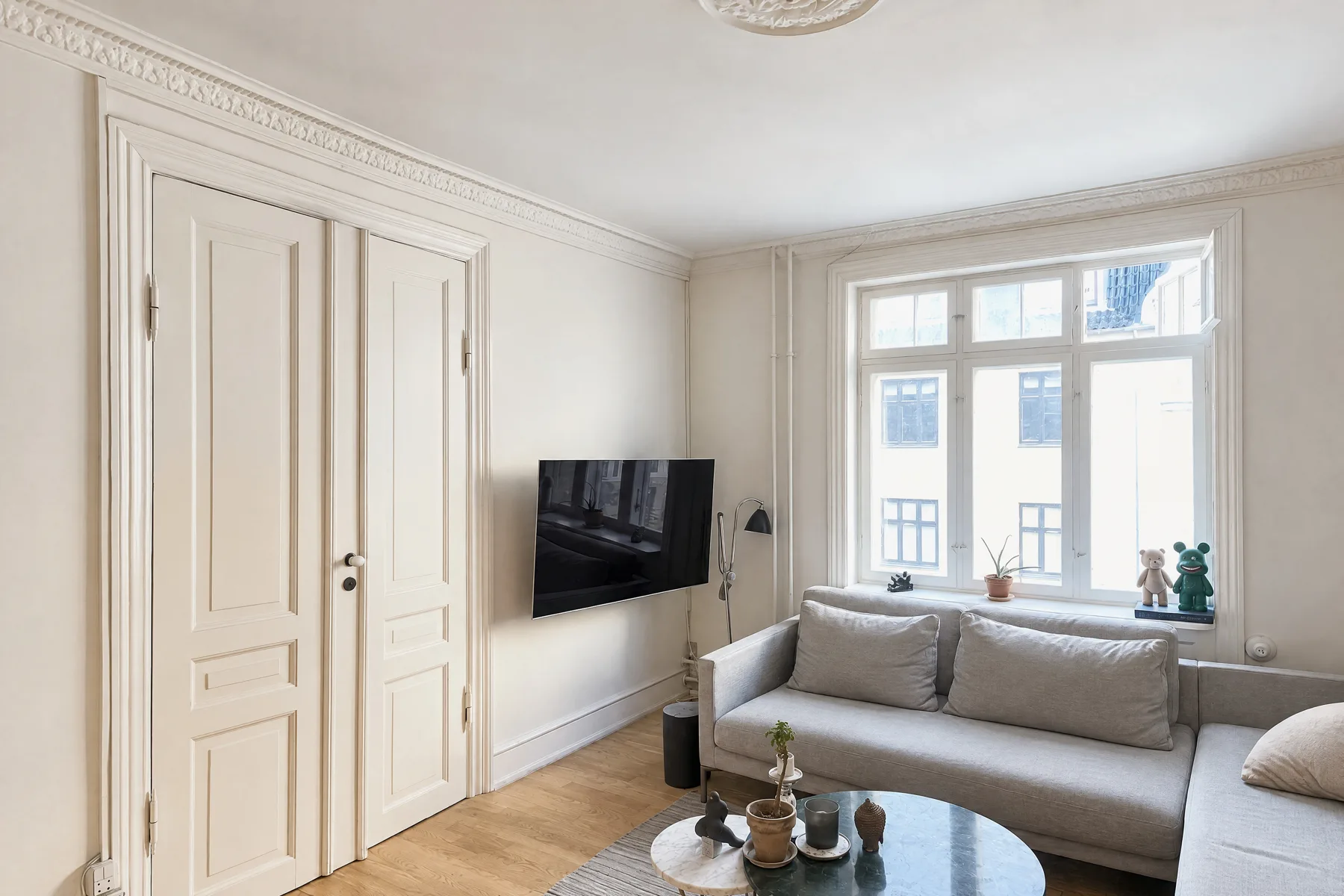
10. Daylight first, then every light, never the flash. Airbnb gives the order: turn off the flash, open the blinds, shades and curtains, and only if the room is still too dark, turn on the lights. HousingWire explains why the flash is out: it makes a room look "darker around the edges and brighter towards the middle". Replace dead bulbs before the shoot; PropPhoto puts that on its prep list.
11. One color of light per room. A warm bulb in a daylit room turns a white wall yellow or orange next to it, and buyers can't tell what color the walls are. The professional photos we measured had neutral walls, a touch warm (CIELAB a* 0, b* +3, on 200 photos). Switch off lamps that clash, or make sure every bulb in the frame is the same color.
12. Bright, not pale. Professional interiors are bright (a median lightness of 71.8 on a 0 to 100 scale, on 378 photos), but in living rooms only a median of 11% of the frame is near white. Brightening the whole frame turns the walls and windows white while the corners stay dark. Add light where the room is dark, and when editing, lift the shadows rather than the overall exposure.
13. Keep the view in the windows. A white rectangle where the window should be removes the view, and Virtuance points out that "views from windows are important for buyers". The iPhone already takes several photos at different exposures and blends them "to bring more highlight and shadow detail" (Apple), so leave HDR on. Don't shoot straight into a bright window from close up; tap the brightest part of the room, drag the exposure down slightly, and touch and hold until AE/AF Lock appears to keep that setting for the next frames (Apple).
Interiors (tips 14–17)
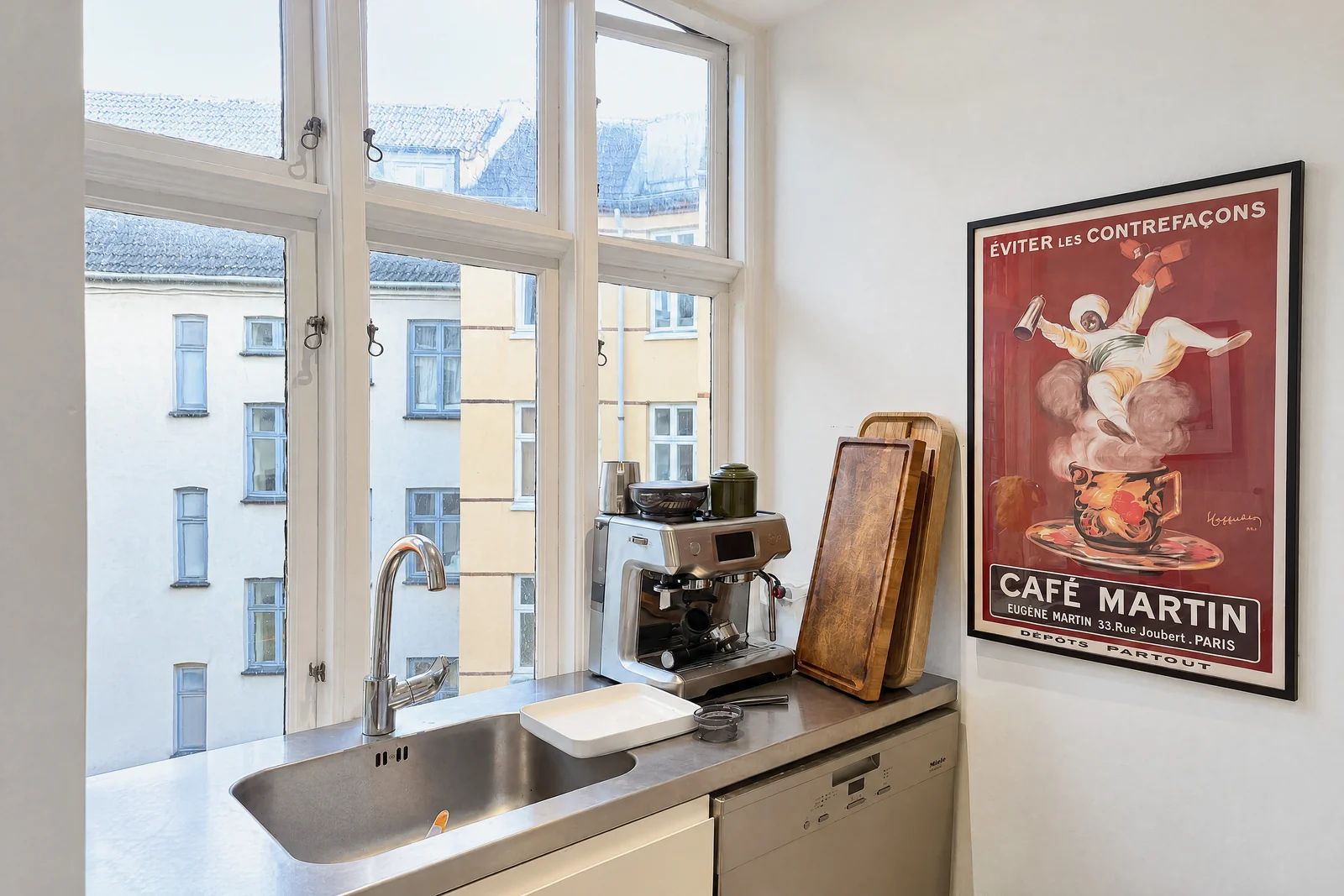
14. Two or three angles of each main room, one of each small room. Living room, kitchen and primary bedroom get two or three distinct angles (from the corner, from the opposite corner, from the entrance); bathrooms, hallways and secondary bedrooms usually get one. Airbnb recommends a mix of wide, mid-range and close-up images. Leave out any photo that repeats an angle; how many photos a listing needs has the counts by home size.
15. Check the frame before you move on. Look at every mirror, window and glossy appliance for yourself, then zoom in on the photo. HousingWire's tip: "It really is easy to miss yourself, a pet or a random object in a reflection". Turn off TVs and ceiling fans, close toilet lids, and shoot mirrors at an angle so they reflect the room, not you. Several MLSs ban people in photos outright, and NWMLS's rule names "a reflection of the photographer".
16. Photograph what sells this house. After the basic rooms, give the features their own frames: the fireplace, the built-ins, the new kitchen, the view from the deck. HousingWire's tip 8 is to put these "front and center in the listing photo lineup", because buyers need to picture themselves living there. A close-up of a detail is fine as an extra; it shouldn't replace the wide shot of the room.
17. Hold still, or use a tripod. Indoor light is dim, and dim light means slower shutter speeds and soft photos. HousingWire calls blur the result of "moving too fast or not being able to hold the camera steady", and Virtuance calls blurry, out-of-focus listing images a sure sign that no professional took them. A small phone tripod helps, and so does the camera timer (3, 5 or 10 seconds, per Apple), which keeps your finger from shaking the shot. Gear beyond that is optional; see real estate photography equipment.
Exteriors (tips 18–21)
18. Give the front the most care. It's usually the first photo buyers see, and PropPhoto says the front of the home "gets the most care, because it becomes the primary listing photo". Take it straight on and at an angle, as HousingWire's shot list says, with the camera level so the corners of the house stay vertical. Move cars, bins and hoses out of the shot first; PropPhoto's prep list includes mowing the lawn and clearing the driveway.
19. Shoot exteriors in soft light. HousingWire's tip is to take exterior photos during the golden hour, because "it's hard to balance outdoors when the sun is fully shining"; Airbnb defines the golden hours as "the 60 minutes after sunrise and before sunset". Harsh midday sun gives black shadows under the eaves and a washed-out sky. If the front faces away from the sun at both ends of the day, shoot it on a bright overcast day instead.
20. Consider a twilight shot for the hero photo. A house with every light on against a deep-blue sky after sunset is the classic first photo, and HousingWire's shot list includes a twilight shot "if possible". The window is short, so be set up before sunset with the phone on a tripod. Our twilight real estate photos with an iPhone guide has the timing and settings, and when a day-to-dusk edit needs a label.
21. Use a drone only when the lot or location sells the house. Aerials earn their place for large lots, water, views or a notable neighborhood, as HousingWire says. In the US they're commercial flying: the FAA names "taking photos to help sell a property" as a Part 107 operation, so the pilot needs a Remote Pilot Certificate even for an agent's own listing. NAR's 2025 technology survey found 52% of Realtors use drone photography or video. Rules and costs: drone real estate photography.
Editing (tips 22–23)
22. Edit light, color and straightness, then stop. HousingWire's rule is "edit for clarity, not to add filters": correct the lighting, straighten lines and stop there, because "nothing will drive a buyer away faster" than a home that looks different in person. Airbnb's list of edits is brightness, contrast, highlights, crop and straighten. Keep saturation near where it started (the professional photos we measured had restrained color), and make every photo in the set match in brightness, white balance and aspect ratio, as HousingWire's tip 11 says.
23. Label anything that adds, removes or changes something. Virtual staging, a replaced sky, a day-to-dusk edit, a removed power line: each needs a label in many places. California's AB 723, in force since January 1, 2026, requires a disclosure and access to the original for a "digitally altered image" in a sale advertisement, and exempts only common adjustments such as lighting, white balance, color correction, straightening, cropping and exposure. CRMLS requires the original "immediately before or after" the altered photo and a label in the photo description, with a $250 fine if it isn't fixed; its rule of thumb is "when in doubt, err on the side of caution". See AB 723 and MLS photo rules by MLS.
Delivery: order, count and size (tips 24–25)
24. Lead with the strongest photo, then walk the buyer through the house. The first photo is the listing in search results: usually the front, or the best living space for a condo. After it, follow the path a visitor walks: entrance, living areas, kitchen, dining, primary bedroom, other bedrooms, bathrooms, outdoor space, extras. Check the order on a phone, where most buyers will see it: in NAR's 2026 report, 70% of buyers searched on a mobile or tablet device.
25. Upload the right number, at the right size, with nothing on top. Most homes are well served by 20 to 30 photos (how many photos); the caps in the 22 MLSs we checked run from 36 (OneKey MLS) to 100 (Doorify MLS). Export landscape JPEGs of at least about 2,048 pixels on the long side: Unlock MLS and Canopy MLS ask for 2048 × 1536, and Airbnb for at least 1200 × 800. Keep text, logos, contact details, for-sale signs and people out of the photos: most of the MLSs we checked ban some or all of them.
| Rule | Where it comes from |
|---|---|
| Landscape, one aspect ratio for the set | Airbnb; HousingWire tip 11 |
| At least 2048 × 1536 px (recommended or minimum) | Unlock MLS, Canopy MLS |
| At least 1024 × 768 px (recommended) | OneKey MLS; Bright MLS (HomeJab's figure) |
| At least 1200 × 800 px, up to about 10 MB | Airbnb |
| 36 to 100 photos per listing, depending on the MLS | Our MLS photo rules data (22 MLSs, checked Oct 22, 2026) |
| No branding, contact details, text or people | Most of the 22 MLSs, e.g. NWMLS, MLS Now, MRED, Stellar MLS |
For sellers: what to prepare, and what to ask your agent
If an agent or photographer is coming, your part is the house. A professional shoot of a typical home takes 1 to 2 hours on site and the edited photos usually arrive within 24 to 48 hours, according to PropPhoto, whose data puts the median package at $225. The day before:
- Declutter and clean every room; clear counters, tables and the floor.
- Put away personal photos, mail, medicine, valuables, pet bowls and toys.
- Replace dead bulbs, and make the bulbs in each room the same color.
- Mow, sweep the path, move cars off the driveway, hide bins and hoses.
- On the day: open every blind, turn on every light, turn off TVs and fans, and keep people and pets out of the rooms being shot.
Questions worth asking your agent:
- Who is taking the photos, and can I see a recent listing they shot?
- When is the shoot, and is it timed for the light on the front of the house?
- How many photos will go on the listing, and which will be first?
- Will there be a twilight shot, drone photos, a floor plan or a video, and do they cost extra?
- Will any photo be edited to add, remove or change something (virtual staging, sky, lawn), and how will it be labeled?
- Can I see the photos before the listing goes live?
Selling on your own? See how to take pictures of your house to sell.
Three popular tips we'd skip
- "Shoot as wide as you can." The widest lens shows more, but rooms look bigger than they are and furniture at the edges stretches. Professionals mostly stay between 15 and 25 mm (tip 8), and buyers who visit notice the difference.
- "Brighten everything." In our own processing, a version that matched the professional median brightness still looked pale, because a third of the frame had gone near white. Fill the shadows instead (tip 12).
- "You need a better camera." On the same detail measure and at the same size, an iPhone's own frame scored 889 against a median of 510 for the professional photos in our study. Where the camera stands, how it's held and the light decide the result; the camera rarely does.
Or let the app find the spot for you
Tips 5 to 8 are the ones most people get wrong, and they're the part the October app does for you. It shows you the photographer's spot in each room with an arrow and the distance, keeps the phone level with an on-screen level, tells you to turn only the phone, and takes the photos itself when the shot is right. If a picture is leaning or repeats the last one, it tells you there and then. It runs on iPhone 12 and newer.
From your capture, an AI image model draws each finished wide photo, with brighter daylight, straight lines and loose items such as bottles, towels, papers and cables left out. The model is told to keep the room's layout, walls, floors, windows, fittings, built-in furniture and view as you captured them, and each photo is checked against your capture. The photos usually come back within a few hours. Look through each one before you publish, and label it as AI-generated or digitally altered where your listing site or MLS requires; the unaltered originals are included. It costs $49 a place (up to 6 rooms), and your first place is free. See pricing and how October makes your photos.
Step by step
Prepare the home
Declutter and clean every room, put away personal things, replace dead bulbs, and move cars and bins away from the front.
Set up the camera
Turn on Grid and Level in Settings > Camera, leave HDR and Lens Correction on, turn the flash off and wipe the lens.
Light each room
Open every blind and curtain, then turn on every light, with one color of bulb per room. No flash.
Stand in a corner at chest height
Back into a corner or doorway, aim across the room so two walls meet near the middle, and hold the camera sideways at about chest height; countertop height in kitchens, table height in dining rooms.
Keep it level and not too wide
Keep the camera upright, never tilted. Use 1× if the room fits and 0.5× only if it doesn't.
Shoot the outside in soft light
Photograph the front straight on and at an angle in the golden hour or on a bright overcast day; add a twilight shot if you can.
Edit lightly and label changes
Correct light, color and straightness only, make the set consistent, and label any photo where something was added, removed or changed.
Order and upload
Put the strongest photo first, follow the path through the house, and upload landscape JPEGs within your MLS's count and size rules.
Questions
What are the most important real estate photography tips?
Prepare the home, keep the camera level so walls stay vertical, shoot from corners at about chest height, use 1× rather than the widest lens where the room fits, and light rooms with daylight plus every lamp but no flash. In our study of 392 professional photos, straight verticals, an 18 mm view and bright, filled shadows were what set them apart.
What are good real estate photography tips for beginners?
Start with seven: tidy first, turn on Grid and Level, stand in a corner, hold the phone sideways at chest height and perfectly level, try 1× before 0.5×, turn the flash off and every light on, and check each photo for leaning walls and reflections before you leave the room.
How should sellers prepare for listing photos?
Declutter and clean every room, put away personal things, replace dead bulbs, tidy the yard and move cars and bins. On the day, open every blind, turn on every light and keep people and pets out of the rooms being shot. NAR's 2025 staging report found agents most often recommend decluttering (91%) and cleaning (88%).
Can you take good real estate photos with an iPhone?
Yes, for most listings. In our measurements an iPhone's own frame held more fine detail than the median professional photo. What separates them is where you stand, keeping the phone level, the lens choice and the light, all of which you control.
What time of day is best for real estate photos?
Interiors when the rooms get the most daylight, often late morning or early afternoon. Exteriors in soft light: the golden hour after sunrise or before sunset, or a bright overcast day if the front faces away from the sun. A twilight shot is taken just after sunset.
How should real estate photos be edited?
Correct exposure, white balance and straightness, lift the shadows a little, and make the whole set consistent. Avoid heavy filters and high saturation. Anything that adds, removes or changes an element, such as virtual staging or a new sky, needs a label under many MLS rules and California's AB 723.
Should real estate photos be landscape or portrait?
Landscape. Airbnb crops photos to squares in search and shows them in landscape on the listing page, and portrait frames show more ceiling and floor than room. Keep one aspect ratio for the whole set.
How many photos should a listing have?
Most homes need 20 to 30: two or three angles of each main room, one or two of every other room and a few of the outside. Small condos need fewer, large homes more, and your MLS's cap (36 to 100 in the MLSs we checked) is the hard limit.
Sources
- NAR, 2026 Home Buyers and Sellers Generational Trends (Exhibit 3-6, value of website features; PDF hosted by Inman)
- NAR, 2025 Profile of Home Staging
- NAR, Drones (52% of REALTORS® use drone photography or video)
- HousingWire, 11 DIY real estate photography tips every agent should know (April 22, 2025)
- Airbnb, How to take great photos for your listing
- Virtuance, 3 ways to spot professional real estate photos (August 12, 2026)
- PropPhoto, What to expect from a real estate photo shoot (August 16, 2026)
- PropPhoto, Real estate photography pricing (median $225, updated Oct 28, 2026)
- Photography for Real Estate, Perspective distortion in real estate photography (Larry Lohrman)
- Apple, iPhone User Guide: Use iPhone camera tools (grid and level, timer, exposure, AE/AF Lock)
- Apple, iPhone User Guide: Adjust HDR camera settings
- Apple, Using HEIF or HEVC media on Apple devices (Most Compatible = JPEG)
- Apple, iPhone 15 technical specifications (26 mm main, 13 mm Ultra Wide, 120°)
- FAA, Recreational flyers ("taking photos to help sell a property" is a Part 107 operation)
- California Legislature, AB 723 bill text, Chapter 497, Statutes of 2025
- CRMLS knowledge base, Digitally altered images FAQs
- NWMLS, Real Estate Photography 101
- Unlock MLS support, How to input and update photos in Unlock MLS (2048 × 1536 minimum)
- Canopy MLS knowledge base, Matrix listing images (48 photos; 2048 × 1536 recommended minimum)
- OneKey MLS support, Adding and editing photos in Matrix (36 photos, 1024 × 768)
- Doorify MLS support, Data integrity, media guidelines (100 photos)
- HomeJab, The ultimate guide to MLS photo size requirements (Bright MLS 1024 × 768)