

Guides · Guide
How to take rental listing photos with an iPhone (Zillow Rentals, Apartments.com)
To take rental listing photos with an iPhone, shoot the unit right after the turnover clean, in daylight with every light on, holding the phone level and sideways at chest height, and cover the kitchen, living room, every bedroom and bathroom, the entrance and whatever renters ask about (laundry, parking, storage, the view). Renters want photos of the actual unit, not the model: in Apartments.com's 2026 survey of more than 15,000 people planning to rent, 77% wanted unit-specific photos and for half of them a listing without them was a deal-breaker.
By Emil Thomsen, Founder of October · Updated
Reading on Google? Add October to your Preferred Sources to see our guides more often.
What renters actually look at
Renters search online, and they search for the unit, not the building. Apartments.com's survey of over 15,000 US adults planning to rent, reported by the National Apartment Association in May 2026, found 85% were using or planning to use a rental listing site, 87% had no specific property in mind when they started, and 99% agreed unit-specific information was important: 77% wanted unit-specific photos, 67% unit floor plans and 35% unit 3D tours. For half of respondents, a listing without photos of the specific unit was a deal-breaker.
RentCafe's 2025 renter survey (5,471 respondents, November 8 to December 9, 2024) asked which digital tools help most: 49% said photos and videos of specific apartment units, ahead of digital rent payment and maintenance requests (44%), virtual tours (33%) and AI-assisted search (16%). Zillow's Listing Optimization Playbook, based largely on a survey of 24,000 renters according to Multi-Housing News, reports 59% more leads from listings with photos and 28% more page views from listings with 3D tours.
Accuracy matters more than it used to. In a 2023 Apartments.com presentation, its product manager said 42% of renters were searching from out of town and 36% were willing to rent sight unseen. Those renters sign on the photos. Zillow Rental Manager flags photos that "do not accurately represent the rental property", and Apartments.com's guidelines ask for color photos with "few to minimal filtering effects", not blurry or distorted. Bright and tidy is fine; different from what the renter gets is not.
Portal photo specs: Zillow Rentals and Apartments.com
The portals' published requirements are low; any iPhone 12 or newer clears them by a wide margin. What they say about orientation and the first photo matters more.
| Zillow Rental Manager (also HotPads) | Apartments.com | |
|---|---|---|
| Formats | JPG, PNG, GIF (its upload help also lists BMP and TIF) | JPG or PNG only |
| Minimum size | 330 × 220 pixels | Not stated; suggests 2,048 pixels on the longest side "for the sharpest, clearest images" |
| File size | Under 10 MB | Not stated |
| Orientation | Not stated | Horizontal: a vertical photo "could be cutoff on the top and bottom" in the viewer |
| First photo | Chosen by Zillow's algorithm for the most contacts; its research says kitchen or living room photos work best, and your pick may be moved to second | Set by you in the Main Gallery; its analysis says never a bathroom, floor plan or fitness center, and no text overlays |
| How many show | Not stated | Depends on the ad package: Basic 5, Silver 20, Gold 35, Platinum 50, Diamond unlimited. Floor plans are unlimited |
| Other rules | Photos irrelevant to the property, with personal information or offensive content are flagged | Color only, minimal filters, no animation; you must own the rights to every image |
A practical export: landscape JPEGs around 2,048 pixels wide. The iPhone saves HEIF by default; switch to JPEG under Settings > Camera > Formats > Most Compatible if a portal refuses the file. For MLS and for-sale portals, which have their own numbers, see real estate photo size requirements. If the unit is also a short-term rental, Airbnb asks for at least 1200 × 800 pixels and crops search thumbnails to squares; see our Airbnb photo guide.
Camera basics that apply to every unit
Apartments.com's own guide to unit photos is close to what a photographer would tell you, and all of it works on an iPhone:
- Horizontal, always. Vertical images are awkward on a desktop and get cropped in the viewer.
- Chest height. Apartments.com says this angle "provides the most accurate view" and shows countertops, appliances and sinks. Don't shoot down into the room.
- Level the camera so walls, counters and mirrors stay vertical. Turn on Grid and Level in Settings > Camera (Apple); keep the phone upright and lower it rather than tilting.
- Shoot from the entrance for small rooms, diagonally from the entrance for large ones, so the layout reads. Avoid close-ups; open, clean spaces show the unit best.
- 1× first, 0.5× only when the room won't fit. The Ultra Wide stretches edges and makes a studio look like a loft, which the renter discovers at the showing.
- Daylight, lights on, flash off. Open blinds, turn on lights, open doors (Apartments.com). In rooms with no window, it suggests 60-watt warm or bright white bulbs.
- Take lots of photos so you have options, then choose hard.
- Scan for the pitfalls Apartments.com lists: your reflection in mirrors or windows, fingerprints on surfaces, running ceiling fans, and "dark interiors and bright light from windows". For the last one, let the iPhone's HDR do its work and tap the window to pull the exposure down a little.
Settings in detail are in our iPhone camera settings guide, and the mistakes that cost the most are in 12 real estate photo mistakes.
Empty unit or furnished: how to shoot each
An empty unit is what most renters will actually get, and it's the easier shoot: nothing to tidy, nothing personal. The risk is that it photographs as a box. Shoot from the doorway diagonal so two walls and the window show; include the closet with the door open, the window with its view, and the floor, which renters zoom in on. Lights on in every room, because an empty room with the lights off reads as unloved. One wide shot per room is usually enough, plus the kitchen from two sides.
A furnished or model unit needs the prep a home listing gets: beds made, counters cleared, cords hidden, bins out, toilet lids down, nothing personal in frame. In Apartments.com's analysis of 600,000 listing photos, the best-performing photos for three-star properties were staged bedrooms, living rooms and kitchens, while bathroom photos performed poorly. If you photograph a model unit, say so in the caption, and add photos of the actual unit when it's empty; 77% of renters want the real one.
Virtual staging of an empty unit is possible and cheap, and it is an edited image. Label it ("virtually staged") and keep the empty photo in the listing too. California's AB 723 disclosure law covers advertising for the sale of real property, not rentals, but Zillow's accuracy flag and Apartments.com's no-distortion rule apply to every listing, and a renter who arrives to an empty room they thought was furnished is a lost lease. Our guide to virtual staging vs an empty room weighs it.
The per-room shot list
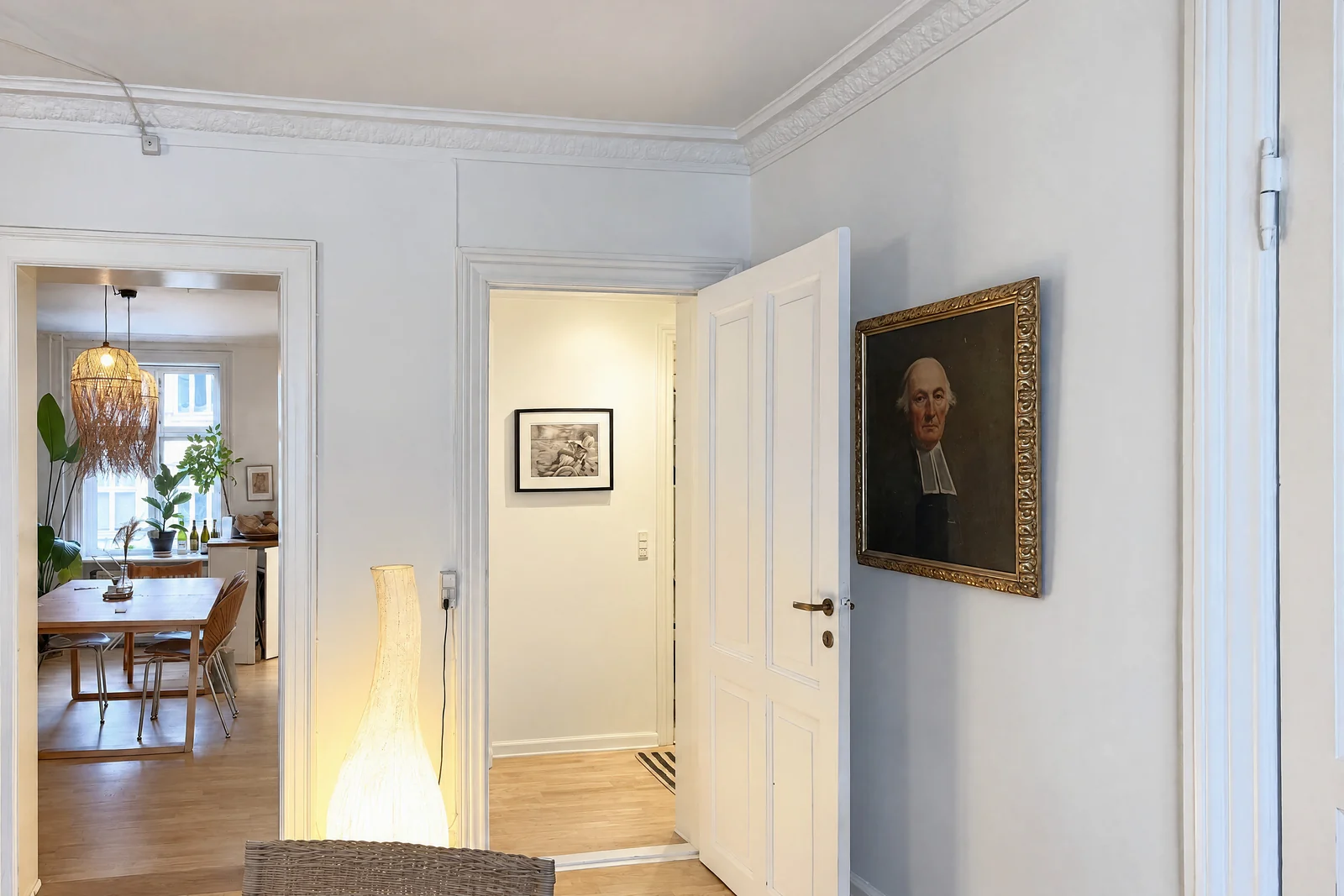
Apartments.com's must-have list for a unit is the primary bedroom, kitchen, living room, bathrooms and any additional bedrooms. Its mistakes guide adds the exterior and any feature renters value: fenced yard, garage, balcony, updated appliances, and the amenities renters ask about most, led by in-unit laundry, dedicated parking, central air, outdoor space and storage. A list that covers a one- or two-bedroom unit in 15 to 25 photos:
| Space | Shots | Why |
|---|---|---|
| Living room | 2: from the entrance and from the far end or a corner | Likely primary photo on Zillow; shows size and light |
| Kitchen | 2: wide from the doorway, and the appliance run or island | Zillow's other top primary photo; renters check the appliances |
| Primary bedroom | 1–2: from the door; the closet open | Closet size is a question you can answer in a photo |
| Other bedrooms | 1 each | Renters count them |
| Bathrooms | 1 each, from the doorway, lid down | Needed, but never first |
| Entrance and hallway | 1 | Shows access and the first impression |
| Laundry | 1, in-unit or shared | One of the most-wanted amenities |
| Parking, storage, bike room | 1 each | Renters ask; a photo saves the question |
| Balcony, patio, yard | 1–2 | Outdoor space is a top amenity |
| The view from the unit | 1 | Apartments.com's survey found 89% of renters interested in the view from the unit |
| Building exterior and common areas | 1–3 | Wide exterior and amenity shots drove the most traffic for four- and five-star communities |
| Floor plan | 1 | 67% of renters want a unit floor plan; Apartments.com doesn't count it against the photo limit |
The turnover-day workflow
The best time to photograph a rental is the hour between the cleaner leaving and the next tenant's keys, when the unit is as clean as it will ever be. Build the photos into the turnover checklist so they happen every time:
- Walk the unit after the clean. Fix what the camera will show: a missing blind slat, a burned-out bulb, a scuff by the door. Apartments.com's guidance is to photograph the property "when it's clean and move-in ready".
- Open everything. Blinds, curtains, interior doors, closet doors. Turn on every light; turn off ceiling fans and the thermostat display if it glows. Toilet lids down. Bins out of sight.
- Shoot the list in order, room by room, same height and same lens in each. Take two or three frames per spot and check each at full zoom for leaning walls and reflections before moving on.
- Add the extras the renter asks about: laundry, parking, storage, mailbox, the view, the building entrance.
- Select and export the same evening: one or two per space, landscape, JPEG, around 2,048 pixels wide, no filters. Name the files by unit and room ("4B-kitchen-1.jpg") so the next turnover can replace them.
- Upload and order. Living room or kitchen first on Zillow (its algorithm will promote one anyway), exterior or best interior first on Apartments.com, then the path through the unit, floor plan last. Caption bed sizes and included appliances.
- Update the listing, not just the photos. Apartments.com's mistakes list warns against photos with old date stamps, which "can feel out of date or suspicious", and against leaving stale prices, dates and amenities up. Then respond fast: Apartments.com reports 60% of renters are more likely to rent when they get a reply within 24 hours.
Consistency across units and buildings
A property manager's listings are judged side by side. The same unit type photographed by three people on three days, at different heights, lenses and times of day, looks like three different buildings, and renters notice when the "2 bed, 2 bath" photos don't match from one listing to the next. Consistency is a process, not a camera:
- One standard. Write down the shot list, the height (chest), the lens (1×), the orientation (landscape) and the time of day (daylight, lights on), and hand it to whoever does turnovers.
- Same spots every time. Photograph each unit type from the same positions, so a renter comparing 4B with 7B sees the differences in the unit, not in the photographer.
- Same look. Edit every photo the same way, or not at all. A warm set next to a cool set reads as two different buildings.
- A reference set per unit type. Keep the best set of each floor plan as the template; reshoot only what changed (new appliances, new flooring, a repaint).
- Unit photos, not just the model. Keep the model-unit set for the community page and give each listed unit its own photos; that is what 77% of renters are asking for.
- Retire old photos. When a unit is renovated, replace the whole set, not one picture; a mix of old and new finishes in one gallery is the fastest way to a disappointed showing.
Where October fits for landlords and property managers
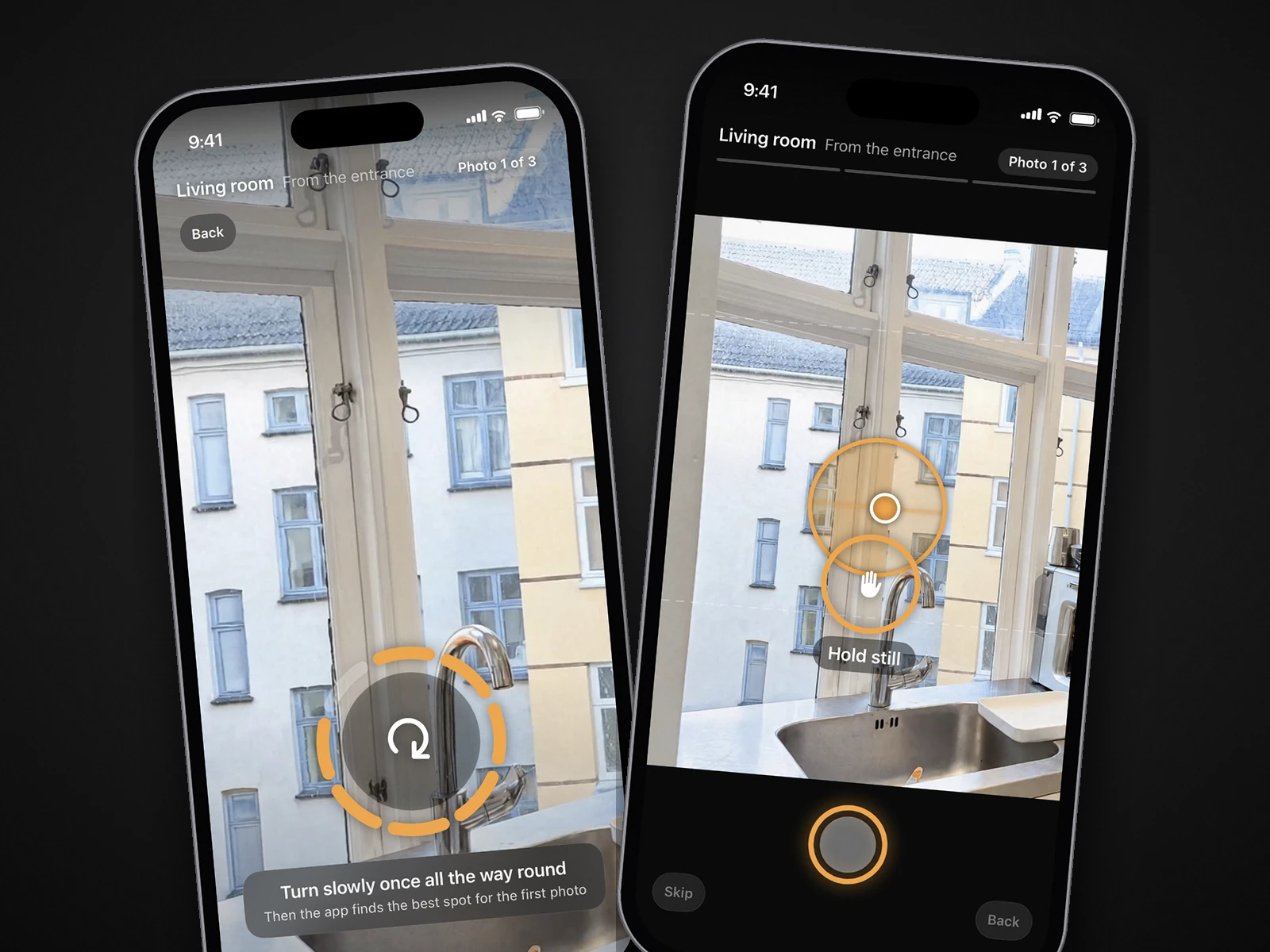
October is built for exactly this rhythm. Whoever does the turnover walks the empty or furnished unit with the October app; it shows them where to stand, keeps the phone level and takes the photos itself, the same way in every unit. An AI image model draws each finished photo from that capture, with a daylight look and loose items left out, and the photos and an AI walkthrough video usually come back within a few hours. The model is told to keep walls, floors, windows, fittings and the view, and each photo is checked against the capture, but check every photo against the unit so it shows what the renter will find, and label it as AI-generated where the portal requires. For an empty unit you can add a staged look at $29 a room, or have a furnished unit shown empty at $19 a room; those carry a Virtually staged or Virtually emptied label on the image.
Pricing is per place, and a unit of up to 6 rooms is one place: $49 for photos, $99 with the walkthrough, $199 with a 4K walkthrough. For steady turnover there are plans: Start at $149 a month covers 2 places, Pro at $399 a month covers 6, and unused places carry over for 3 months. The first place is free, and it runs on iPhone 12 and newer. Details on the pricing page; for the video side, read how to make a walkthrough video with an iPhone.
Step by step
Shoot right after the turnover clean
Walk the unit after the cleaner leaves, fix what the camera will show, and photograph it while it is move-in ready.
Open and light everything
Blinds, curtains, closet and interior doors open; every light on; ceiling fans and TVs off; toilet lids down; bins out of sight. Flash off.
Set up the iPhone
Grid and Level on, phone sideways at chest height, 1× lens; 0.5× only if a room won't fit. Keep the phone upright so walls stay vertical.
Work the per-room list
Living room and kitchen from two angles each, every bedroom and bathroom from the doorway, then entrance, laundry, parking, storage, balcony, view and building exterior.
Check each frame
Zoom in on the phone for leaning walls, your reflection, blown windows and anything left out. Reshoot on the spot.
Export landscape JPEGs
One or two photos per space, around 2,048 pixels wide, no filters. Zillow Rental Manager needs at least 330 × 220 pixels and under 10 MB; Apartments.com takes JPG or PNG. Name files by unit and room.
Upload, order and keep it current
Kitchen or living room first, then the path through the unit, floor plan last. Caption appliances and bed sizes. Replace the set when the unit changes, and reply to inquiries the same day.
Questions
Can I use iPhone photos for a Zillow rental listing?
Yes. Zillow Rental Manager accepts JPG, PNG and GIF photos of at least 330 × 220 pixels and under 10 MB, which any iPhone photo exceeds many times over. Shoot in landscape, in daylight with the lights on, and keep the phone level.
What photos do renters want to see?
Photos of the actual unit. In Apartments.com's 2026 survey of more than 15,000 people planning to rent, 77% wanted unit-specific photos, 67% unit floor plans and 35% 3D tours, and for half of them a listing without unit photos was a deal-breaker.
Which photo should be first on a rental listing?
On Zillow, the kitchen or living room: Zillow says its research shows those return the most responses as the primary photo, and its algorithm may move your pick to second. On Apartments.com, its analysis of 600,000 photos says never a bathroom, floor plan or fitness center.
Should I photograph the unit empty or furnished?
Photograph what the renter gets. An empty unit shot from the doorway diagonal with the lights on and closets open shows the space honestly; a furnished or model unit should be labeled as such, with the actual unit's photos added when it's empty.
How much does October cost for a rental unit?
A unit of up to 6 rooms is one place: $49 for photos, $99 with a walkthrough video, or on a plan from $149 a month for 2 places. Your first place is free, and the photos usually come back within a few hours.
Sources
- National Apartment Association: Survey: Renters rely on rental listing sites (Apartments.com survey, May 2026)
- RentCafe: What renters want in 2025 (renter survey, 5,471 respondents)
- Multi-Housing News: What Zillow's 'Playbook' reveals about listings (September 2026)
- Apartments.com (Apartmentology): Optimize your Apartments.com listings, analysis of 600,000 listing photos (2023)
- Apartments.com Help Center: How do I take great unit-level images?
- Apartments.com Help Center: How do I upload and arrange photos?
- Apartments.com Help Center: Photo guidelines (Apartments.com Canada)
- Apartments.com Rental Manager: The biggest rental listing mistakes that can cost you leads (July 2026)
- Zillow Help Center: How do I upload my rental listing photos?
- Airbnb Resource Center: How to take great photos for your listing
- Apple, iPhone User Guide: Use iPhone camera tools (grid and level)
- California Legislature: AB 723 bill text (applies to the sale of real property)