

Guides · Roundup
Exposio alternatives in 2026: real estate camera apps compared by what you need
The right Exposio alternative depends on what Exposio is not giving you: for a person checking every photo, Ovvy ($2 a photo, back within 12 hours) and SnapSnapSnap (BoxBrownie's editors, US$1.60 a photo, 24 hours) are the closest camera apps; for photos you already took, Roomify ($49 a listing) or Lumo ($29.99 a month); for 360° tours and floor plans, Nodalview; and if you want the app to decide where to stand and return a walkthrough video of the rooms, October, from $49 a place with the first place free. This page compares Exposio and six alternatives from their App Store listings and websites as of October 22, 2026; it is written by October's founder, and for HDR on the phone at the lowest price per photo, Exposio itself is still the one to beat.
By Emil Thomsen, Founder of October · Updated
Reading on Google? Add October to your Preferred Sources to see our guides more often.
How we compared them
We read Exposio's US App Store listing and its own homepage, pricing, AI Studio, Motion and Business pages, and for each alternative its App Store listing and, where one exists, its website or pricing page, on October 22, 2026. We did not shoot the same home with every app, so this is a comparison of what each one offers and charges, not of image quality. Ratings are the US App Store's as of that day.
A note on currency: the App Store prices are US dollars. Exposio's own website prices in euros excluding VAT, and its US in-app prices and euro site prices do not match one for one (both are below), so check the price in the app before you buy.
When Exposio is still the better choice
Exposio Real Estate Camera is the main app of Exposio Technologies, based in Saint-Augustin-de-Desmaures, Quebec, whose site says its processing has developed 38,000,000 photos since 2010. One tap captures up to 27 shots, which the app blends to balance indoor and outdoor light; on a phone without a wide lens it stitches up to 27 photos into one wide shot. You shoot for free with a watermark and pay one credit per photo to remove it: $0.99 an HDR photo in the US App Store, or credit packs. On top of the camera it sells AI Studio (virtual staging, decluttering, sky replacement, season and twilight changes, added in version 2.6.0 in July) and Motion, a video generated from the best photos of each shoot. It has 4.7 stars from 635 ratings, the most of any camera app on this page.
- You want the photo now. The HDR is developed in the app as you shoot; its pricing page calls it 'Instant HDR photos development'. Every human-edited alternative here takes hours to a day.
- You want the lowest price per photo. $0.99 an HDR photo, or less in packs (on its site, 11 credits are €9.99 and 1,000 are €600, €0.60 each). Ovvy and SnapSnapSnap charge $2 and US$1.60; October charges per place, not per photo.
- You want extras without another subscription. Its AI Studio page says 'Just 1 credit. Edits included.', and its Motion page says a video comes 'Included with every Exposio plan', with music, branding and optional AI narration.
- You shoot Android, or a Canon DSLR. Exposio has native iOS and Android apps, and Exposio 1-Click pairs the app over Wi-Fi with selected Canon cameras so one phone tap fires the camera's bracket. Of the alternatives here only Nodalview says it runs on Android; Ovvy, SnapSnapSnap, Roomify, Lumo and October are iPhone apps, and none pairs with a DSLR.
- You are a platform, not an agent. Exposio for Business licenses the camera as a white-label app and offers HDR tone-mapping, Motion and AI Studio as APIs.
If one of those is you, the rest of this page is for the day you need something Exposio does not do: a person checking each photo, help with where to stand, 360° tours and floor plans, or a video that moves through the rooms rather than across the stills. Our real estate camera app guide explains what a camera app like Exposio adds over the iPhone's own camera.
The 7 apps compared (as of October 2026)
| Option | What it is | Input | Price basis | Turnaround | Human in the loop | Video | Best for |
|---|---|---|---|---|---|---|---|
| Exposio Real Estate Camera | HDR and wide-angle camera (up to 27 shots a tap, blended and stitched on the phone); AI Studio for staging, decluttering, sky, seasons and twilight; Motion video; property websites | Photos taken in the app (iOS 16+; also Android); pairs with selected Canon DSLRs | Free to shoot with a watermark; 1 credit per photo to remove it: $0.99 an HDR photo in the US App Store, packs of 11 to 120 credits ($6.99–$99.99), Exposio Pro $9.99; on its site Pro is €8.99 excl. VAT a month with 15 credits, packs €9.99 for 11 to €600 for 1,000 | 'Instant HDR photos development' | Not mentioned | Yes: Motion, a video built from your photos, included with every plan | HDR on the phone with no wait, at the lowest price per photo |
| Ovvy | Camera app (exposure, levelling) plus an editing service; staging, twilight, a property website and a listing description | Photos taken in the app (iOS 17.6+) | Free app; $2 a photo pay as you go, or Pro $29/month for 30 photos (unused photos roll over one cycle); staging and twilight are add-ons; 20 free photos | 'Photos back in hours'; '12 hours or less guaranteed' on its site | Yes: 'we also manually review all photos' | No | Phone capture with a person checking every photo, in hours |
| SnapSnapSnap (BoxBrownie) | Free iPhone camera with automatic HDR that sends the photos to BoxBrownie's editors | Photos taken in the app (iOS 15+) | Free app, no subscription; US$1.60 an enhancement and US$4 a day to dusk from the app (BoxBrownie, April 2026) | 24 hours; 48 hours for staging | Yes: 'our team of experienced editors' | No | BoxBrownie customers who want to shoot on the phone |
| Roomify | AI enhancement of iPhone photos (lighting, colour, clarity); single-property website | Photos taken with your iPhone or imported (iOS 15.1+) | $49 a listing, $199 for 5, $499 for 20; up to 150 photos a listing, 5 free re-runs a photo; first listing free | 'About three minutes' | Not mentioned | No | Fast results on photos you already took, priced per listing |
| Lumo | iPhone camera and AI editor: brightening, sky and twilight for exteriors, staging, room sorting, MLS and social export sizes | Photos shot in its camera or imported, up to 20 at a time (iOS 26+) | Free: 5 enhancements and 1 listing with a badge; Lumo Pro $29.99/month or $239.99/year for 500 photos and 50 listings a month | 'Under 30 seconds' a photo | No: 'review each photo against the property before you list it' | No | Enhancing a whole camera roll on one flat subscription |
| Nodalview | Agency platform: HDR photos, video, 360° virtual tours, 2D floor plans, AI editing, branding and teams | Photos, 360° images and floor-plan scans taken in its app (iOS 17+; its site says Android too), with optional lens and tripod kits | Plans by quote; credits on top: 1 a photo, 15 a video, virtual visit or floor plan, 1–3 an AI edit; 20 credits $28.99, 40 for $55 in the app; 14-day free trial | HDR in the app; AI processing 'typically ... a few minutes'; floor plans within 24 hours | Not mentioned for photos | Yes: AI video from your photos | Agencies that want tours, floor plans and video on one account |
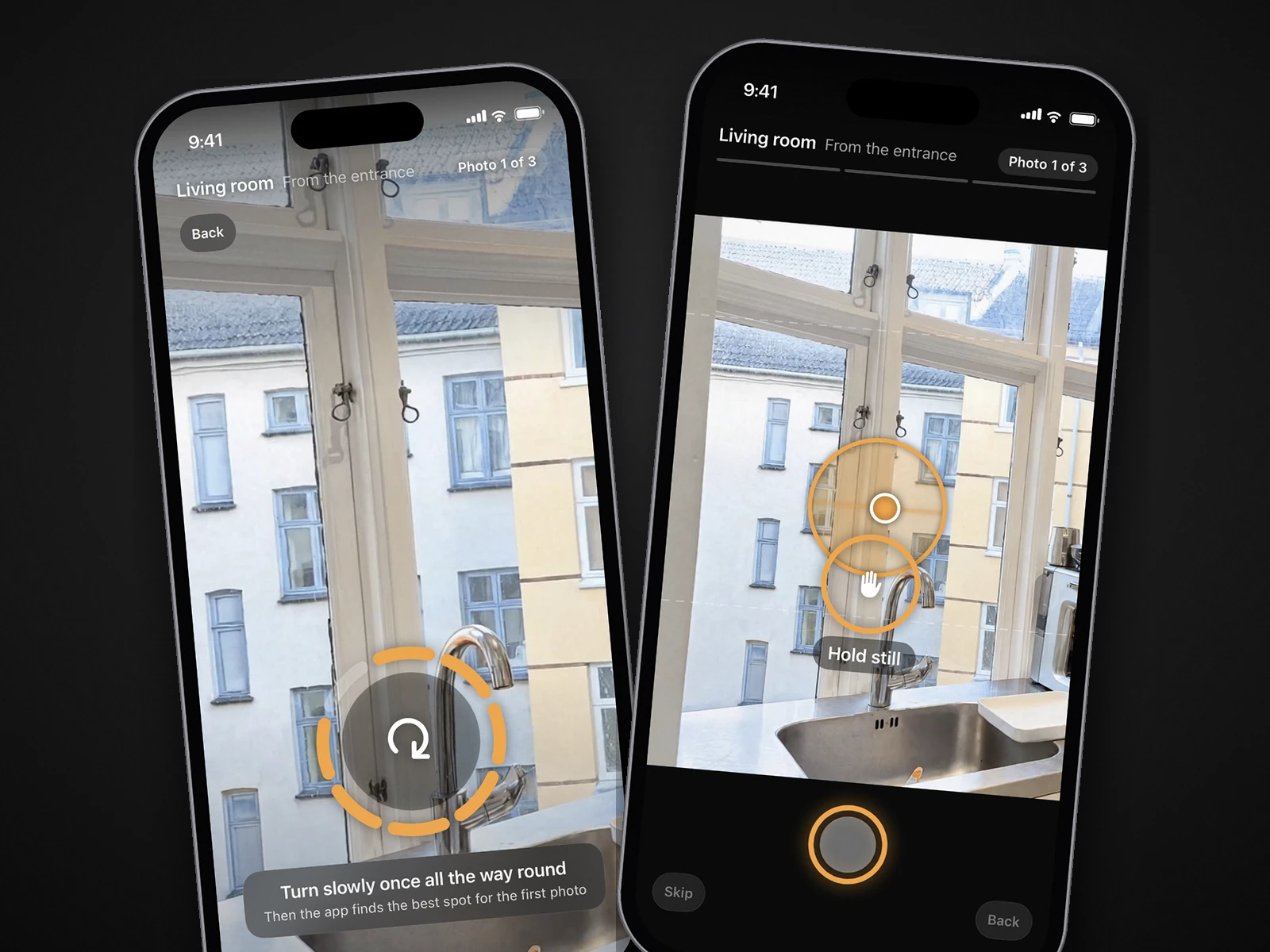
| October | iPhone app that guides the capture (an arrow to each spot, a level, three spots per room, the app takes the shot); an AI image model then draws each finished photo from the capture of that spot, and an AI video model makes a walkthrough | A guided walk in the app on an iPhone 12 or newer; cannot take photos you already have | Per place (up to 6 rooms): $49 photos, $99 with walkthrough, $199 with 4K; Start $149/month (2 places), Pro $399/month (6); Empty room $19, Staged $29 per room; first place free | Usually within a few hours, room by room | No human review promised; each AI-drawn photo is checked against your capture by software and redrawn if the room changed. Check every photo before you publish | AI-generated walkthrough (Kling) moving between each room's finished photos, HD or 4K | When nobody on the job knows where to stand and you want photos and video back within hours |
Exposio, Ovvy and SnapSnapSnap are all cameras you aim and tap; Exposio develops the photo on the phone, the other two send it to people. Roomify and Lumo work on photos you already have. Nodalview adds 360° tours and floor plans for agencies. October is the only one that chooses the spot, and its finished photos are drawn by an AI image model from that capture rather than developed from it.
Which alternative, by what you need
| Your situation | Look at | Why |
|---|---|---|
| I want a person to check every photo | Ovvy, SnapSnapSnap | Ovvy says it manually reviews all photos and guarantees 12 hours or less, at $2 a photo or $29 a month for 30. SnapSnapSnap sends the photos to BoxBrownie's editors, US$1.60 an enhancement, back in 24 hours. Exposio's processing is automatic. More in SnapSnapSnap alternatives. |
| I already took the photos | Roomify, Lumo | Exposio only develops photos taken in its own camera. Roomify enhances a whole listing for $49 in about three minutes; Lumo does it photo by photo in under 30 seconds on a $29.99 monthly plan, but needs iOS 26. See Lumo alternatives. |
| I need 360° tours and floor plans | Nodalview | Nodalview captures HDR photos, 360° images for virtual visits and floor-plan scans in one app, 15 credits for each tour or plan, with plans by quote. Exposio lists neither. See Nodalview alternatives. |
| I don't know where to stand | October | Exposio sets the lens so the room is 'not too wide nor too close', but where you stand is up to you, as with every app here except October, which shows the photographer's spot with an arrow and the distance and takes the photo itself. See the app that tells you where to stand. |
| I need a video that moves through the rooms | October, Exposio, Nodalview | All three start from still photos. Exposio's Motion and Nodalview's AI video add camera moves, transitions and music to your photos. October's walkthrough is AI-generated motion (Kling) between each room's finished photos, so the camera seems to move through the room; it is not filmed footage. HD (1920×1080) or 4K (3840×2160), the 4K being the same film upscaled. See turn listing photos into a video. |
| I need staging | Exposio, Ovvy, Lumo, October | Exposio's AI Studio and Lumo's Pro plan include staging; Ovvy sells it as an add-on. October stages a room for $29 (every photo of the room) or empties it for $19. See our virtual staging cost guide. |
What a 6-room listing costs: per photo vs per place
Take a six-room home and 18 photos, three per room, which is what October captures, and stage two of the rooms. Here is that job on Exposio's per-photo path and October's per-place path, with the other camera apps' photo lines below. No photographer is needed on any of these paths.
| Job | Exposio path (per photo) | October path (per place) |
|---|---|---|
| Get the 18 photos taken | You, in the app, choosing where to stand | You, in the app; it chooses the spot and takes the shot (iPhone 12 or newer) |
| 18 finished photos | 18 × $0.99 = $17.82 in the US App Store (less in packs) | $49 for the place |
| Add a video | Motion, included | $99 for photos + HD walkthrough (or $199 in 4K) |
| Stage 2 rooms, 3 photos each | AI Studio: 'Just 1 credit. Edits included.' At most 6 × $0.99 = $5.94 more, likely nothing on photos you already paid for | 2 × $29 = $58 |
| Total, photos, video and staging | About $18–$24 | $157 ($99 + $58) |
| Turnaround | Instant, in the app | Usually within a few hours, photos room by room |
| The same 18 photos elsewhere | Ovvy 18 × $2 = $36 (or $29 on its Pro month); SnapSnapSnap 18 × US$1.60 = $28.80; Roomify $49 a listing; Lumo $29.99 a month for up to 500 photos | — |
Read it plainly: Exposio is the cheapest way on this page to get finished photos, a video and staging out of a phone, by a wide margin. What October's price buys instead is the app choosing each spot, a finished photo per spot drawn by an AI image model from your capture (brighter, straightened, loose items left out, the room kept as captured), and an AI walkthrough that moves between each room's photos; whether that is worth $80–$140 more per listing depends on who is holding the phone. Your first place with October is free, including the walkthrough (pricing).
Three things to check before you switch
- Whether anyone looks at the result. Ovvy and SnapSnapSnap say a person does. Exposio, Roomify, Lumo, Nodalview and October do not promise one; Lumo's site asks you to review each photo against the property yourself.
- What the price is really per. Per photo (Exposio, Ovvy, SnapSnapSnap), per listing (Roomify), a flat month with a photo cap (Lumo), credits on top of a quoted plan (Nodalview) or per place of up to six rooms (October). Count your photos per listing and listings per month before comparing.
- Disclosure. Staging, decluttering, sky replacement and twilight, which Exposio's AI Studio offers, are alterations under California's AB 723 and most MLS rules, whoever makes them. HDR blending, light and colour corrections generally are not, but that exemption does not cover a photo drawn anew: every October photo is AI-generated from your capture, so label it AI-altered or digitally altered where your MLS, portal or state requires, and October's empty and staged rooms carry a label on the image. October's download includes the unaltered original of every photo, so you can link or provide it where your MLS or state requires. See AI photo editing and MLS rules.
For the full field of phone apps, including HauShot, CurbShot, Real Estate Camera AI and the DIY editors, see the best real estate photography apps. For Exposio, Ovvy and Roomify against October head to head, see Ovvy vs Roomify vs Exposio vs October.
Questions
What is the best alternative to Exposio?
It depends on what you are missing. For a person checking every photo, Ovvy ($2 a photo, 12 hours or less) or SnapSnapSnap (US$1.60 a photo, 24 hours). For photos you already took, Roomify ($49 a listing) or Lumo ($29.99 a month). For 360° tours and floor plans, Nodalview. If you want the app to choose where you stand and to return a walkthrough video of the rooms, October, from $49 a place with the first place free.
How much does Exposio cost?
The app is free and you can shoot for free with a watermark. Removing it costs one credit per photo: $0.99 an HDR photo in the US App Store, or credit packs from $6.99 for 11 to $99.99 for 120, and Exposio Pro is $9.99. On its website, Pro is €8.99 excl. VAT a month with 15 credits, and packs run from €9.99 for 11 credits to €600 for 1,000. The site offers the first listing free; the App Store listing says the first month is free.
Is Exposio's Motion video a walkthrough?
It is a video built from the photos you pick, with camera moves, transitions, licensed music, your branding and optional AI narration; Exposio says it is included with every plan and ready in seconds. It moves across your still photos. October's walkthrough also starts from stills: an AI video model (Kling) generates motion between each room's finished photos, so the camera seems to move through the room, in HD or 4K. Neither is filmed footage.
Does Exposio have human editors?
Its pages describe automatic processing in the app (HDR blending, colour adjustment, noise reduction) and AI Studio edits, and mention no human editing step. Ovvy and SnapSnapSnap are the camera apps on this page where a person checks or edits each photo.
Which Exposio alternatives work on Android?
Of the six here, only Nodalview: its site says the app works on iPhone and Android smartphones. Ovvy, SnapSnapSnap, Roomify, Lumo and October are iPhone apps; October needs an iPhone 12 or newer and Lumo iOS 26. For more Android options, our best real estate photography apps roundup lists Realty Pro Shots, HauShot, CurbShot and Real Estate Camera AI.
Can October use photos I took with Exposio?
No. October only works from captures made in its own app on an iPhone 12 or newer, where the app walks you to each spot and takes the photos itself; an AI image model then draws each finished photo from that capture. It replaces the camera app and the editing together, not the editing alone.
Did you test all seven?
No. This page compares what each app publishes on its App Store listing and website, checked on October 22, 2026. We only describe October from first-hand knowledge, because we make it.
Sources
- App Store: Exposio Real Estate Camera (free, first month free, $0.99 an HDR photo, credit packs, Pro $9.99, 4.7 from 635 ratings, iOS 16, version 2.7.2, AI Studio added in 2.6.0)
- Exposio: homepage (27 shots a tap, stitching, lens framing, AI Studio, Motion, Canon 1-Click, iOS and Android, first listing free, 38,000,000 photos since 2010, Quebec headquarters)
- Exposio: pricing (Pro €8.99 excl. VAT with 15 credits a month, packs from €9.99 for 11 to €600 for 1,000, 1 credit per photo, 'Instant HDR photos development', property websites)
- Exposio: AI Studio ('Just 1 credit. Edits included.', staging, seasons, day to dusk, decluttering)
- Exposio: Motion (video from your photos, included with every plan, music, branding, AI narration)
- Exposio: for Business (white-label apps, HDR tone-mapping, Motion and AI Studio APIs)
- App Store: Ovvy Real Estate Camera ($2 a photo, $29/month for 30, 20 free, hours, quality check, 4.8 from 60 ratings, iOS 17.6)
- Ovvy: website ('12 hours or less guaranteed', manual review of all photos)
- Ovvy: pricing (pay as you go $2, Pro $29 for 30, one-cycle rollover, staging and twilight add-ons)
- App Store: SnapSnapSnap by BoxBrownie.com (free, no subscription, 24 h / 48 h, 4.2 from 64 ratings, iOS 15)
- BoxBrownie: 5 steps for creating an irresistible listing on a budget (US$1.60 enhancement and US$4 day to dusk from SnapSnapSnap; April 14, 2026)
- App Store: Roomify Real Estate Photos ($49 a listing, $199 for 5, $499 for 20, three minutes, 150 photos, iOS 15.1)
- Lumo: website (under 30 seconds a photo, Pro $29.99/month or $239.99/year, 500 photos and 50 listings, review each photo, iOS 26)
- Nodalview: pricing (plans on request, credits per photo, video, virtual visit and floor plan, 14-day trial)
- App Store: Nodalview (20 credits $28.99, 40 for $55, iOS 17, 4.7 from 77 ratings)
- Nodalview: mobile app (iOS and Android, AI processing typically a few minutes, floor plans in less than 24 hours)